StickerGrab
v1.2.0-beta.1
 Orenvo PDFPDF compression workflow · v1.0.2 · Windows · macOS · Android
Make oversized PDFs easier to email or store from a desktop app, with compression controls before export.
Use Orenvo PDF when document cleanup is recurring work and you want the controls in one installed app.
 Shrink oversized PDFs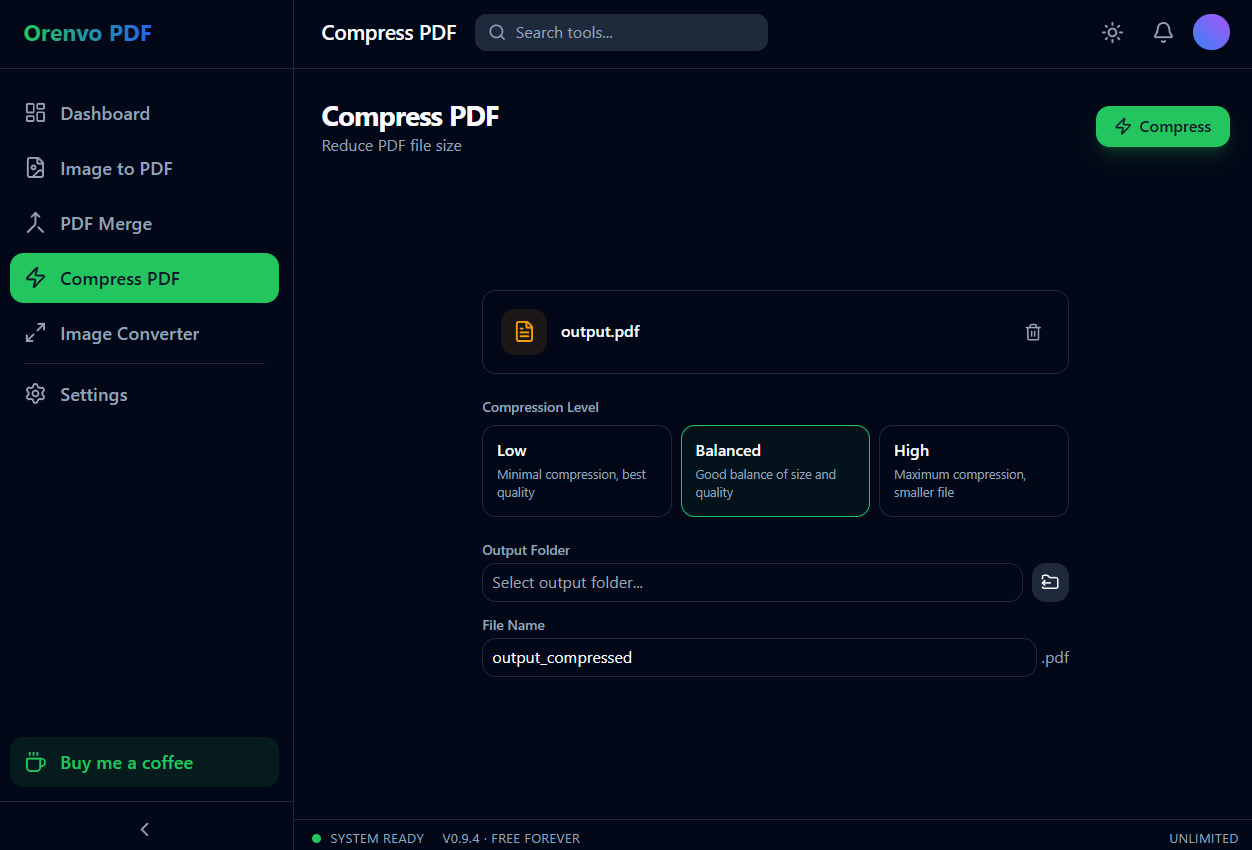
Compress
Reduce file size to fit email and upload limits.
One place
Handle the common PDF cleanup jobs without hopping between web utilities.
No limits
Every tool is free and unlimited, with no watermarks and no Pro tier.
Why this workflow
The pain is not compression itself; it is finding out a file is too large after an email bounces or a portal rejects it. Browser compressors add another wait before you even know the result. Orenvo PDF lets you choose a compression level and check the size change before saving.
Workflow fit
Orenvo PDF is positioned around the practical jobs that interrupt normal work: combine files, shrink large PDFs, make image sets shareable, and convert supported image formats.
How it works
Choose the tool, add your files, adjust the output, and save the finished file locally.
Select the PDF that is too large for email, upload, or storage.
Choose the compression level that fits the job.
Review the estimated size change before export.
Save the compressed PDF locally — free, with no daily limits.
Inside the real app
Choose the compression level and output destination without leaving the installed app.
Compress
Balance size and quality, then save the smaller copy to the output folder you choose.
Android
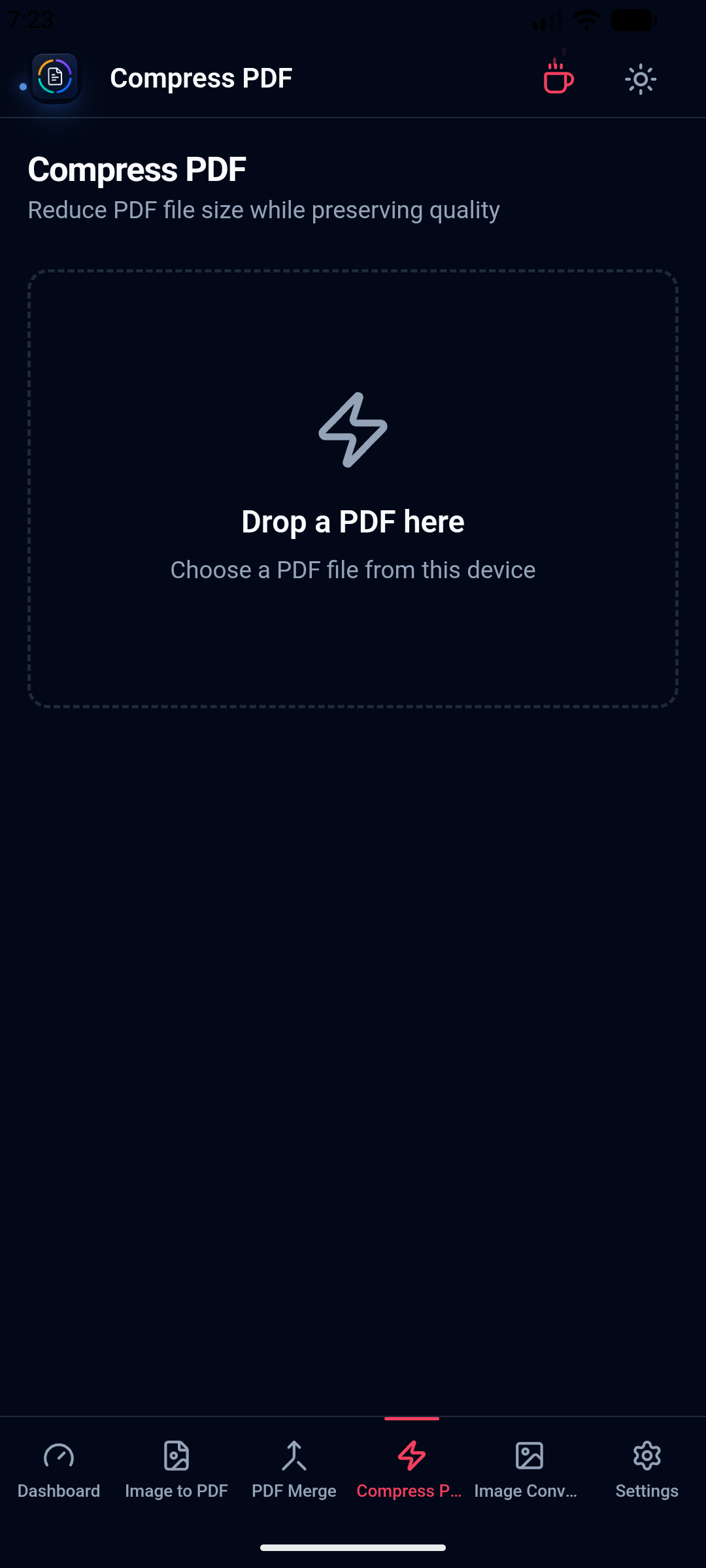
Use the corresponding supported workflow from the universal Android build.
Local workflow comparison
A factual comparison of the handoff required for this job.
Online handoff
Installed workflow
Source files
Upload the PDF or image set first.
Open files directly from device storage.
Processing
The web service handles the remote job.
Supported PDF and image work runs locally.
Access
Limits and retention depend on the service.
No KenoLabs account, daily cap, paid tier, or watermark.
Output
Download the finished file again.
Save directly to the location you choose.
Online PDF services differ in limits and retention policy. This compares the common browser handoff with Orenvo PDF's verified installed workflow.
Why Orenvo PDF
Choose a compression level instead of accepting a black box
Review the estimated before/after size
Solve email, upload, and storage friction from the desktop
Compress as many PDFs as you need — free and unlimited
Privacy and control
Financial statements, client files, and signed paperwork can be reduced from the installed app, avoiding the extra exposure of handing the original to an online shrinker.
Orenvo PDF includes all four tools, free and unlimited, with no checkout gate.
Exports have no watermarks, even with repeated use.
There is no Pro tier and no checkout — every tool is free.
FAQ
Compression depends on what is inside the PDF. Image-heavy documents usually shrink more, and Orenvo PDF shows an estimated size reduction before you save the output.
The desktop app opens the PDF from a local folder, applies the selected compression level, and saves the smaller copy to the destination you pick.
Orenvo PDF · Compress PDF on Windows
Download Free to use the full workflow on Windows or macOS — no limits, no watermarks, no account.