StickerGrab
v1.2.1 Beta
Media ScraperWindows64-bit installer macOSUniversal DMG
Windows 10/11 & macOS 12+Standalone tool · Telegram & Discord export
 Orenvo Prov5.4 Beta 1 · Windows · Optional beta
Remove backgrounds, upscale, and batch convert locally—then automate repeat jobs with watched folders.
 Orenvo Pro v5.4 Beta 1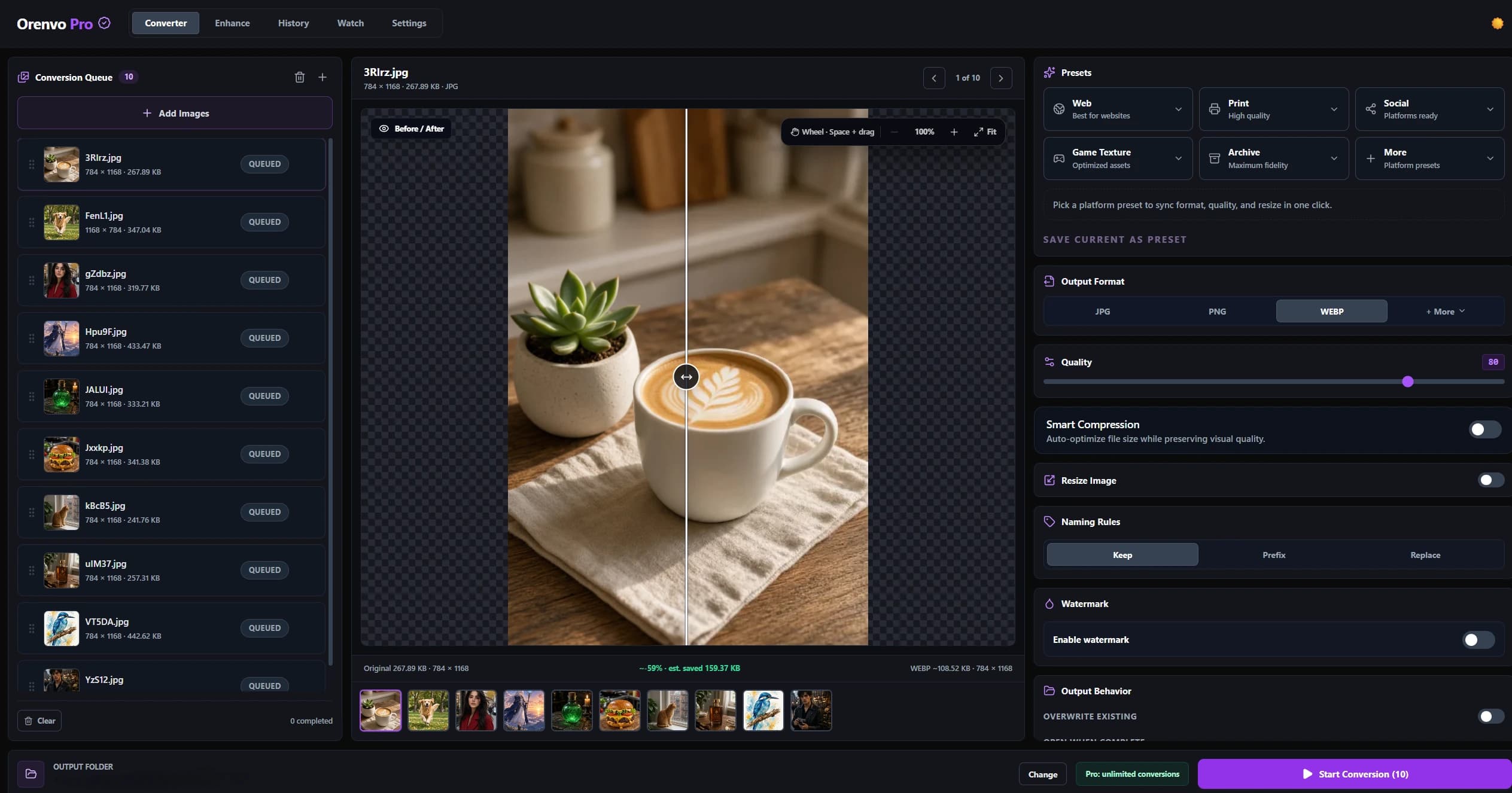
Supported image workflows run on your Windows PC.
Normal supported jobs do not send working files to a web tool.
€24.99 lifetime Pro license for two personal devices.
Windows 11 tested; Windows 10 64-bit may also work.
Windows downloads
Use the stable build for everyday work, or install the optional beta when you want to test the redesigned Converter. Both installers run in Free mode until a Pro license is activated.
Windows · Stable
Recommended for everyday work. Windows x64 setup EXE.
v5.3.0 · Stable channel
Download stableWindows · Beta
Optional test build. Keep the stable installer and use copies of important images.
v5.4 Beta 1 · Test channel
Download betaNew in v5.4 Beta 1
The beta keeps the queue, comparison canvas, presets, and output controls visible at the same time, so you can adjust a result without moving between separate panels.
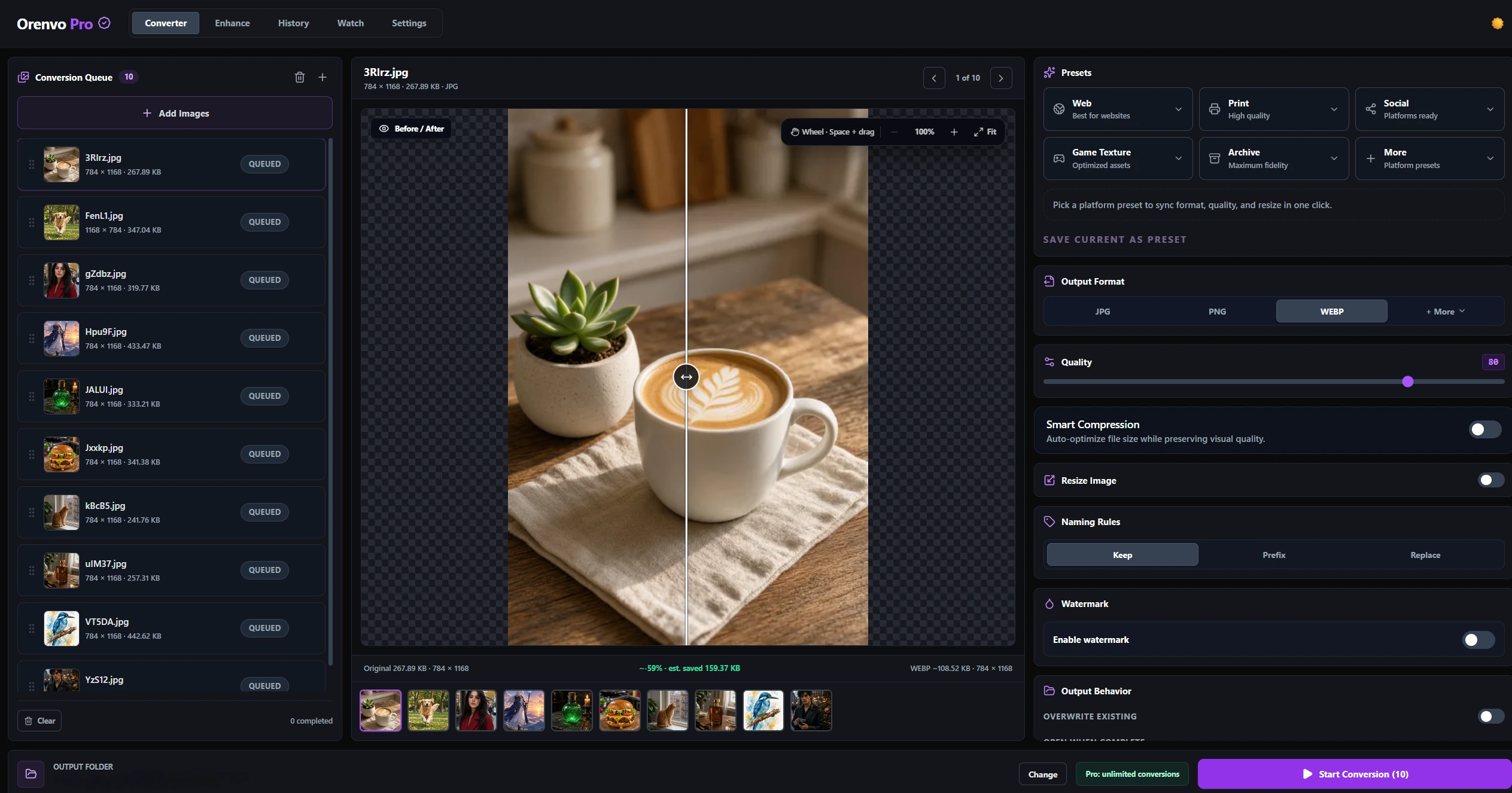
Unified Converter
Reorder the batch, move the comparison divider, zoom or pan the preview, and keep the active output recipe visible.
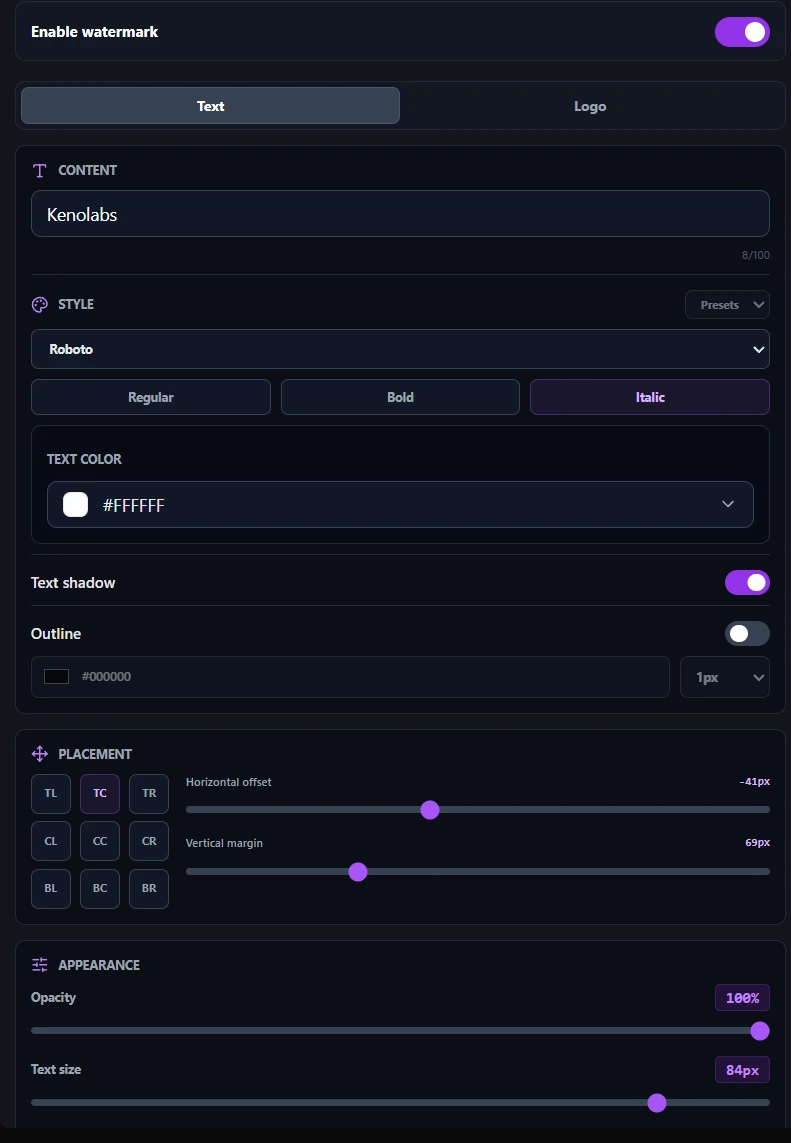
Watermark editor
Control placement, styling, offsets, rotation, shadow, outline, and opacity, then save the setup as a preset.
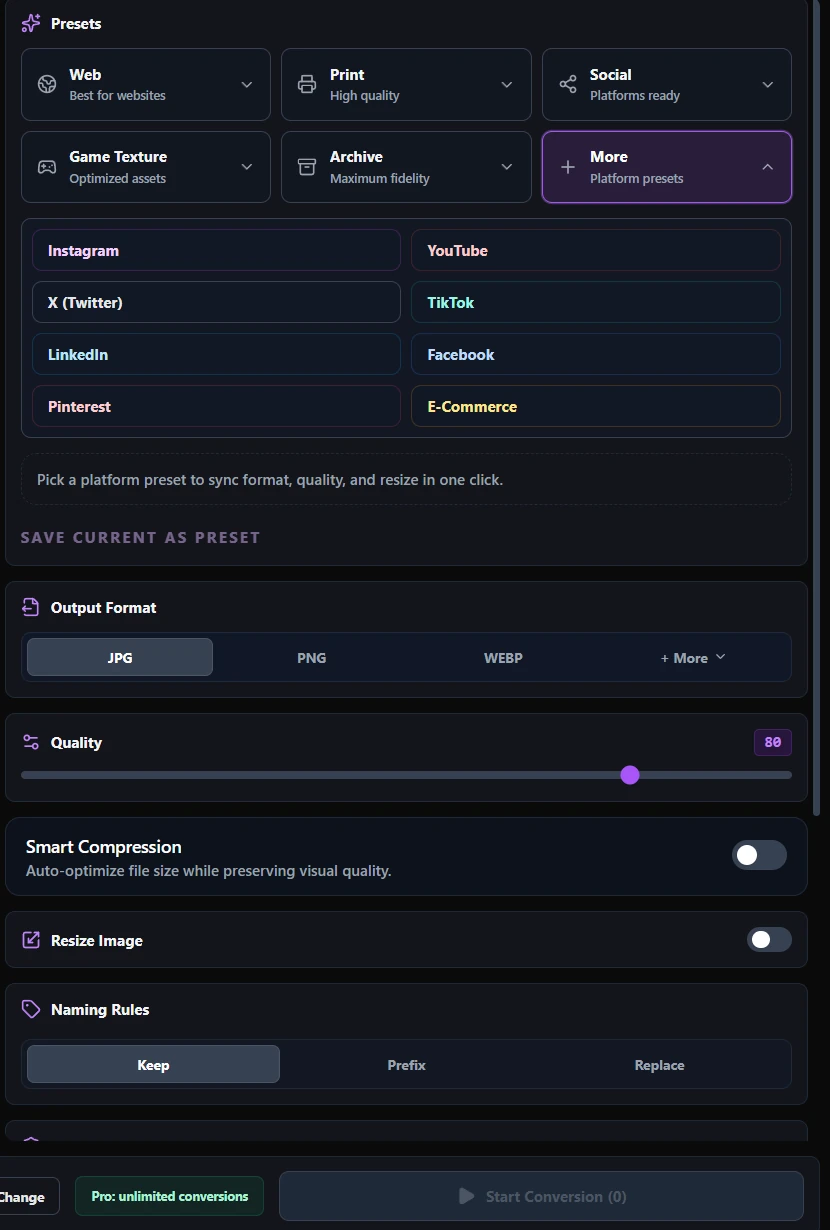
Presets and output
Choose Web, Print, Social, Game Texture, Archive, or a platform preset, then fine-tune only what the job needs.
Real output
The comparisons below use the real source and output files from Orenvo Pro. Drag either divider to inspect the result.
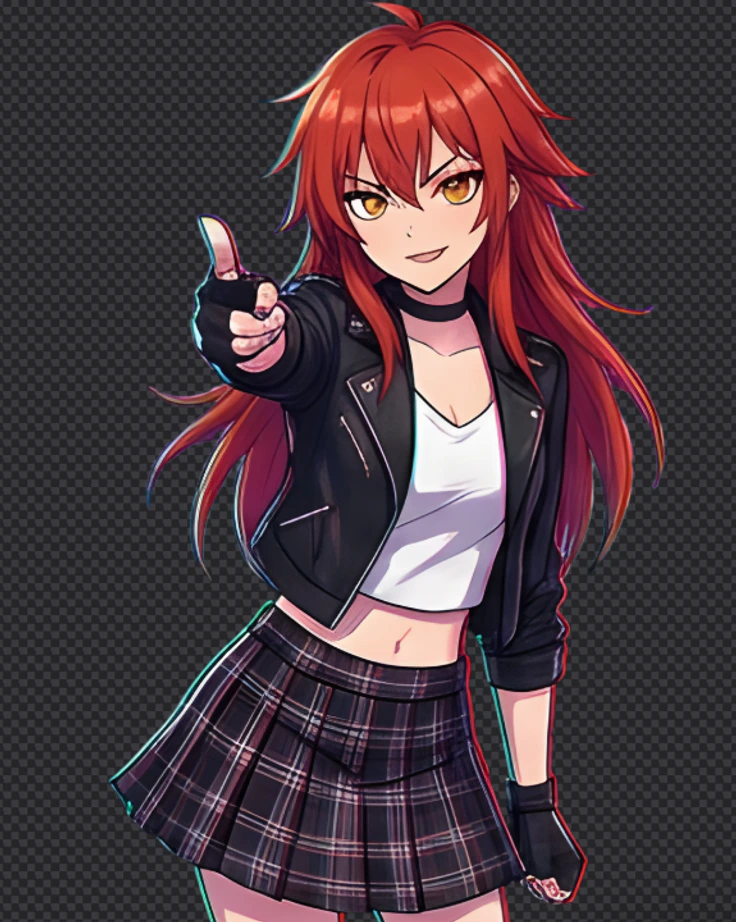
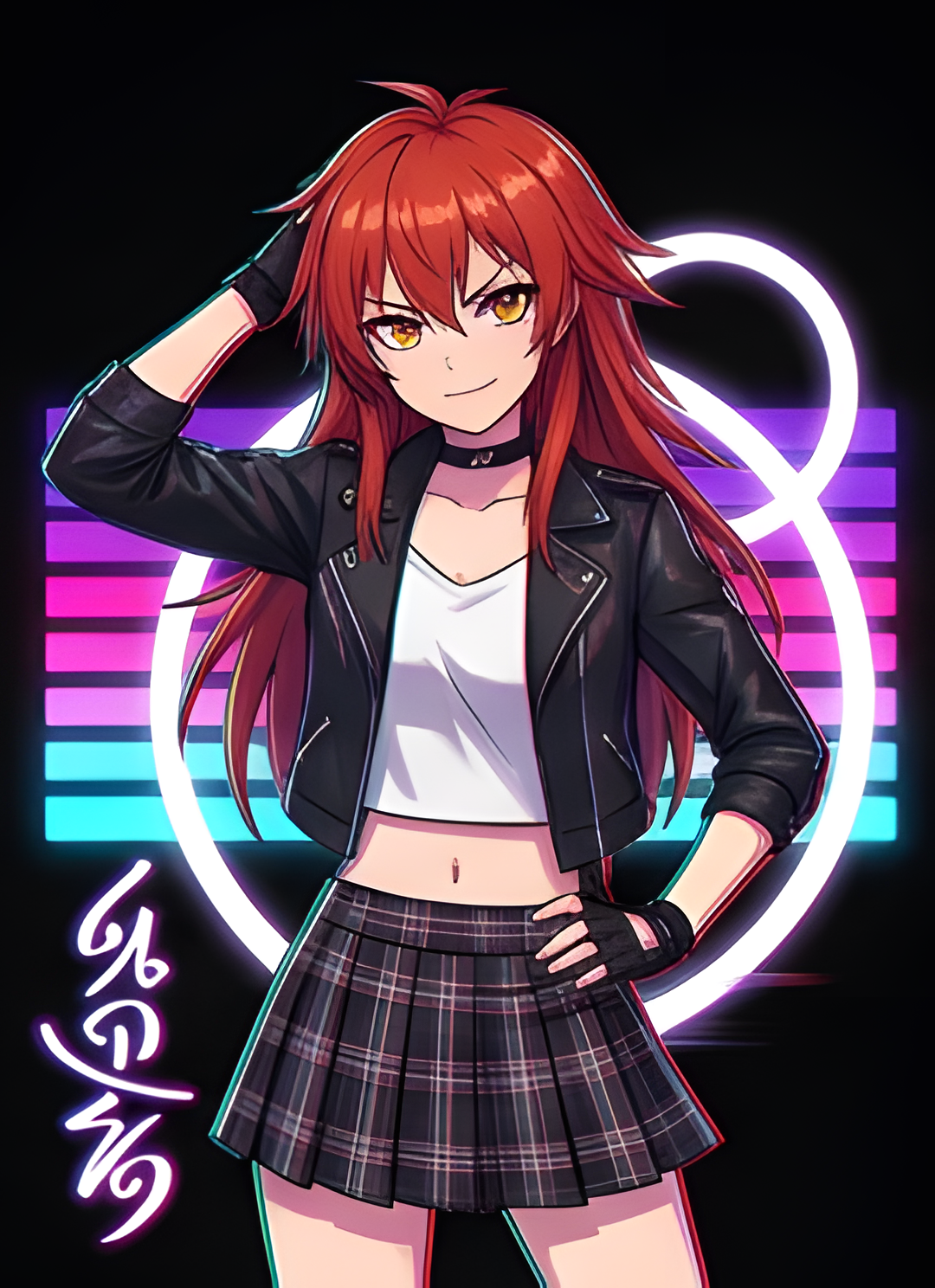
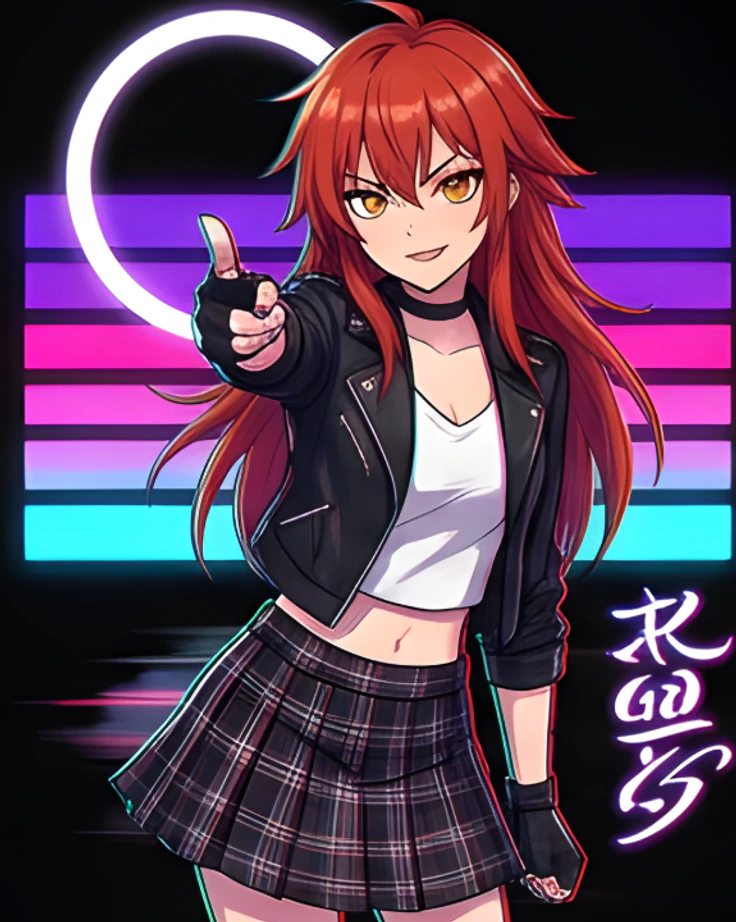 OriginalBackground removedBackground-removed result shown on a transparency grid: 46 percent visible
Background Removal
Compare the original artwork with the real removed-background result, including hair and clothing edges.
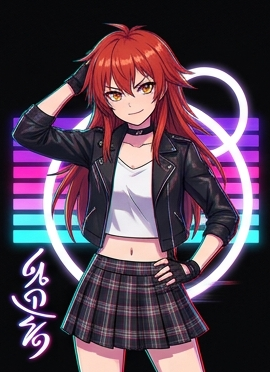 Source · 270 × 3724× · 1080 × 14881080 by 1488 pixel 4x upscaled result: 46 percent visible
AI Upscaling
The left side is the real 270 × 372 source. The right side is its 1080 × 1488 4× output.
Orenvo Pro v5.4 Beta 1
Conversion, cleanup, enhancement, and automation stay in one desktop workspace.
Keep the queue, live Before / After preview, presets, output controls, and 20 supported output formats in one Converter workspace.
Place and style text or logo watermarks precisely, preview them on the image, and save reusable presets for later batches.
Arrange still frames on a draggable timeline, tune timing and looping, and inspect the full animation before exporting.
Export standard 2D game textures with clear Opaque, Alpha, and Lossless Master starting points plus optional mipmaps.
Remove backgrounds from portraits, products, and illustrations with offline quality modes designed for different image needs.
Improve small or soft images with 2×, 4×, or 8× offline AI upscaling models that run on your own hardware.
Reduce file size automatically so assets are easier to store, share, and publish while keeping visual quality practical.
Monitor a folder and automatically convert, remove backgrounds, or upscale new images with a detailed saved recipe.
JPG
Photos and broad compatibility
PNG
Transparency and editing
WebP
Web-ready output
AVIF
Modern image delivery
HEIC
Phone photo input
TIFF + DDS
Print and texture workflows
Workflow
Drop images into the app or choose a watched folder.
Choose format, quality, resize, AI, or compression options.
Preview supported transformations and run the batch locally.
Write the finished files to the output folder you choose.
Expanded in Orenvo Pro v5.3
Choose what should happen when a new image arrives, then keep the processing and output settings with that watched folder.
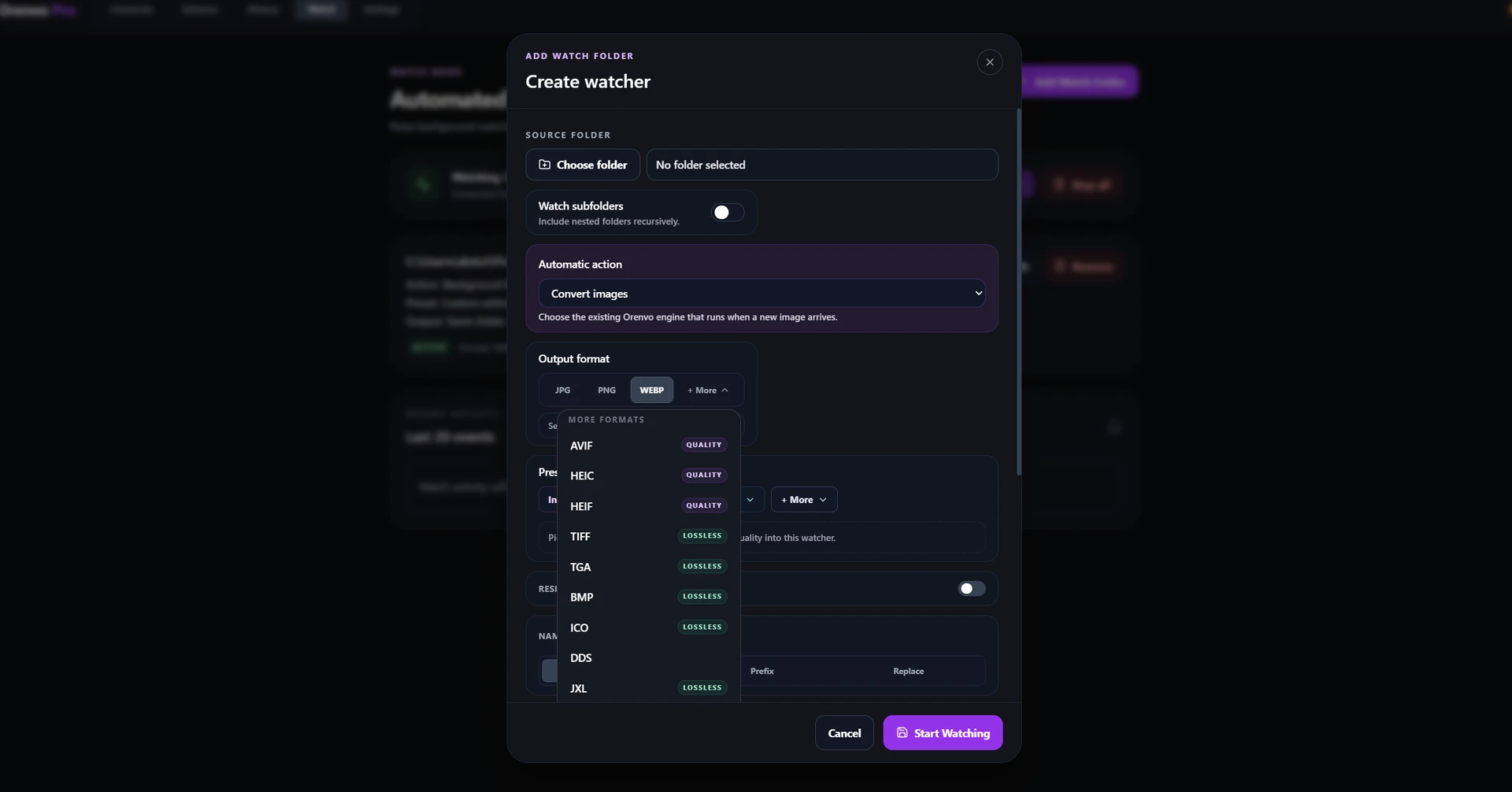
Convert images
Choose the output format, preset, quality, resize, naming, and destination once for every new arrival.
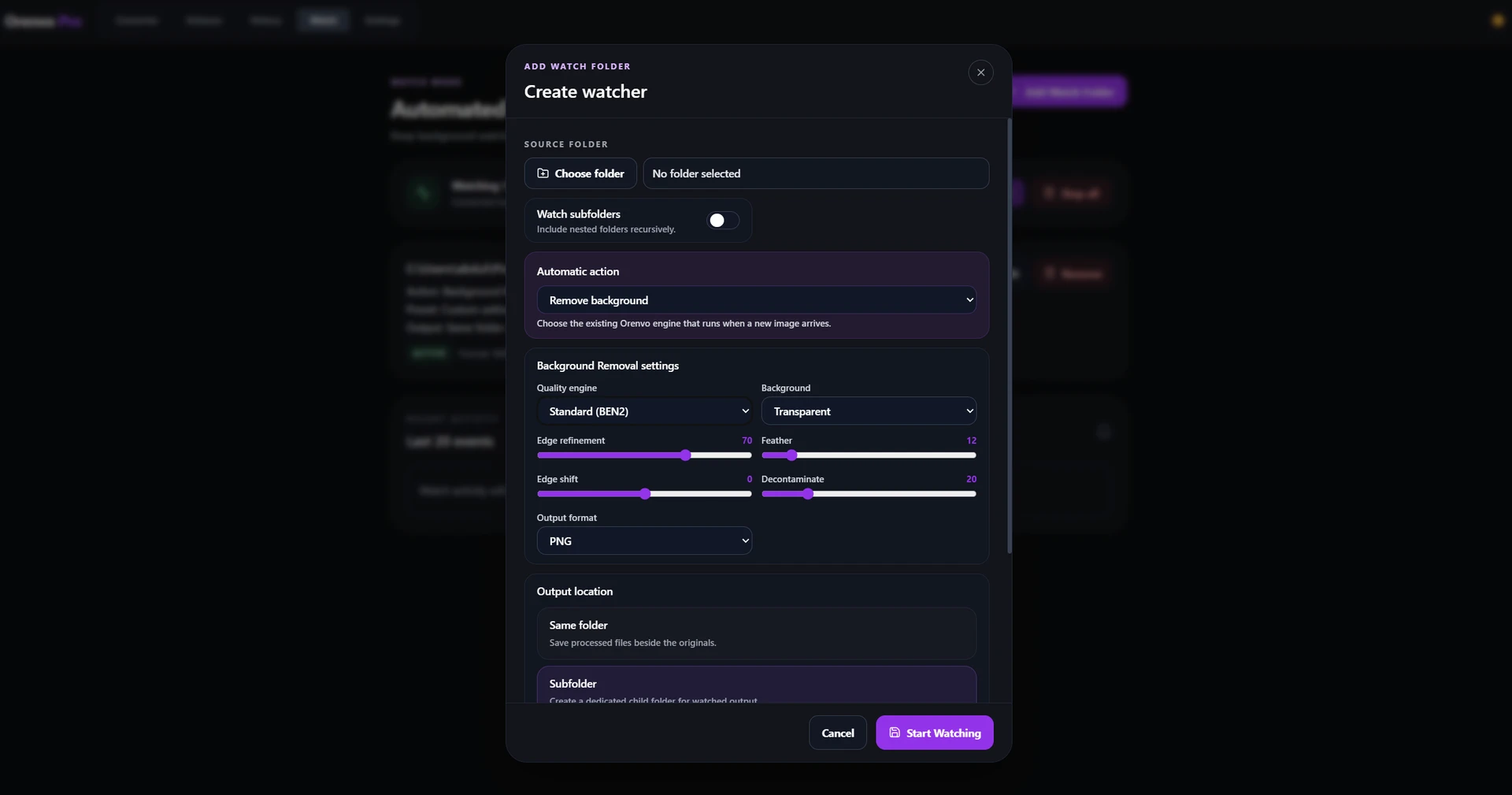
Background Removal
Save the quality engine, background treatment, edge refinement, feather, decontamination, and output format.
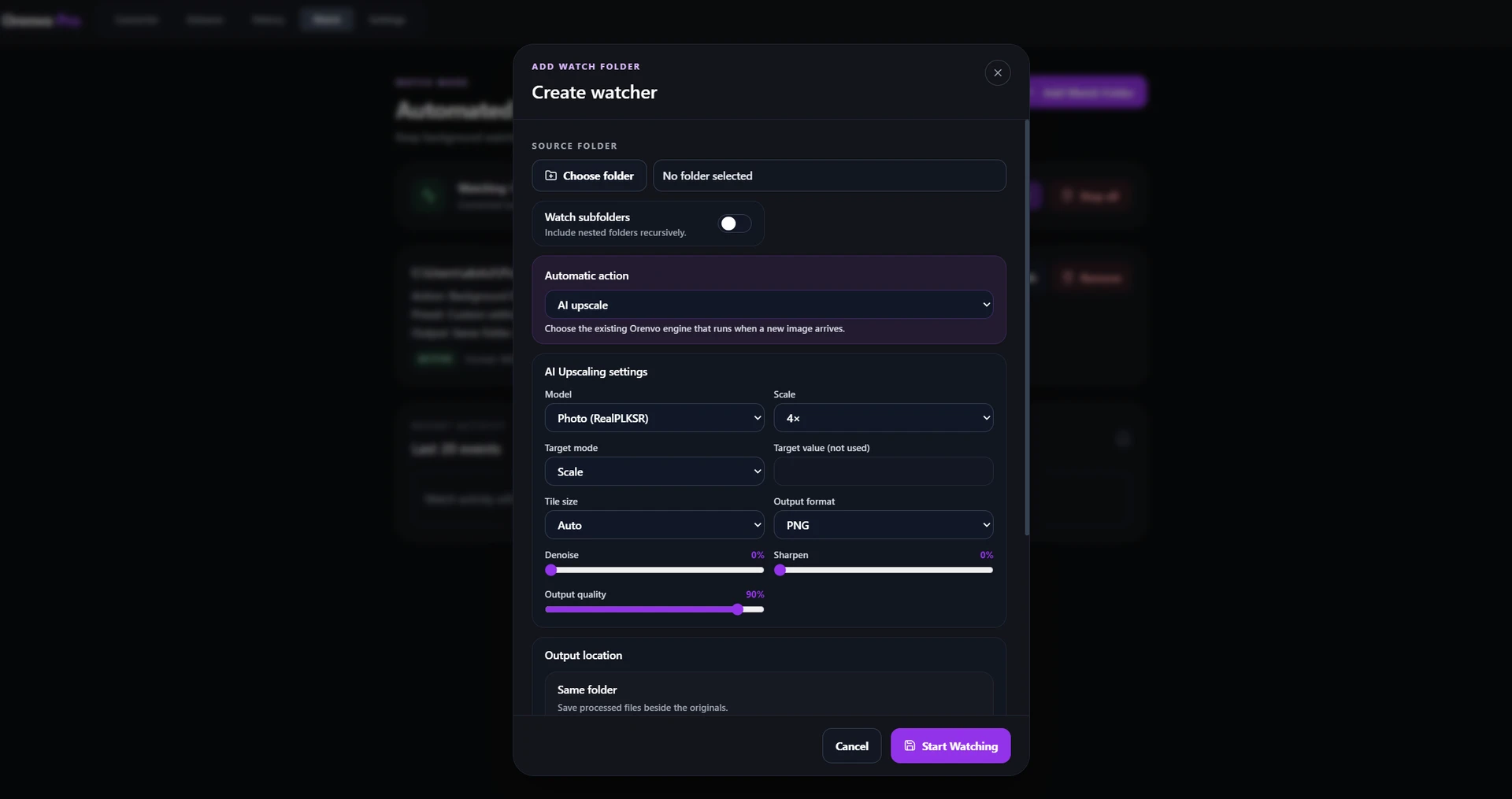
AI Upscaling
Keep the model, scale or target size, tile, denoise, sharpen, output format, and quality consistent.
Local workflow comparison
This compares the workflow, not every service on the internet. Orenvo Pro still uses the network for license checks, updates, support, and first-time model downloads.
Online handoff

Installed workflow
Starting a job
Upload files before processing can begin.
Add files or folders directly from the PC.
Repeat batches
Repeat the browser handoff for the next folder.
Reuse batch settings, Watch Mode, history, or Explorer actions.
AI processing
The service processes the uploaded working file.
Background Removal and Upscaling run locally after model setup.
Output control
Download the result through the browser flow.
Choose the output folder, format, quality, and naming rules.
Cloud products differ by provider and plan. The comparison covers Orenvo Pro's verified installed workflow and the common browser handoff it replaces.
Pricing
The free tier covers the core workflow. Pro removes batch and AI-use limits and unlocks the complete toolset.
Free
€0
No time limit
Try the core Windows workflow before paying. No credit card and no account required for the free workflow.
Pro
€24.99
One-time
One-time payment for the full Orenvo Pro workflow. Lifetime Pro license, no subscription, and 2 personal devices included.
JPG, PNG, and WebP conversion
IncludedIncludedFiles per batch
Up to 10No file-count limitBackground Removal
10 usesFull accessAI Upscaling
10 usesFull accessAll 20 output formats
Not includedIncludedSmart Compression
Not includedIncludedWatch Mode automation
Not includedIncludedWindows Explorer actions
Not includedIncludedInside the app
Converter beta
Keep the queue, live comparison, presets, and output setup visible together.
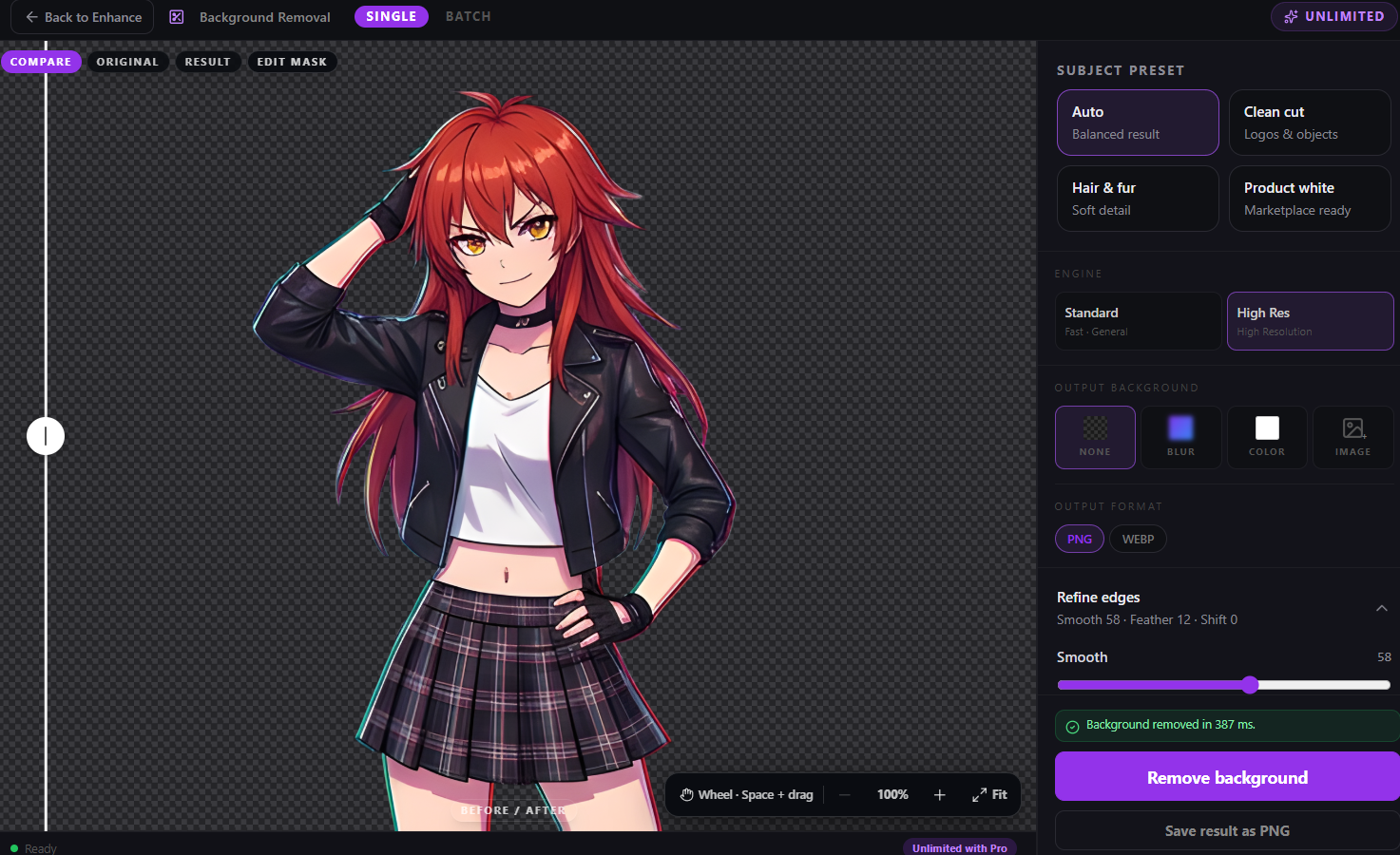
Enhance
Compare the result, select a subject preset, and refine transparent edges.
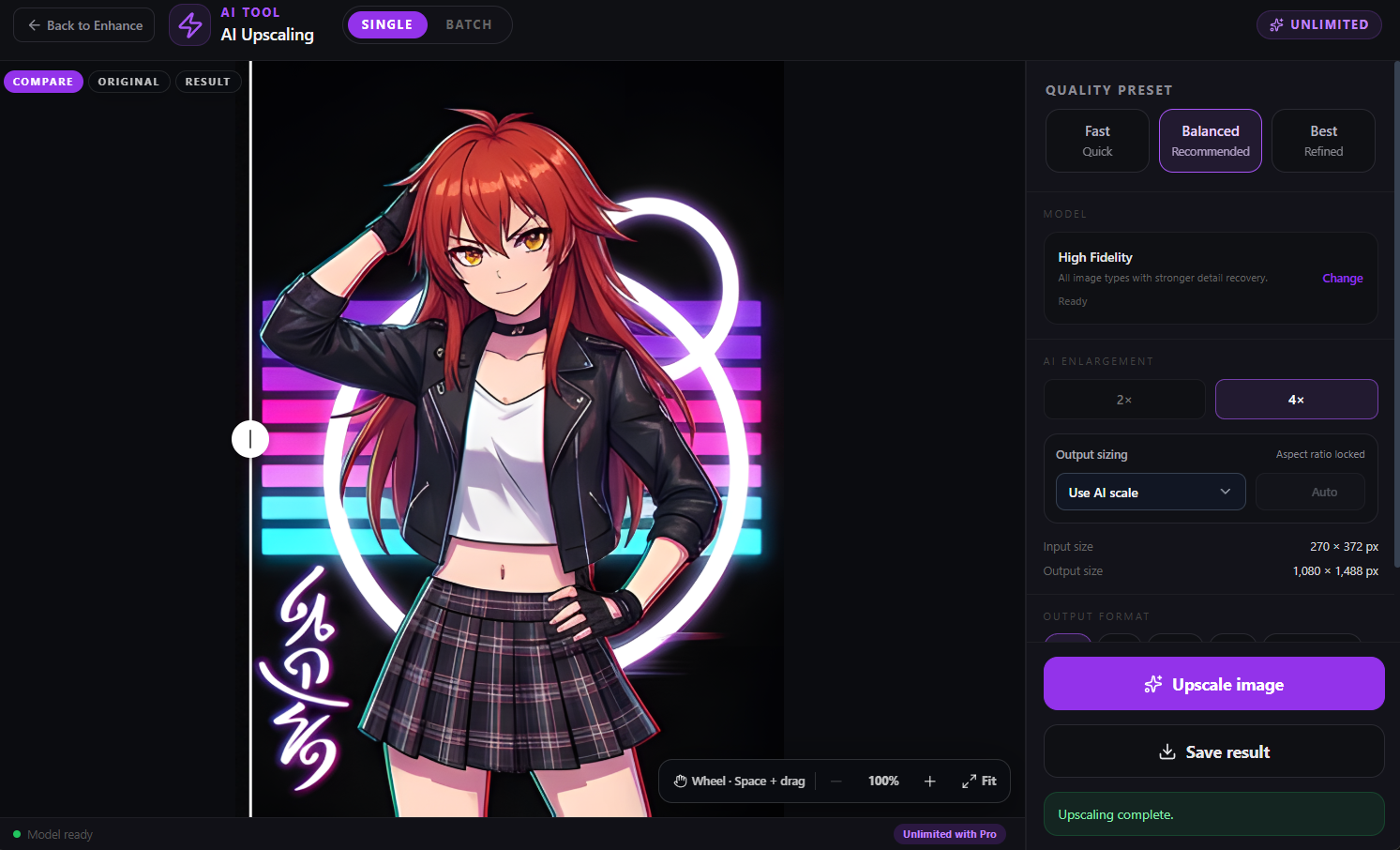
Enhance
Inspect original and result states with the selected quality preset and model.
Automation
Convert, remove backgrounds, or upscale new files with settings saved for the watched folder.
GIF Creator
The workspace screenshot and the looping result come from the same real frame workflow.
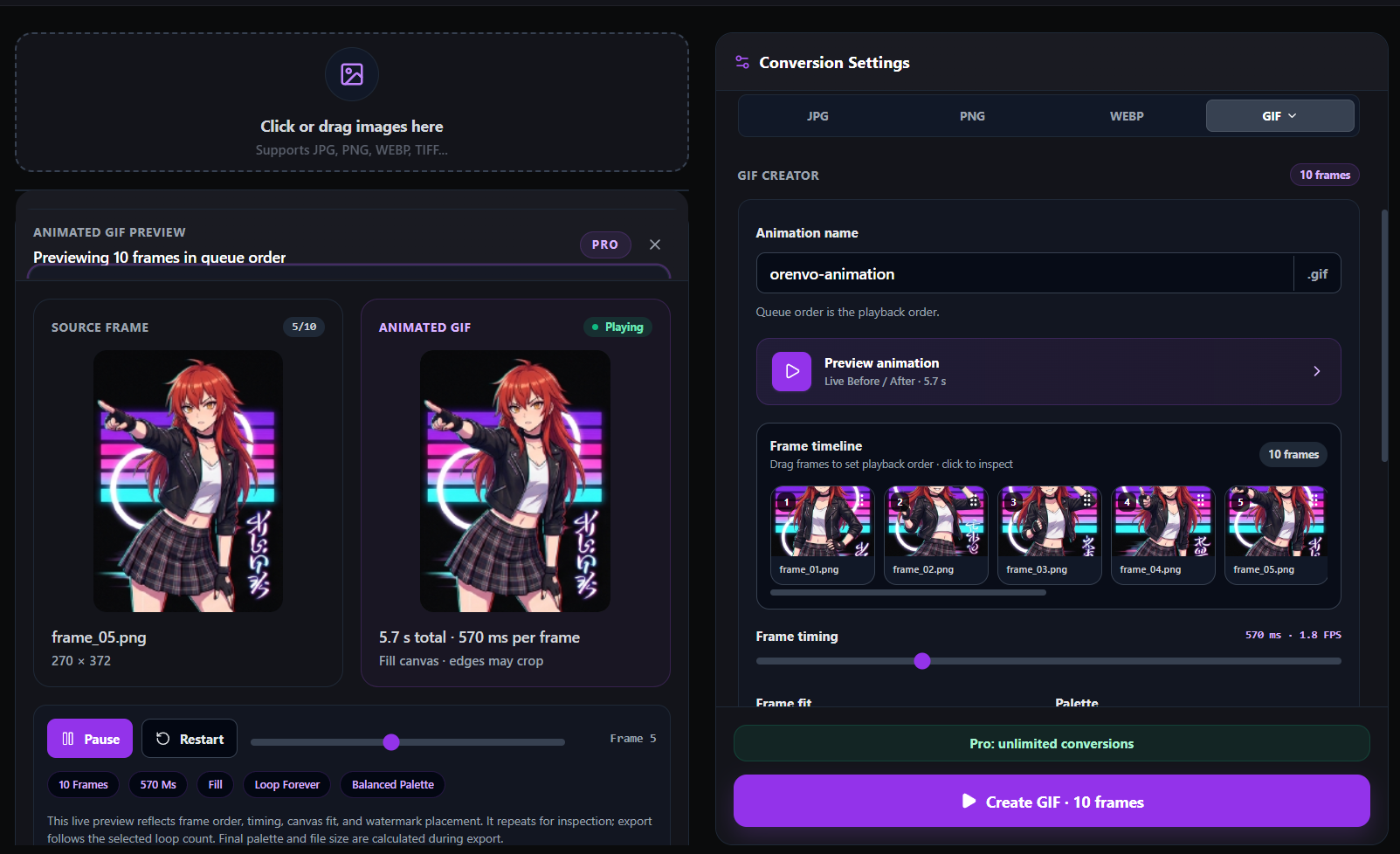
Arrange the frame order, preview timing, choose the canvas fit and palette, then review the actual animation before export.
Windows workflow
Review finished batches and run saved image actions on one or more selected files directly from Windows Explorer.
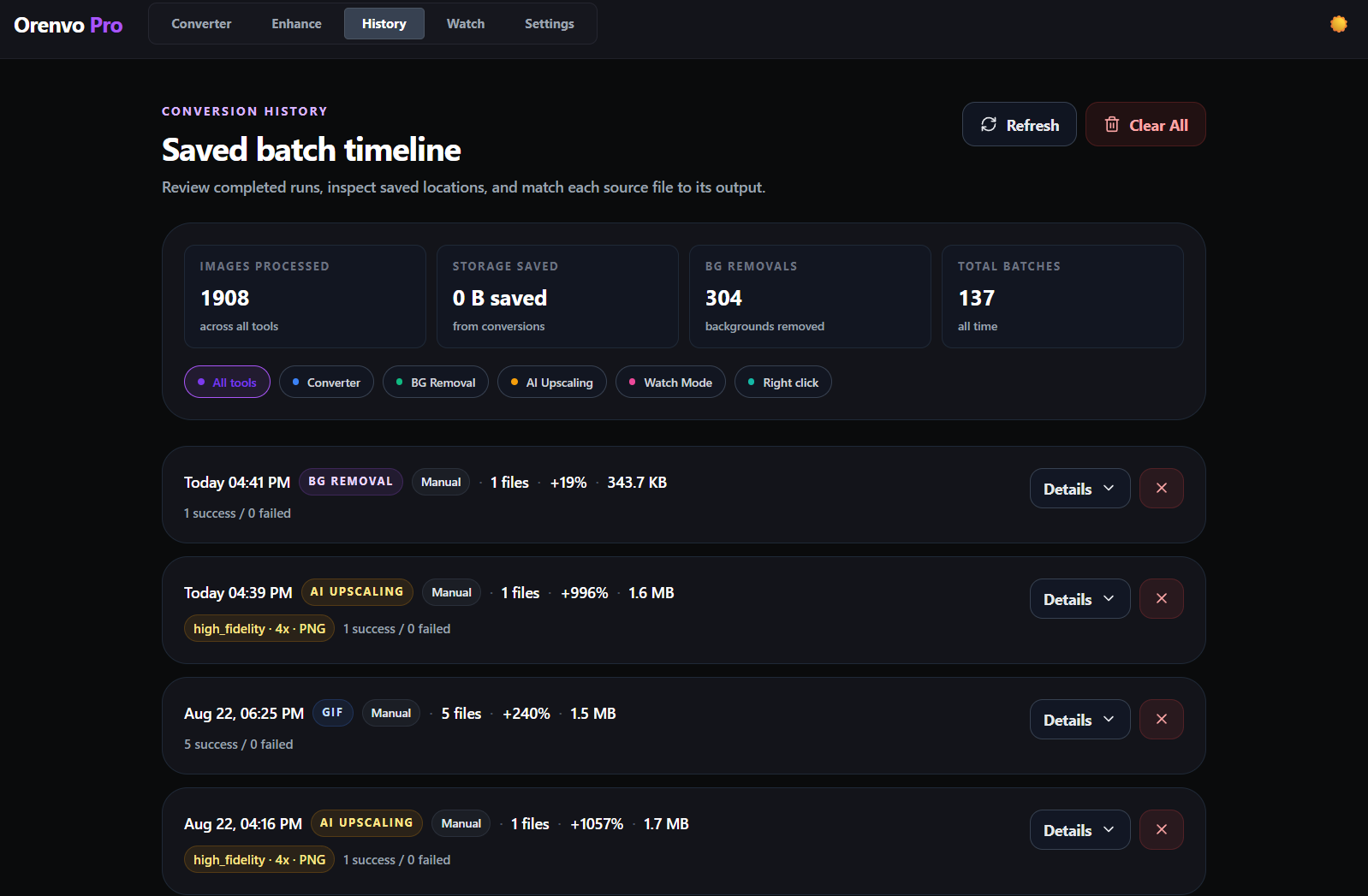
History
Review completed converter, background-removal, upscaling, GIF, Watch Mode, and right-click jobs.
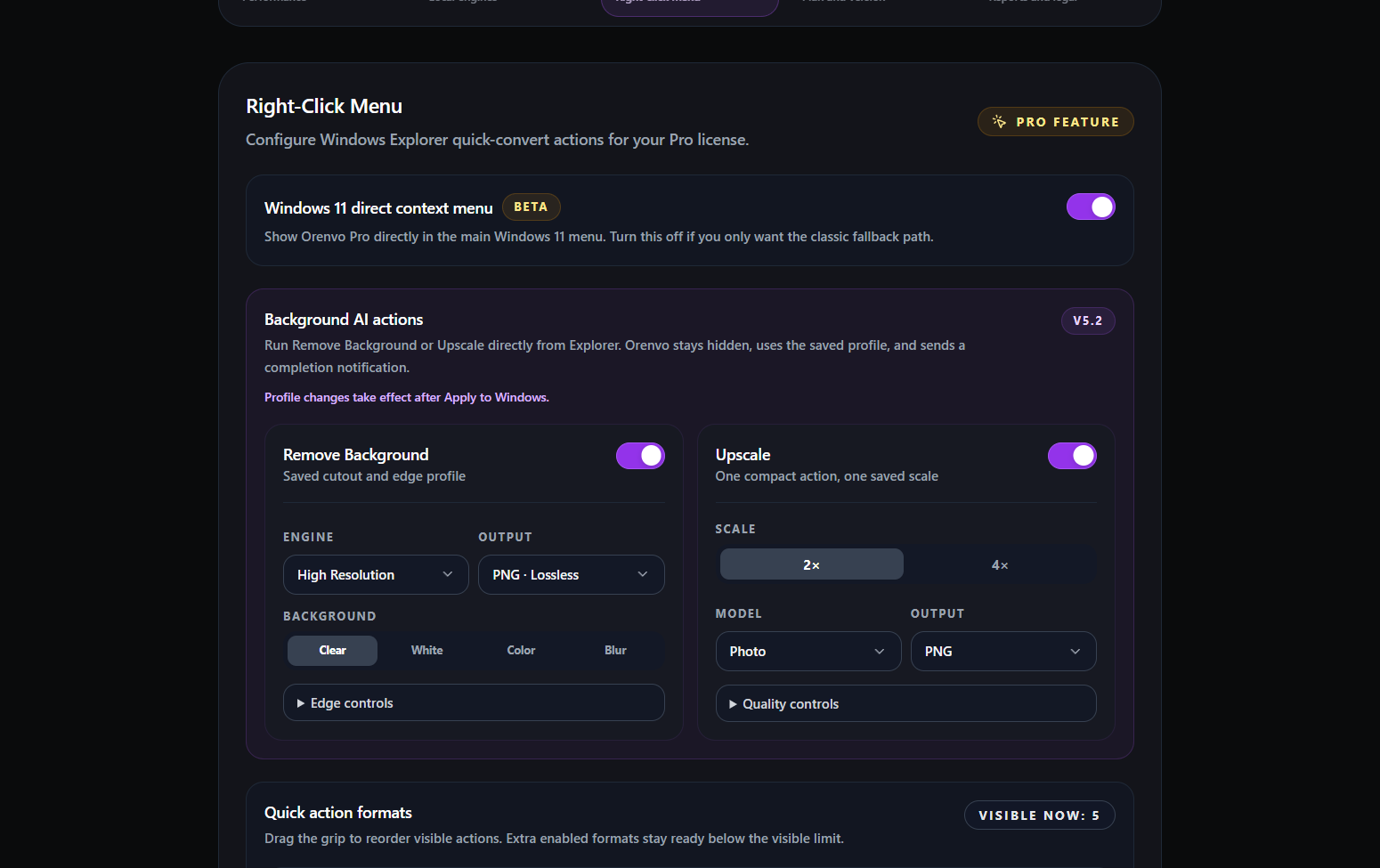
Explorer actions
Use saved Background Removal and Upscale profiles on multiple selected files from the Windows context menu.
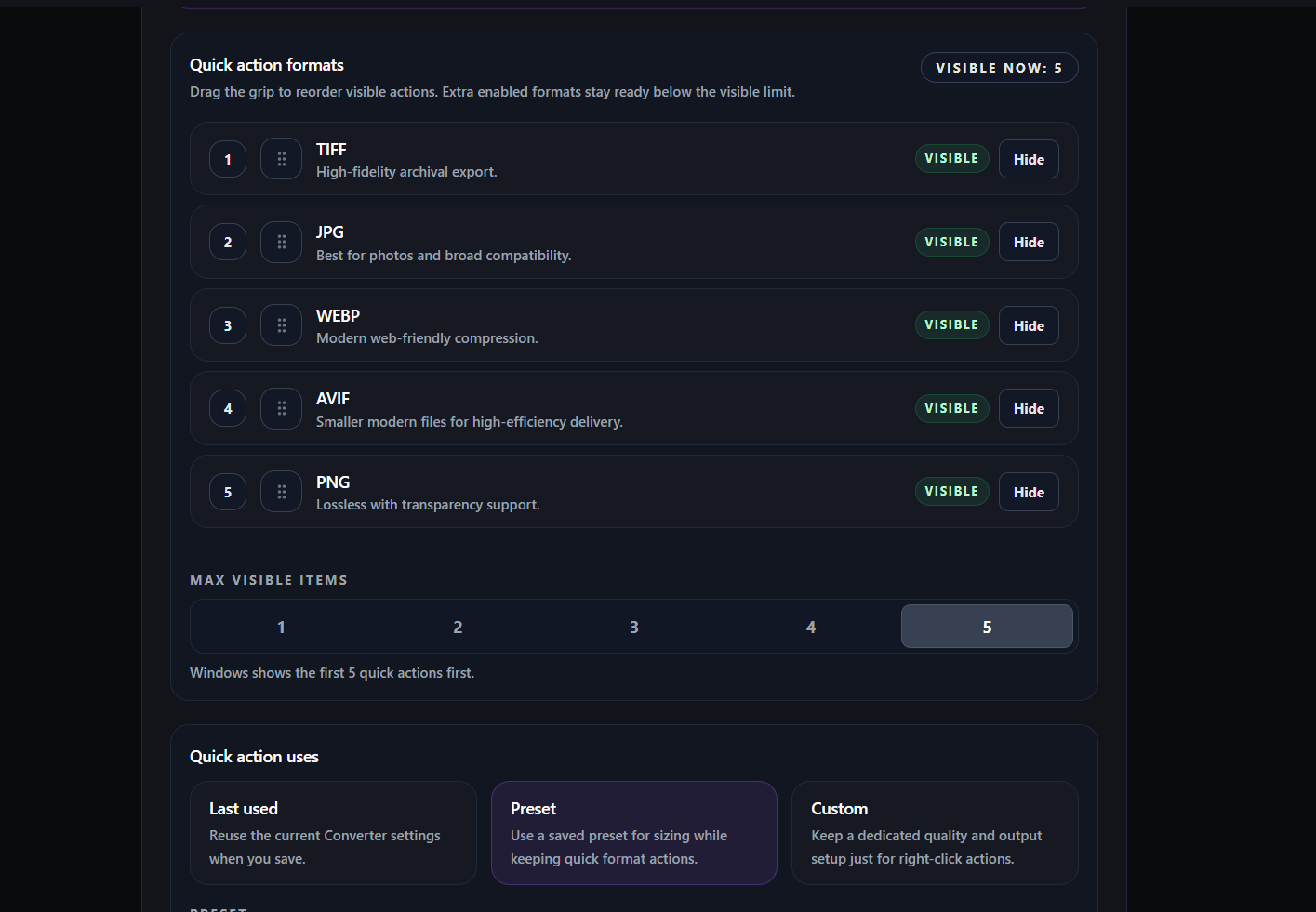
Format actions
Order TIFF, JPG, WebP, AVIF, PNG, and other enabled quick actions.
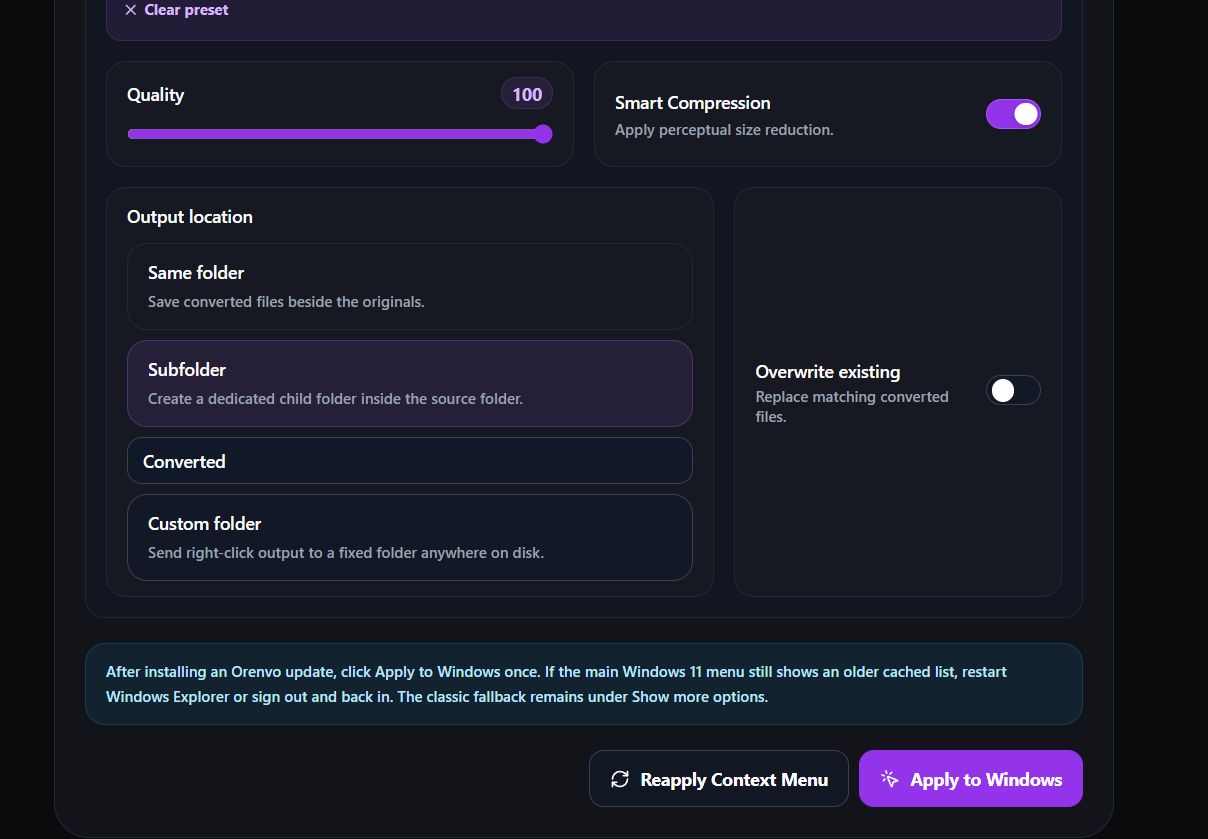
Output control
Save beside the source, use a subfolder, or choose a dedicated destination.
Popular tasks
System requirements
Windows 11 tested · Windows 10 64-bit may work but is not officially tested · Windows desktop only
8 GB RAM minimum (16 GB recommended) · Compatible GPU — optional, used to speed up Background Removal and Upscaling · 2 GB free storage
Windows x64 setup EXE · Stable v5.3 and optional v5.4 Beta 1 downloads · All releases available on GitHub
Choose stable v5.3 for everyday work. Choose v5.4 Beta 1 if you want to test the redesigned Converter, live Before / After preview, watermark editor, presets, and new batch controls. Keep the stable installer available and use copies of important images while testing the beta.
No. Orenvo Pro is a one-time €24.99 purchase with no monthly subscription.
One Orenvo Pro license can be activated on up to 2 personal devices.
Supported conversion and AI processing run locally on your Windows PC. Internet access may still be used for license checks, updates, first-time AI model downloads, free-use verification, and reports you choose to send.
Most image processing works offline after setup and any required AI model download. License verification, updates, and support features may occasionally need a connection.
BetaLatest update
September 25, 2026