StickerGrab
v1.2.0-beta.1
 Orenvo PDFv1.0.2 · Free
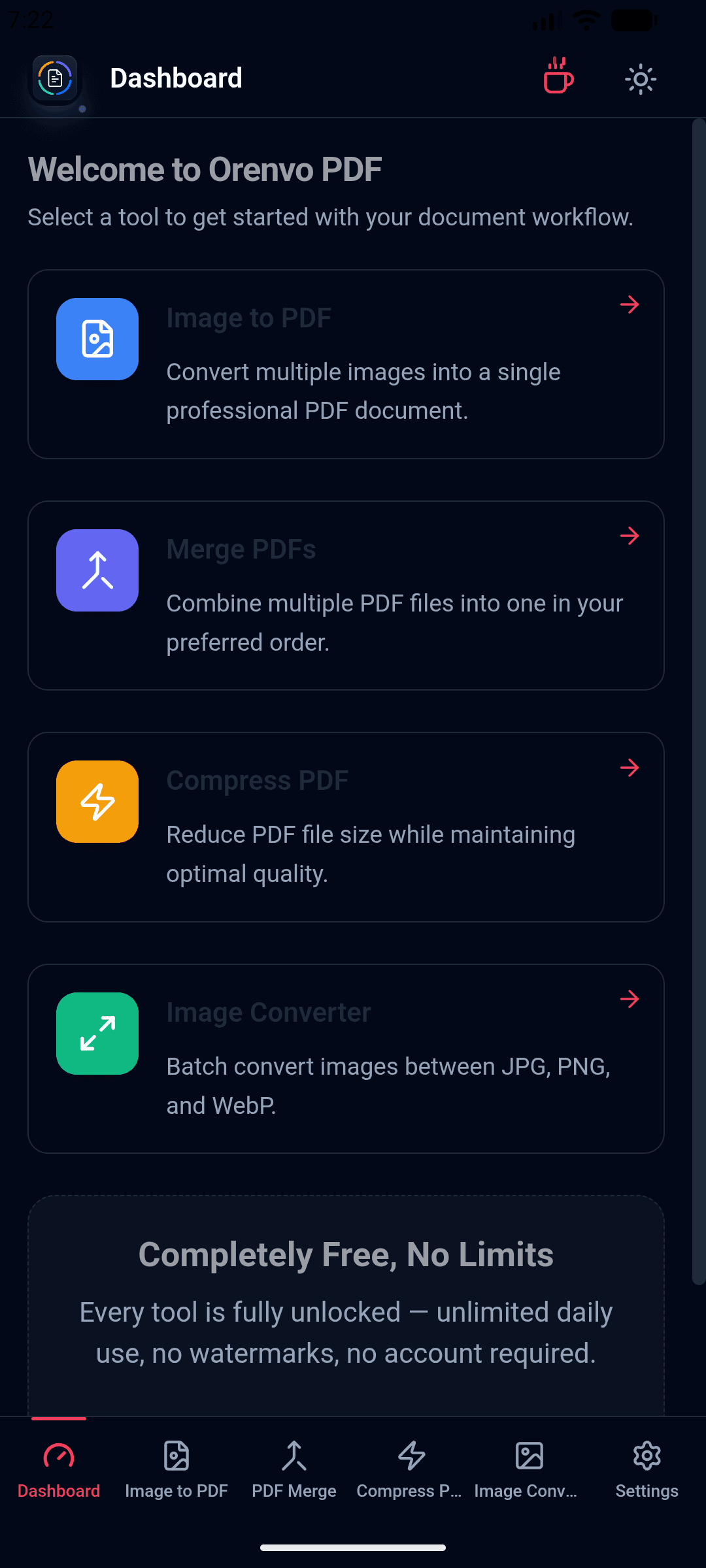
Merge PDFs, shrink large documents, turn images into PDFs, and convert common image formats. All four tools process files locally after installation.
 Orenvo PDF v1.0.2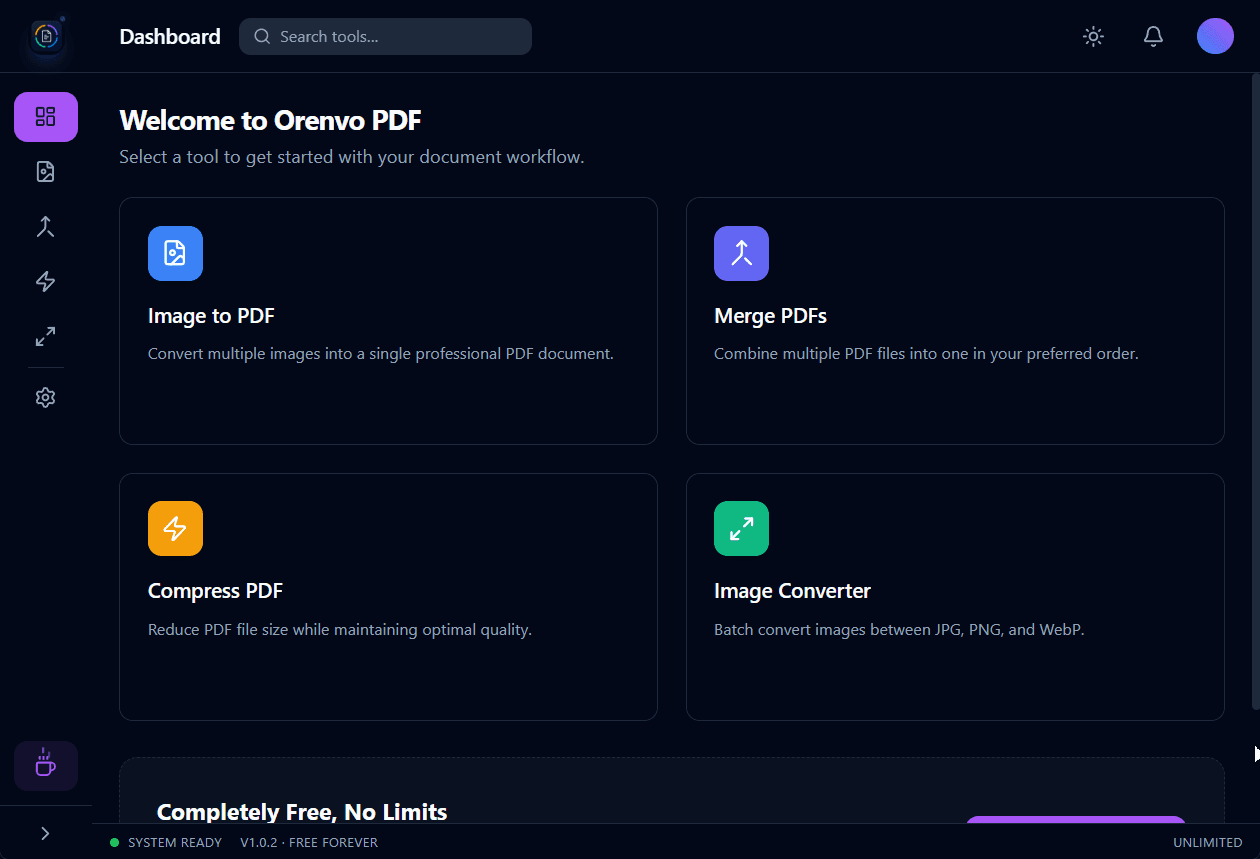
Windows
Windows 10 or 11 · x64
macOS
macOS 12+ · Apple + Intel
Android
Android 7.0+ · Universal APK
Every tool is available with no paid tier.
All four workflows process files on your device.
No artificial daily caps or output watermarks.
Windows, macOS, and a universal Android APK.
Four tools
A focused toolkit for the document jobs people reach for most often.
Create one PDF from separate files, with the order set before export.
Reduce oversized PDFs for email, storage, or upload limits with adjustable compression.
Turn JPG, PNG, WebP, BMP, or TIFF images into a single PDF with manual page ordering.
Convert supported image batches between JPG, PNG, and WebP formats.
Tauri and React provide the app shell while the Rust backend handles supported file work.
How it works
Open Merge, Compress, Image to PDF, or Image Converter.
Select PDFs or images from your device.
Control order, quality, page layout, or output format.
Write the finished file to the location you choose.
Inside the app
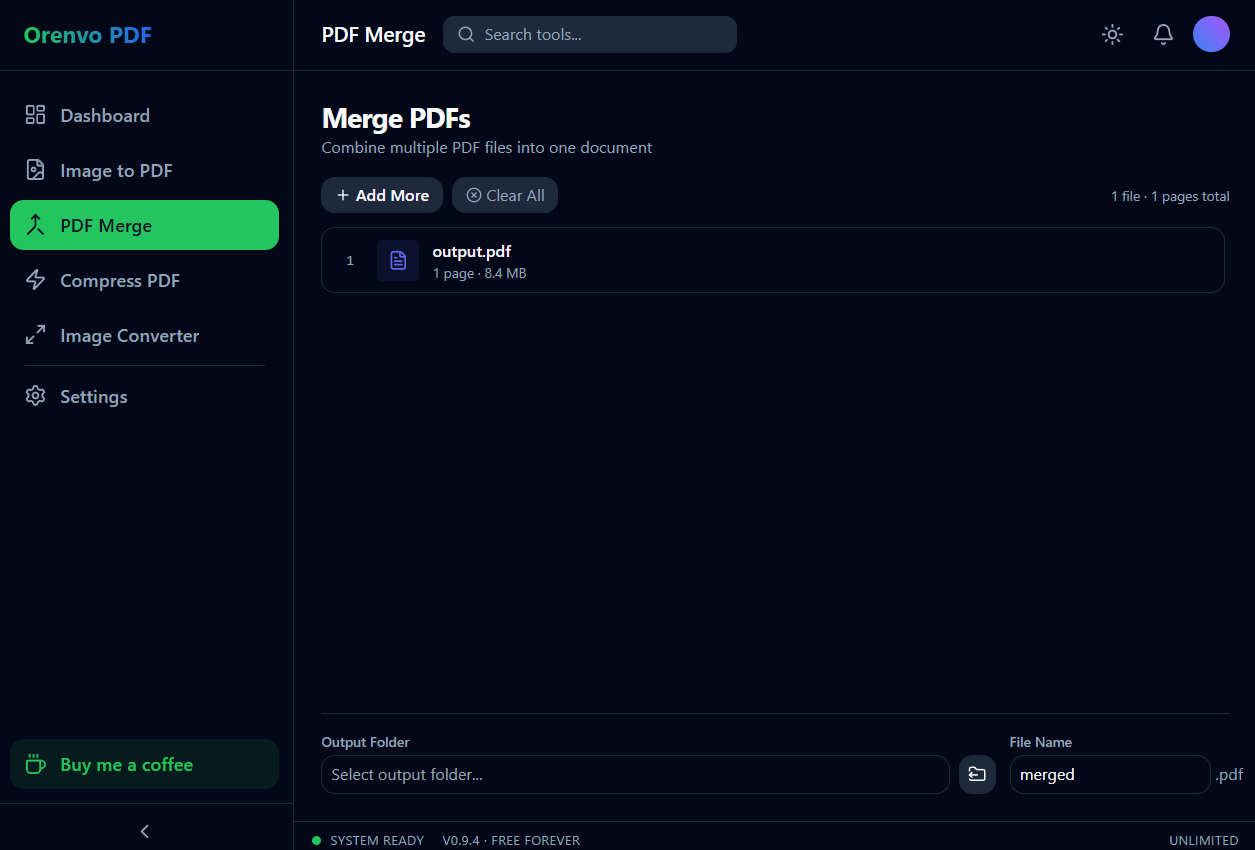
Merge
Order separate files before creating one PDF.
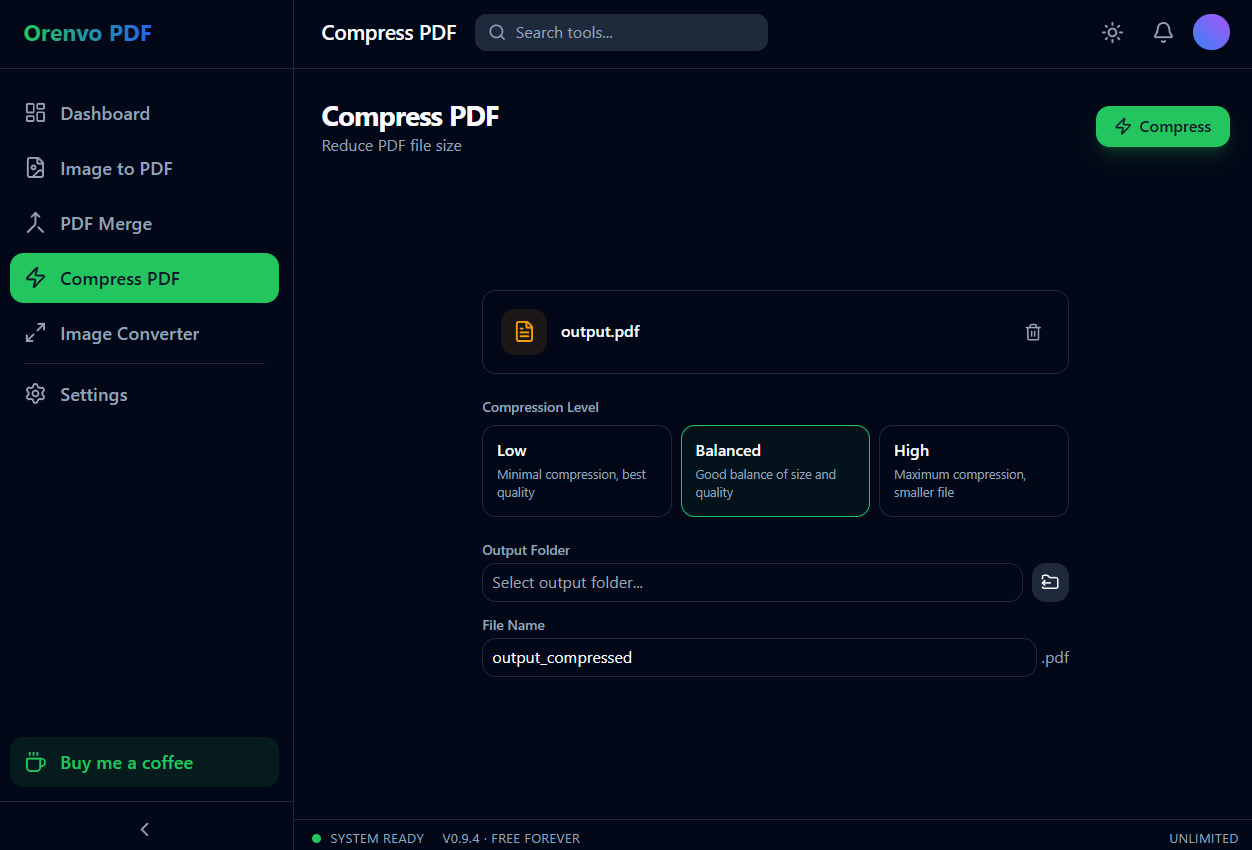
Compress
Choose a quality balance and save a smaller copy.
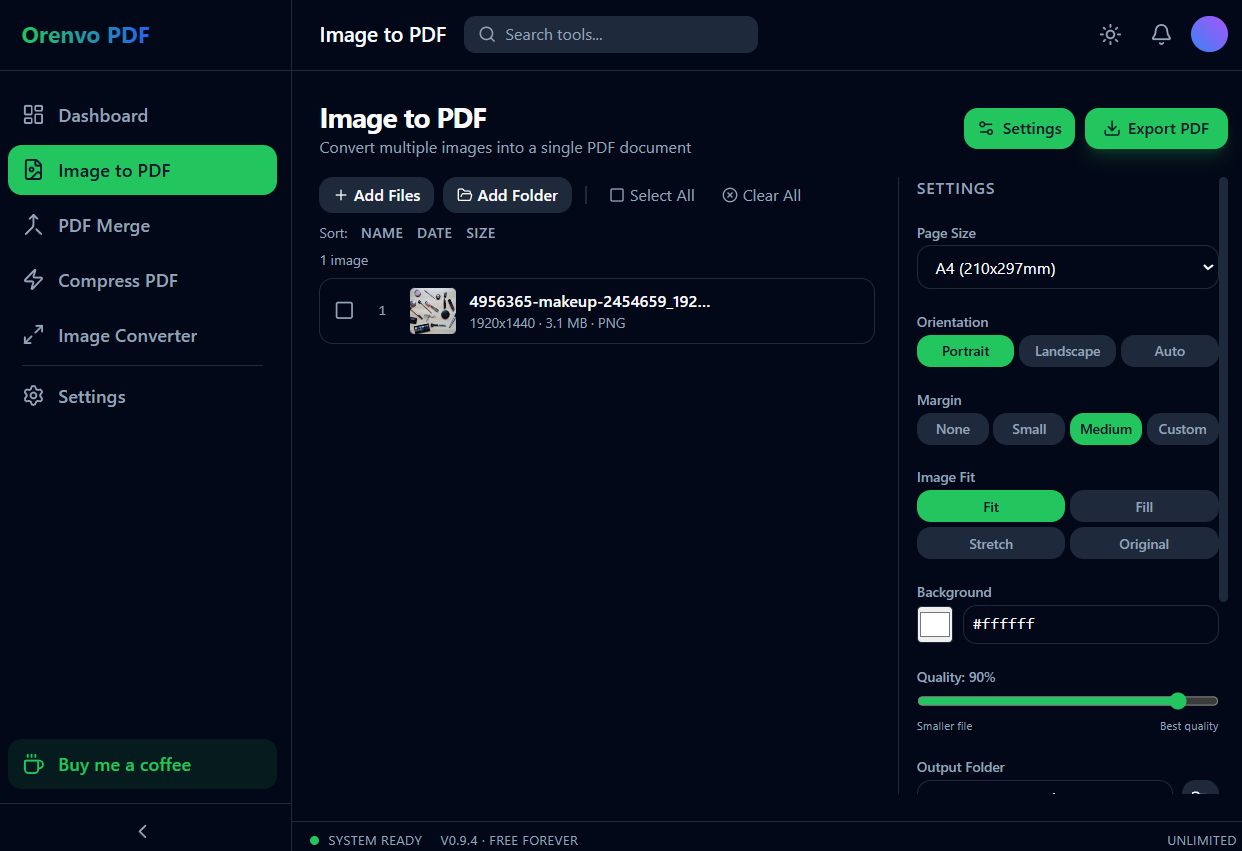
Create PDF
Control page size, margins, orientation, and fit.
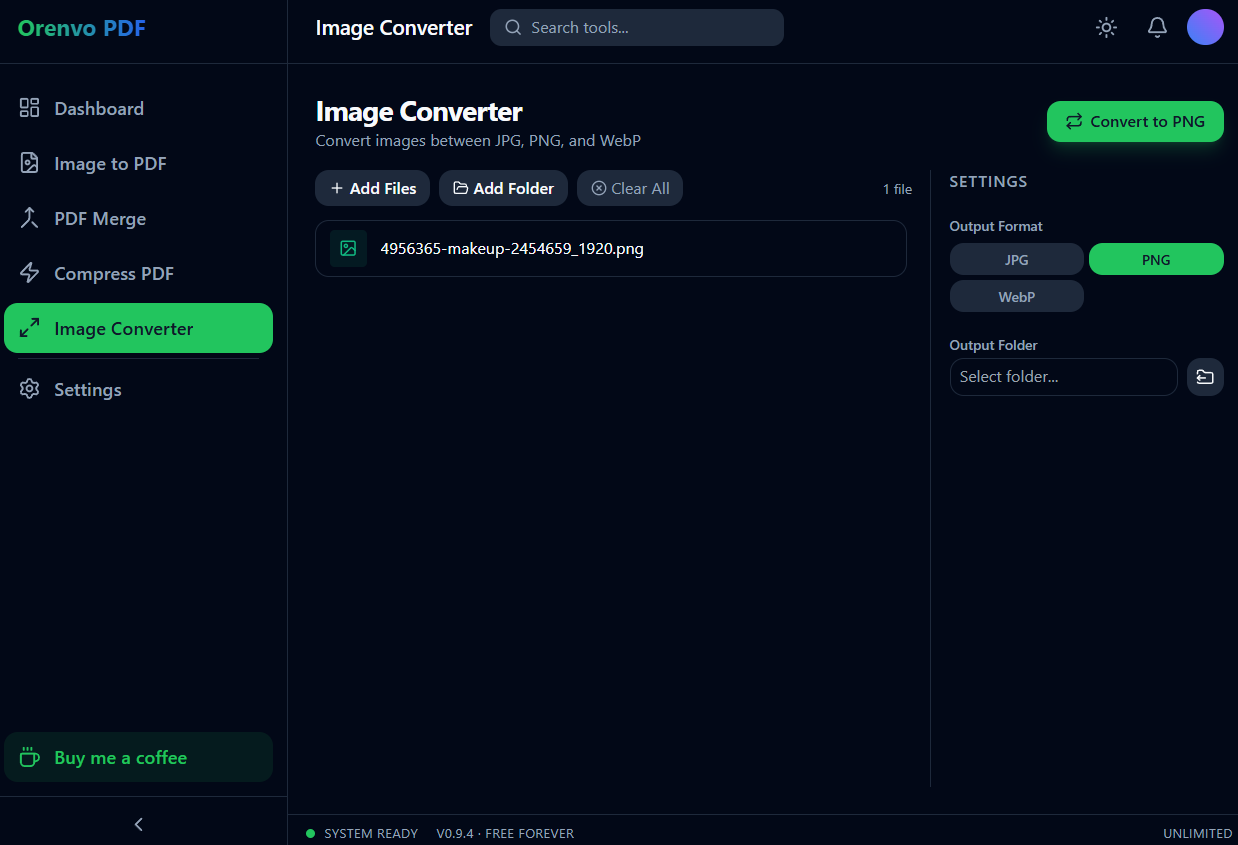
Convert
Batch-convert JPG, PNG, and WebP files.
Local by design
A browser utility needs a network handoff. Orenvo PDF keeps supported jobs inside the installed app.
Online handoff
Installed workflow
File handoff
Upload the document to a remote service first.
Open PDFs and images from local device storage.
Processing
A network connection is required for the web job.
Merge, compress, and supported conversion run locally.
Limits
Caps, watermarks, and availability depend on the service.
No KenoLabs account, daily cap, watermark, or paid tier.
Finished file
Download the result back through the browser.
Save the result directly to the location you choose.
Online PDF services differ in limits and retention policy. This comparison describes the common upload handoff and Orenvo PDF's verified installed workflow.
Downloads
Choose the installer for your device. Android is distributed as one universal APK.
Windows
Windows 10 or 11 · x64 installer
Orenvo PDF v1.0.2
Download for WindowsmacOS · Apple Silicon
macOS 12 or later · Apple Silicon
Orenvo PDF v1.0.2
Download Apple Silicon DMGmacOS · Intel
macOS 12 or later · Intel x64
Orenvo PDF v1.0.2
Download Intel DMGAndroid
Android 7.0+ · Universal APK
Orenvo PDF v1.0.2
Download the APKRequirements
Windows 10 or 11 · macOS 12 or later · Android 7.0 or newer
4 GB RAM recommended · 200 MB free storage
No internet connection required to process files
Yes. All four tools — PDF Merge, PDF Compress, Image to PDF, and Image Converter — are completely free, with no daily limits, no watermarks, and no Pro tier.
No. Merging, compressing, and converting all run locally through Orenvo PDF's Rust backend. There is no upload step for any of the four tools.
No. Download the app and start using any of the four tools immediately — no sign-in required.
Orenvo PDF v1.0.2 is available for Windows, macOS, and Android. Android 7.0 or newer is supported through one universal APK.
The universal APK includes arm64-v8a, armeabi-v7a, x86, and x86_64, covering Samsung devices and other common Android phones and tablets.
 Improved
Latest update
July 31, 2026