StickerGrab
v1.2.1 Beta
Media ScraperWindows64-bit installer macOSUniversal DMG
Windows 10/11 & macOS 12+Standalone tool · Telegram & Discord export
 Orderly · Free Betav1.0.0-beta.1 · Windows 10/11 (64-bit) · Free Beta
Preview a file plan before choosing Run, and use Undo in History if you ever need to make a change.
 Orderly · Preview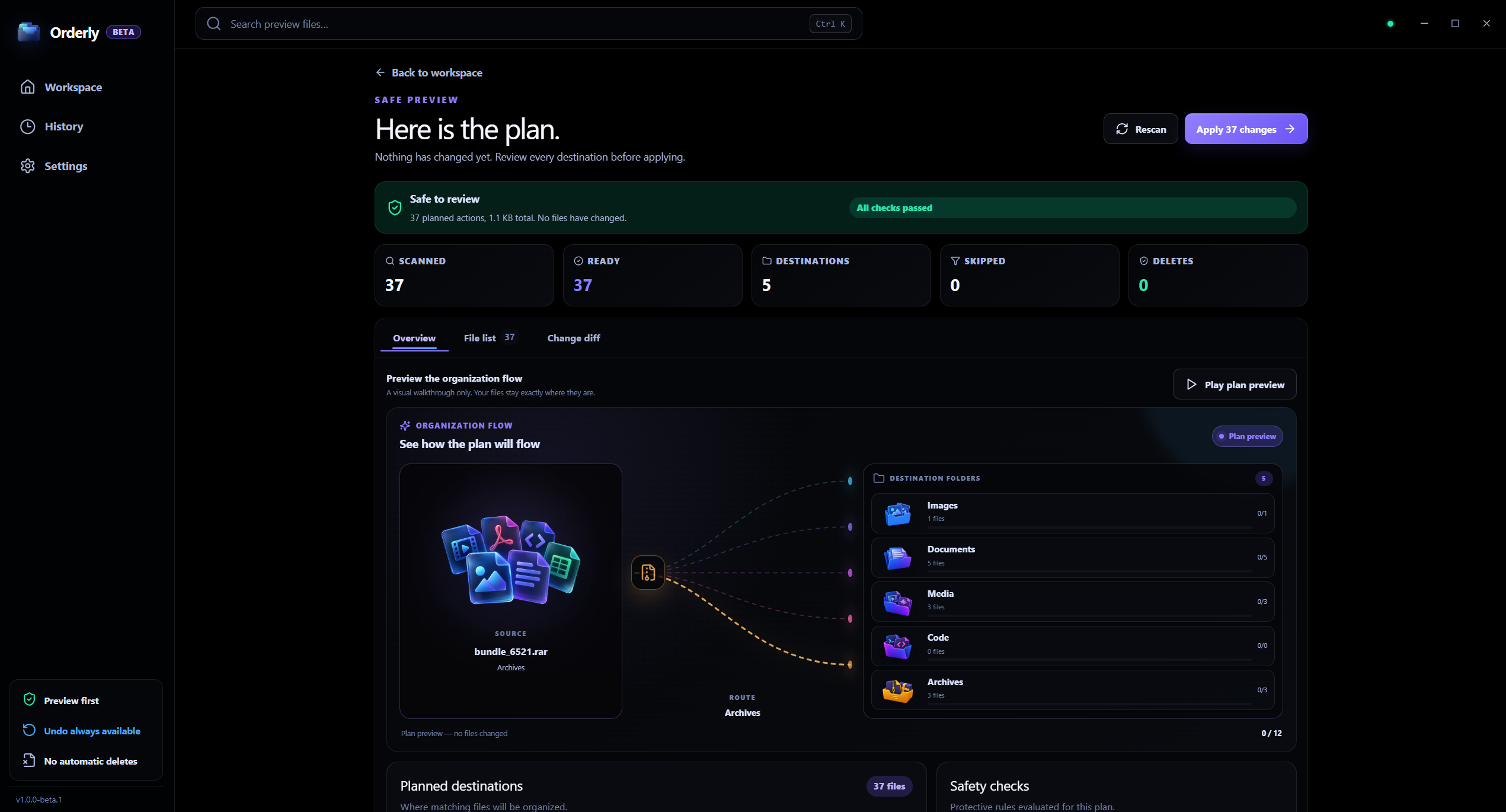
Review the plan before a manual run.
Orderly Free Beta is a Windows app.
Selected folder contents are not uploaded to KenoLabs.
Free Beta does not need an Orderly account.
Before and after
See how a cluttered folder with scattered images, documents, videos, and archives transforms into an organized system without moving anything until you decide.
A simple, safe way to organize your files
Make organized changes with confidence. Orderly shows you a clear plan, then keeps a local history so you can undo supported actions.
Interactive illustration · sample files and activity, not live app data
See exactly how your files will be organized.
Files stay in place. Inspect source paths and destinations before any change happens.
When the plan looks right, click Run.
The selected folders are processed on your PC. Review a plan before choosing Run.
If you need to change anything, undo anytime.
Downloads organization run
48 files moved · Restore info saved
Moved 42 files
Yesterday at 4:18 PM
Undo uses the recorded paths and current files. It is not a backup or a saved snapshot.
Interactive plan preview
Review the proposed destinations before you choose Run. Your files stay where they are during Preview.
Live file route
summer-trip.jpg → ImagesIncoming queue
Rule evaluation
Images
Photos & graphics
Videos
Video files
Audio
Music & sound
Documents
PDFs & text files
Archives
ZIP & compressed files
Autonomous simulation demonstrating profile rule matching. Operates on sample data; no user files are touched.
The essentials
The Free Beta focuses on repeatable profiles, visible file actions, and local run records.
Save folder setups for different projects and switch between them quickly.
Organize by file type, name, date, size and more, with rules you control.
Every change is recorded locally, so you can easily undo when needed.
Built-in destinations
Orderly Free Beta includes five core categories built for everyday desktop files.
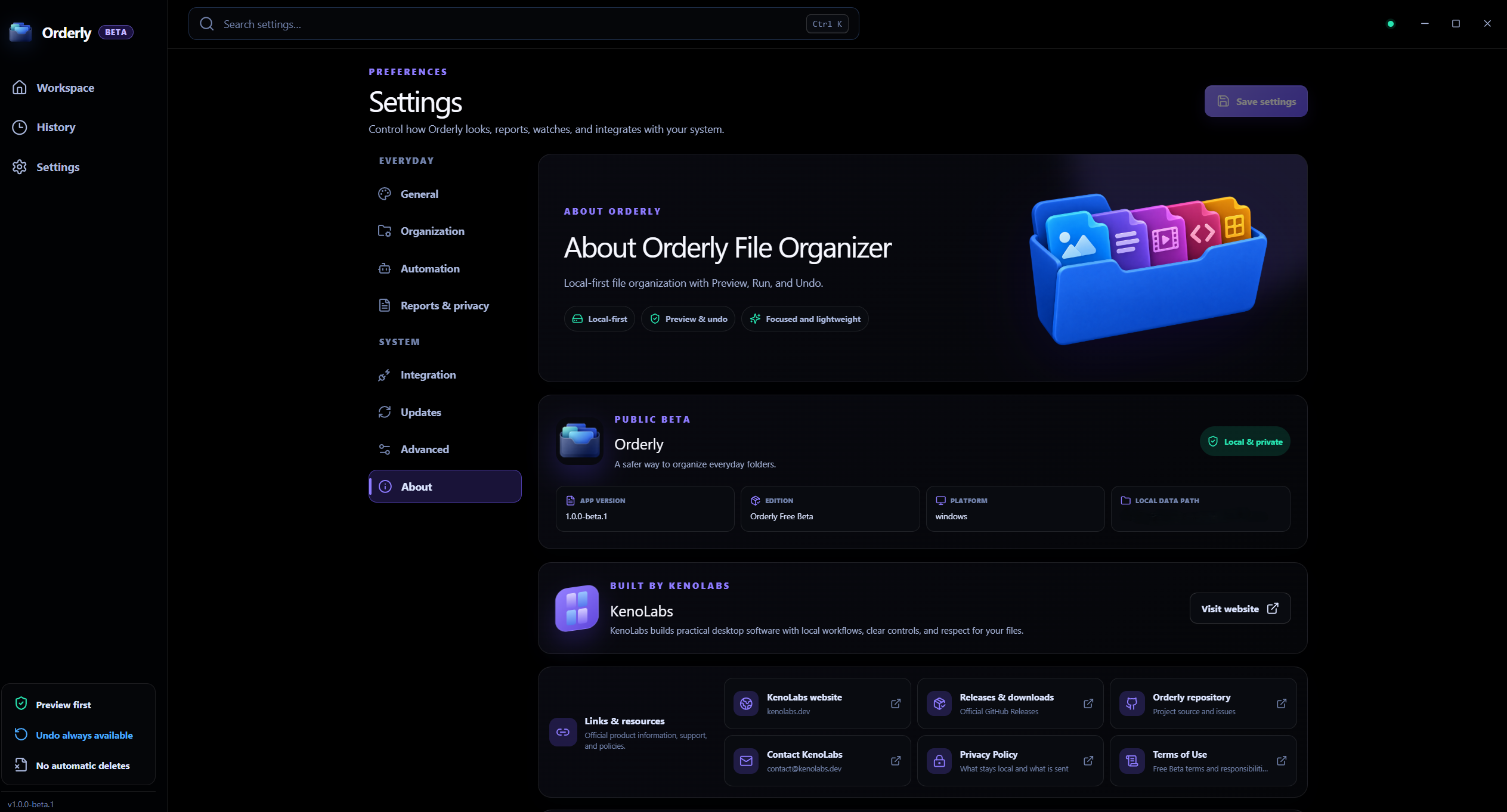
Inside the real app
Authentic Orderly Windows app captures. Values, paths, and settings shown are illustrative sample data.
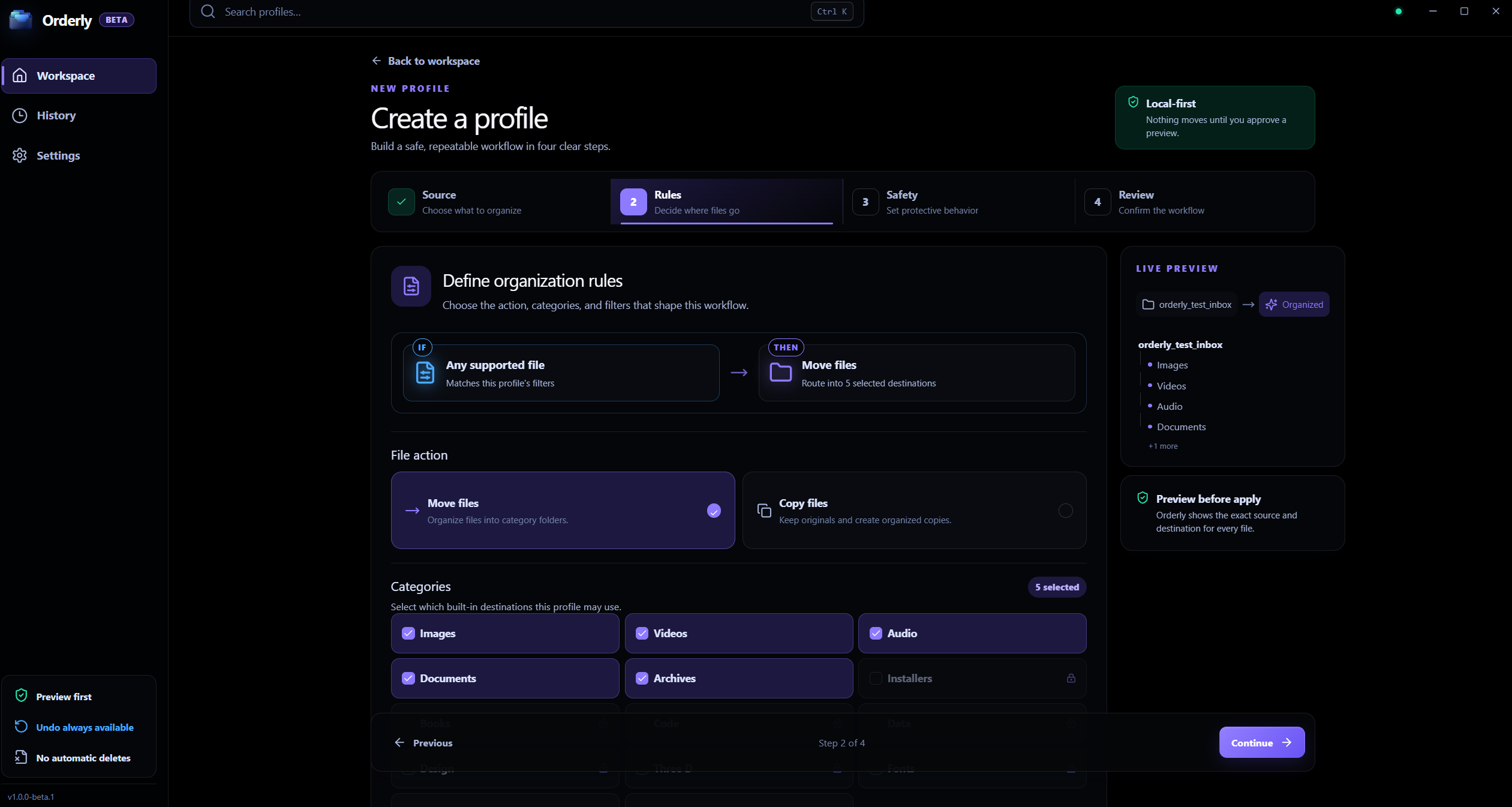
Profile rules
An authentic app screen with sample settings. The current beta has five built-in categories.
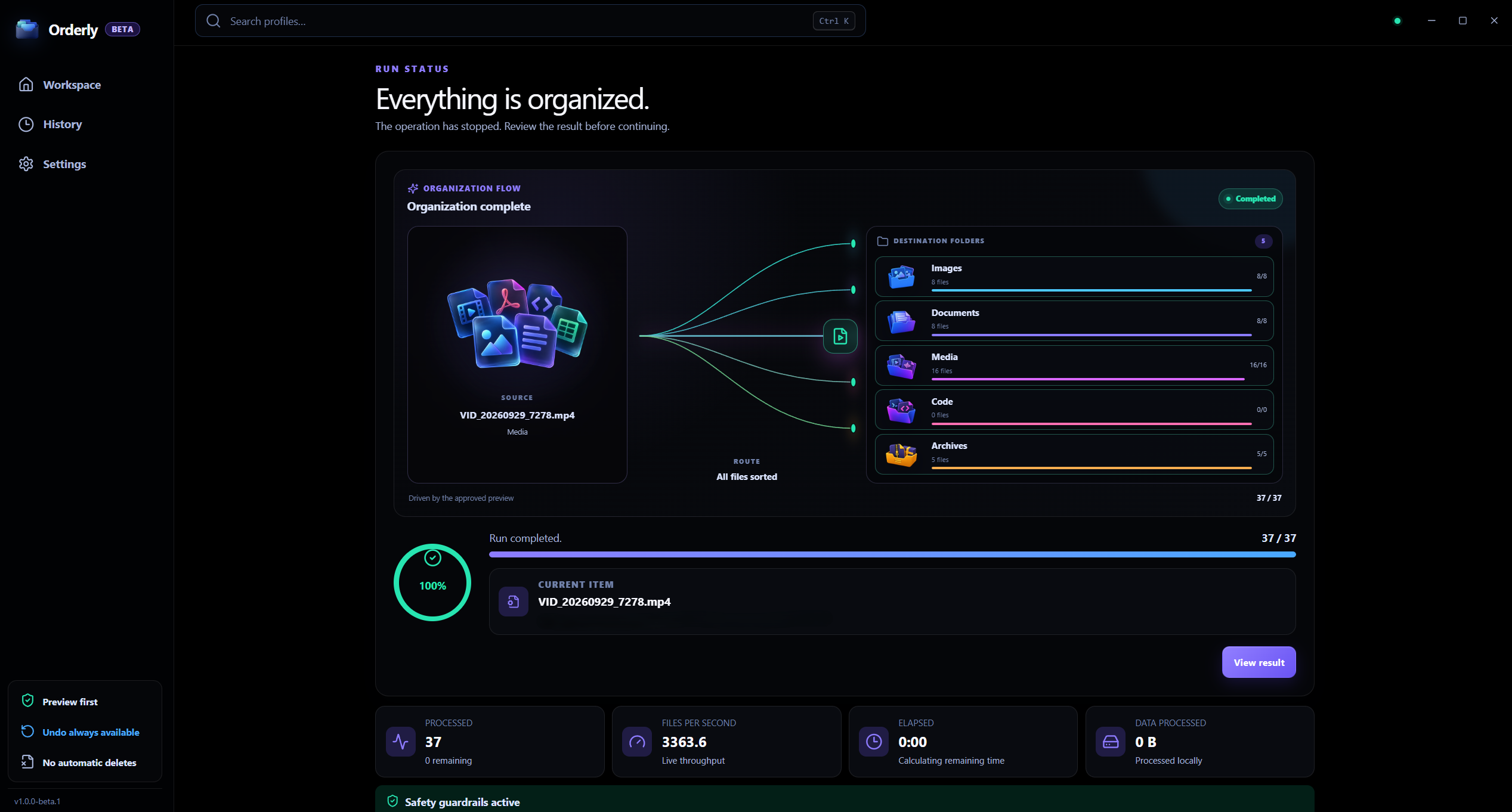
Live execution
Watch items move into destination folders with clear status tracking and item counts.
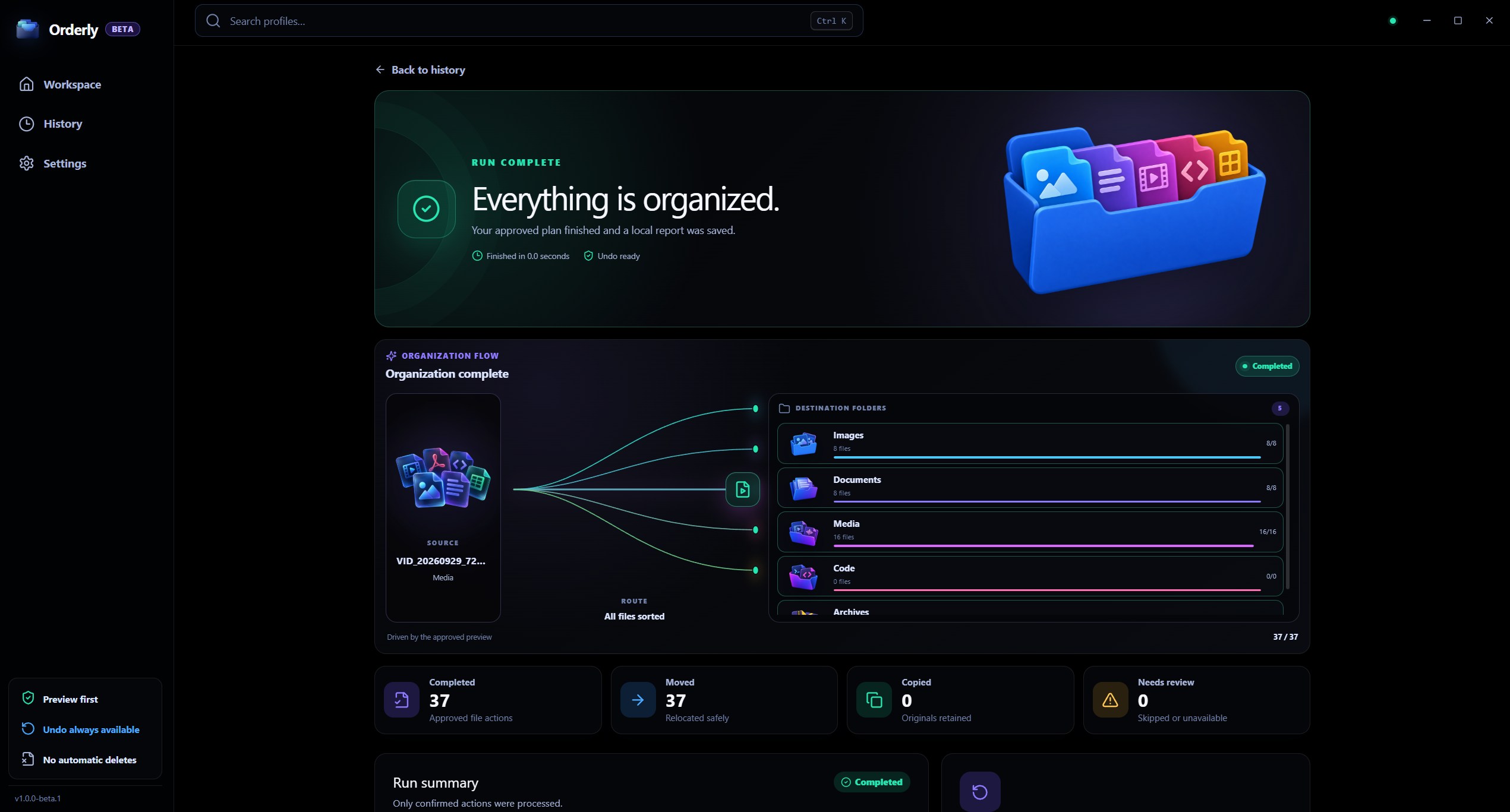
History and Undo
Run details use illustrative sample data. Undo follows current files and recorded paths; it is not a backup.
On-device architecture
Folder inspection and file operations run entirely on your PC. No accounts, telemetry, or cloud dependencies.
Automation, with a clear switch
Watch and Auto-apply are separate settings. Monitoring a folder does not itself move files; automatic action is an explicit choice for a profile whose rules you already trust.
Orderly · Watch settings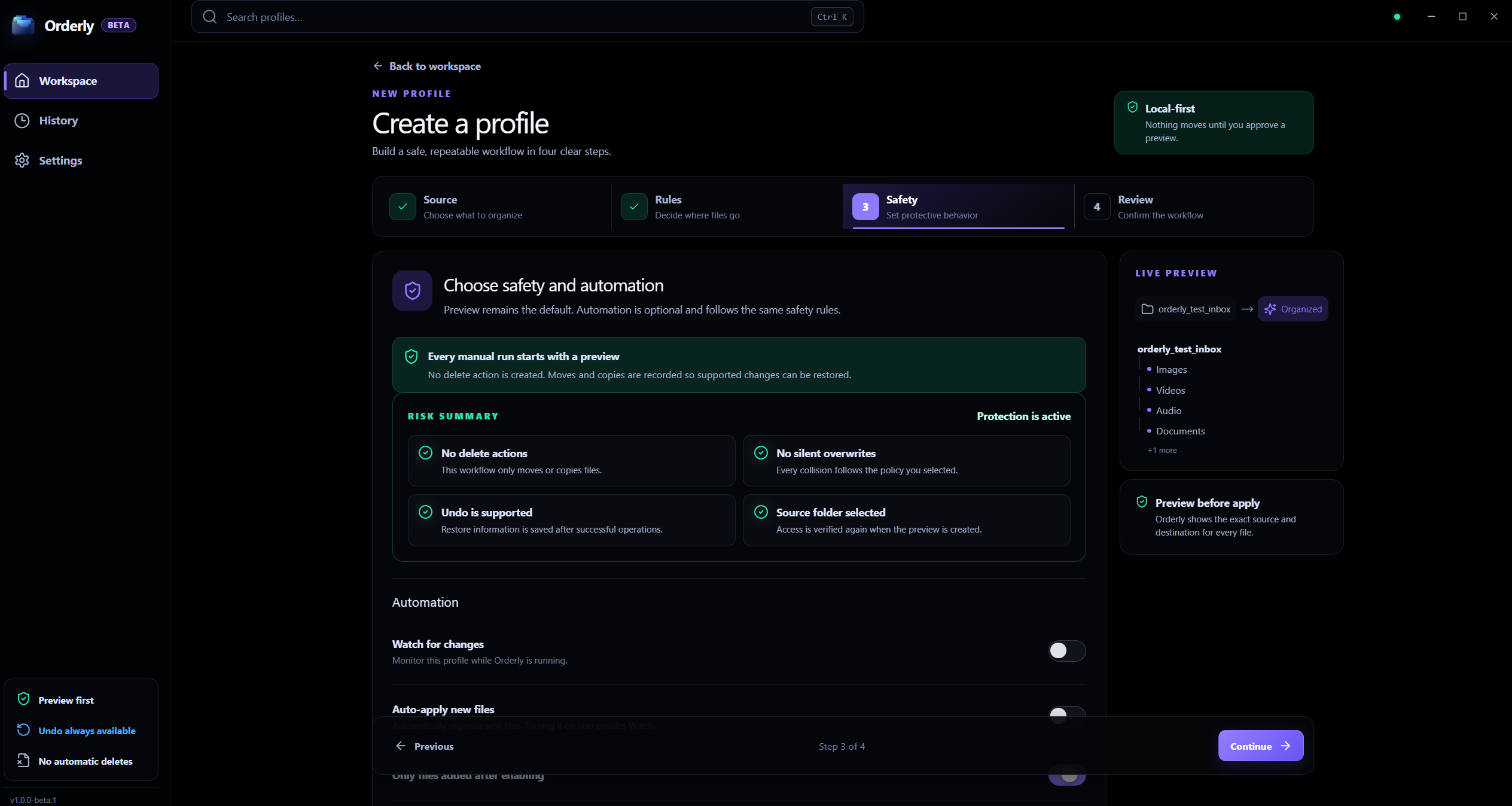
The screen is real; profile names and setting values are sample data.
Detects changes · does not organize
Orderly monitors changes for enabled profiles while the app is running. Close the window to the system tray to keep it active; choose Quit Orderly to stop it.
Explicit opt-in · one profile in Free Beta
When explicitly enabled, Orderly can apply a trusted profile to newly detected files. Free Beta allows Auto-apply on one profile; Watch itself can be enabled on more than one.
History and Undo
Undo is useful for supported recorded actions, but it does not preserve old file contents. Read these limits before relying on it.
Undo moves the file currently at the recorded destination back if the original path is free.
Undo removes the current destination copy and leaves the original source in place.
Undo cannot restore a destination file replaced by Overwrite. Keep an independent backup of important work.
On-Device Architecture
Your selected folders are scanned and organized on this Windows PC. Free Beta does not require an account and has no automatic feature-usage telemetry.
Frequently asked questions
How Orderly organizes files, handles safety and Undo, and protects your device.
Orderly inspects files in folders you select, matches them against customizable rule profiles (by file extension, naming patterns, or date), and generates a clear proposed plan showing exactly where each item will go before any file is moved.
By default, yes. Orderly operates in preview-first mode: you see the planned destinations and choose Run when satisfied. If you want background monitoring, you can enable Watch, and optionally opt into Auto-apply for a trusted profile.
Orderly records completed runs in local History and provides an Undo action. Undo uses the files currently at the recorded paths; it is not a saved snapshot or a backup, and it cannot restore a destination replaced by Overwrite.
Orderly provides flexible conflict handling. By default, it safely auto-renames duplicates (e.g. filename_1.ext) to preserve both copies, or you can choose to skip or overwrite existing files (note that Overwrite cannot be undone).
Folder scanning, rule evaluation, and file operations for the folders you select happen on your PC. Update checks and optional feedback are separate network actions; selected folder contents are not sent to a cloud service for organizing.
Orderly Free Beta is built for 64-bit Windows 10 and Windows 11. It installs as a lightweight standalone application with no accounts, subscriptions, or automatic background telemetry.
Orderly guides
Each guide answers a different question about folders, control, recovery, or local processing.
Windows file organization
See the profiles, categories, Preview, and Undo workflow in Orderly.
Read guideDownloads folder
Build a repeatable profile for Downloads or another folder you choose.
Read guideSort by file type
Use five built-in categories, then refine a profile with filters.
Read guidePreview before Run
Inspect proposed actions and destinations while files stay in place.
Read guideHistory and Undo
Understand Move, Copy, and Overwrite recovery limits before a run.
Read guideFree Beta scope
Review what is included and check the current installer status.
Read guideWatch and Auto-apply
Learn how change detection differs from optional automatic action.
Read guidePlatform and availability
Orderly runs locally on 64-bit Windows systems. Fast, offline-capable, and respectful of your local filesystem.
Windows · Free Beta
Download Orderly Free Beta for Windows and preview your first folder before anything moves.
Compatible with Windows 10 and Windows 11 (64-bit). No account, sign-in, or background telemetry. Check GitHub releases for checksums and changelogs.