
StickerGrab
v1.2.1 Beta
Media ScraperWindows64-bit installer macOSUniversal DMG
Windows 10/11 & macOS 12+Standalone tool · Telegram & Discord export
 Orenvo ProLocal image conversion · v5.4 Beta 1 · Windows · Free + Pro
Create broader-compatibility JPG output from AVIF folders with local processing and clear output control.
The free edition covers JPG, PNG, and WEBP batches up to 10 files. Pro unlocks the complete workflow.
 AVIF files to JPG fallback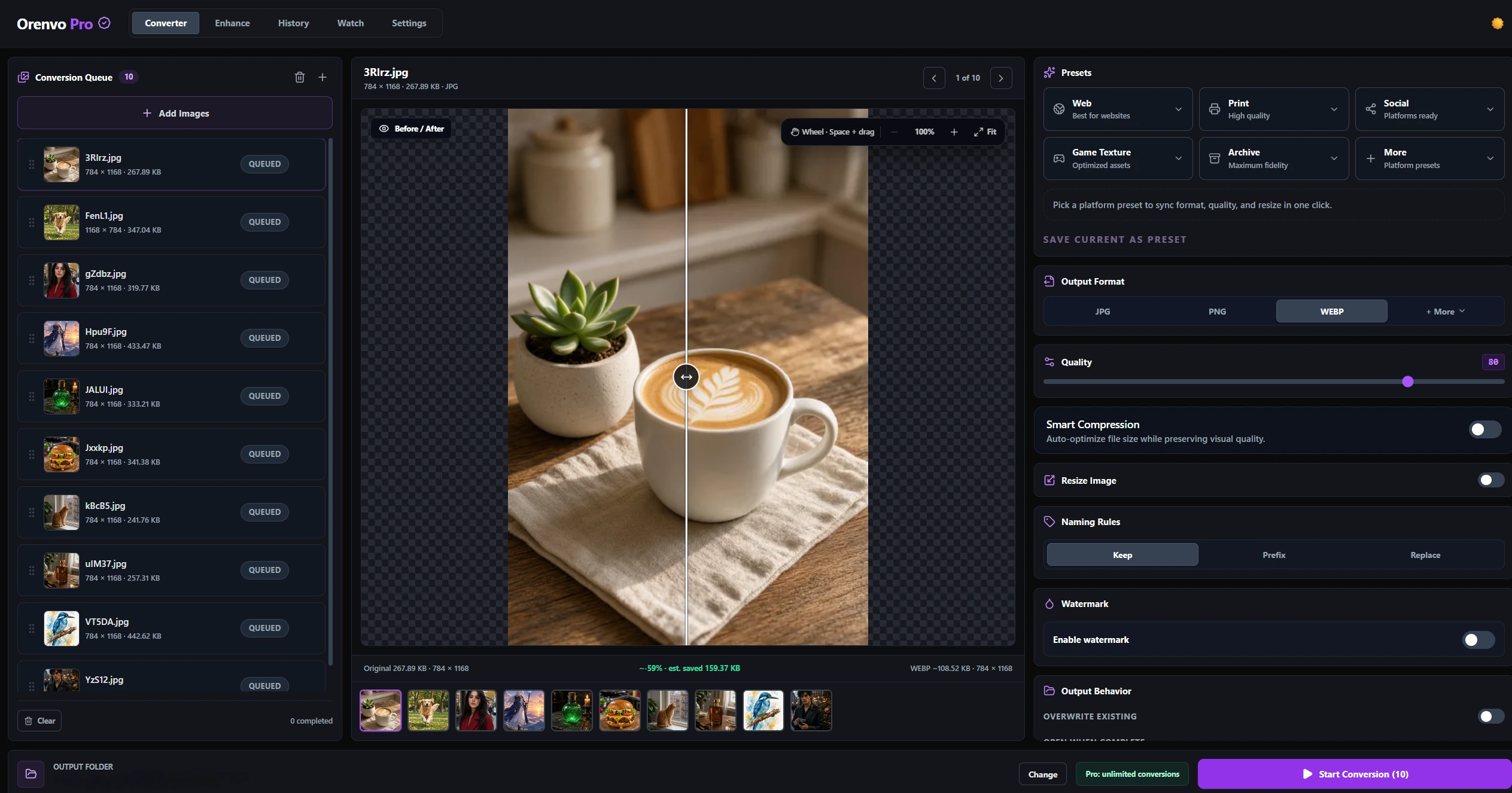
Compatibility export
Convert newer formats into safer fallback files for clients and tools.
Batch conversion
Handle full folders instead of one-file browser workarounds.
Local processing
The image stays on your machine during supported workflows.
Why this workflow
AVIF is efficient, but JPG is still easier to open almost everywhere. That makes it a practical fallback format.
Format workflow
Orenvo Pro treats format conversion as part of a broader local image workflow: batch processing, Background Removal, Upscaling, compression, and explicit outputs in one app.
How it works
Load the files, choose the output, set the rules, and run the workflow locally.
Load the AVIF files or folders.
Choose JPG as the output format.
Set output and naming rules.
Run the batch locally on your machine.
Inside the real app
The real converter keeps the batch, output format, quality controls, save location, and completion state in one desktop workflow.
Converter
Reorder the queue, inspect a live comparison, and keep the active output recipe beside the preview.
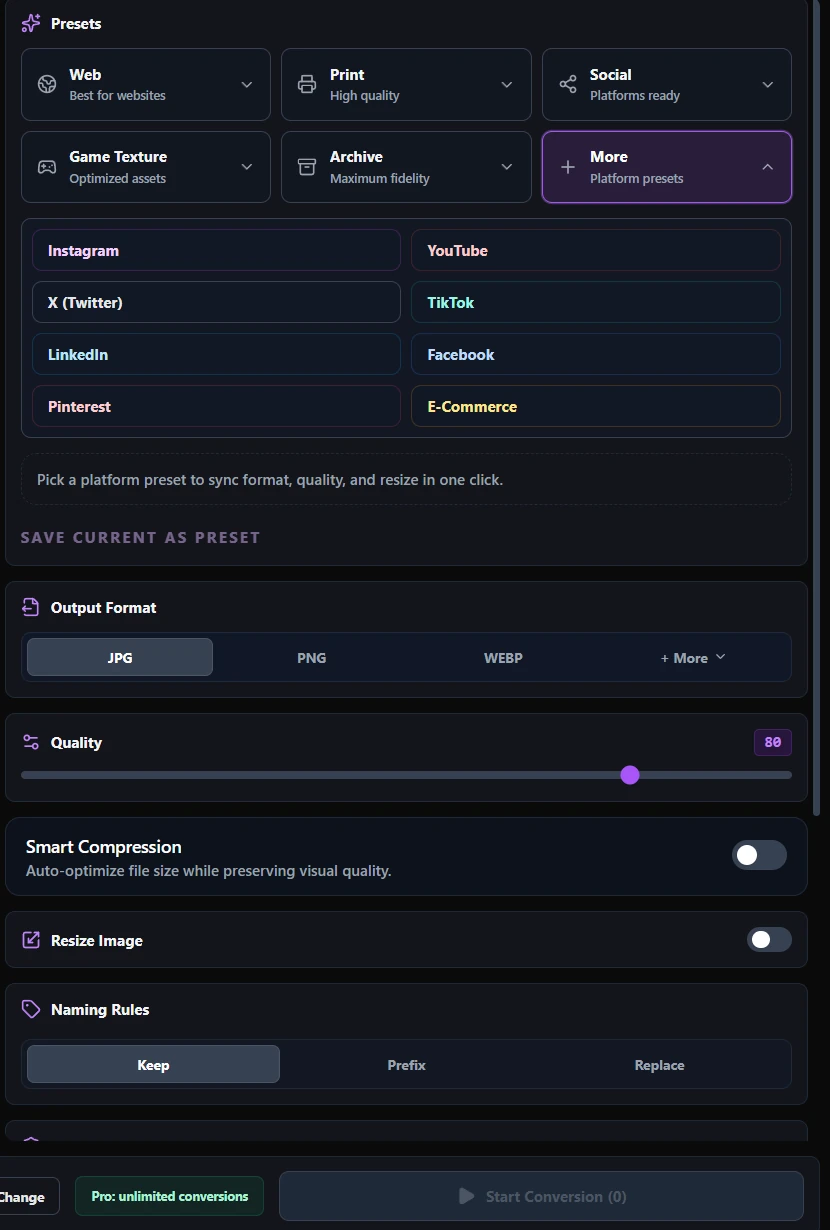
Output setup
Choose the destination family, then fine-tune format, quality, resize, naming, and compression controls.
Why Orenvo Pro
Processes full AVIF folders in one run
Keeps fallback output in explicit folders
Lets you pair conversion with rename or resize rules
No browser upload step for sensitive assets
Privacy and control
Orenvo Pro keeps AVIF conversion on-device, which helps when assets are private, pre-release, or part of a larger desktop workflow.
Supported conversion workflows run locally on your Windows PC.
No account is required for the main desktop workflow.
Output folders stay explicit instead of disappearing into a browser download flow.
FAQ
Yes. Orenvo Pro handles AVIF folders and exports JPG output locally on Windows.
JPG is still the safer fallback when a downstream tool or client environment needs wider compatibility.
Orenvo Pro · AVIF to JPG
Download free to try the core workflow on Windows. Upgrade to Pro when batch controls, Background Removal, Upscaling, automation, and explicit output folders save real time.

