
StickerGrab
v1.2.0-beta.1
 StickerGrabLocal sticker workflow · v1.2 Beta · Windows · macOS
Use StickerGrab's browser extension to select sticker media already loaded in an open TikTok conversation and hand the original files to the desktop app.
StickerGrab keeps capture and organization together, so a sticker can move from a DM to a deliberate pack without a screenshot detour.
Choose the media to export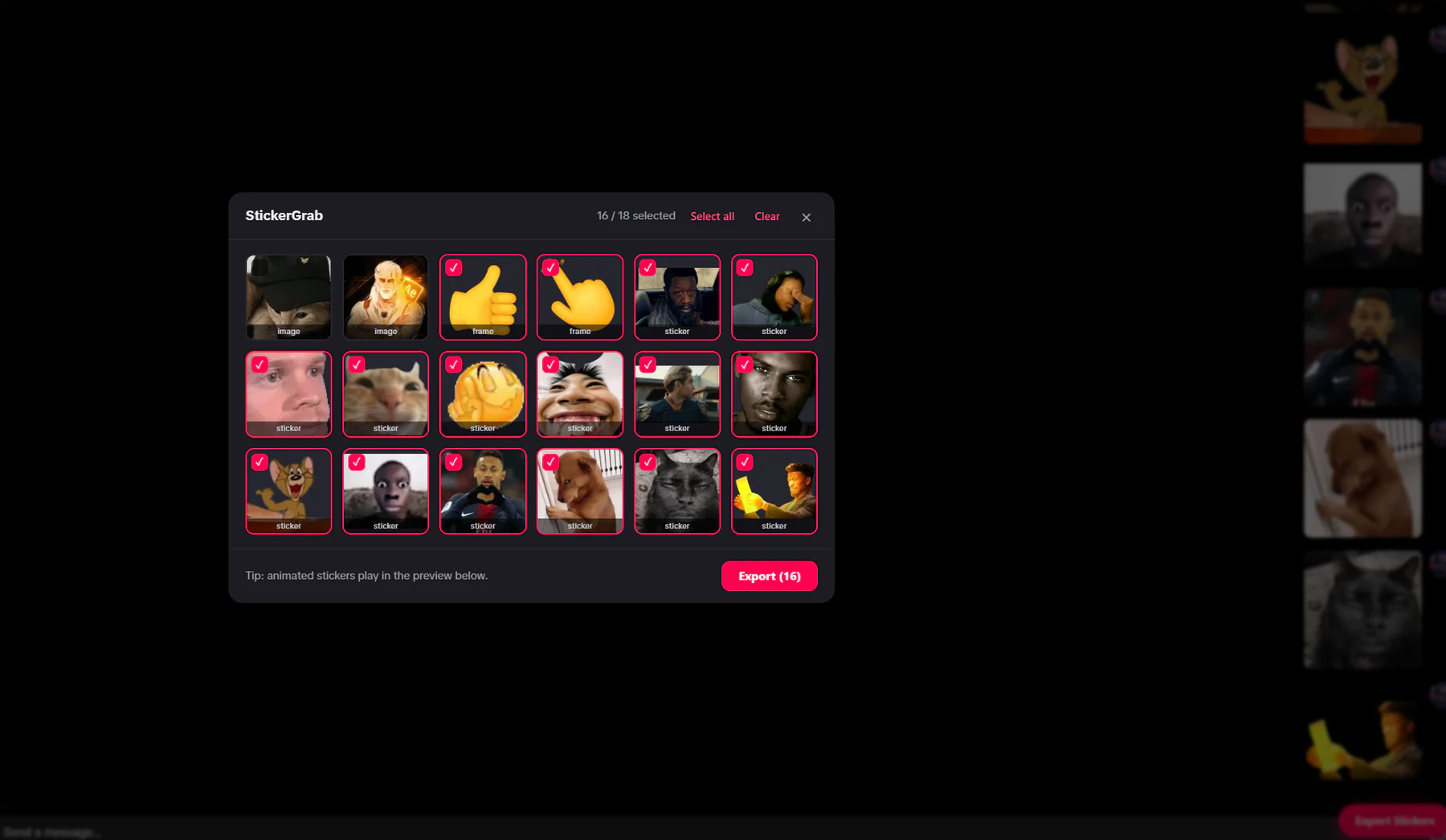
DM export picker
Select several loaded stickers and GIFs before the local handoff.
Capture properly
Work with the sticker media already loaded in the DM.
Organize locally
Search, filter, and prepare packs before anything is sent.
Why this workflow
Screenshots include the surrounding interface and cannot preserve an animated sticker. StickerGrab selects the media already loaded in the DM so it can remain useful in a local collection, pack, or ZIP export.
Workflow fit
The browser extension handles the open TikTok thread; the desktop companion handles the collection, conversion, packs, and exports.
How it works
Install the app and extension, select media in the DM, review it locally, then pack or export it.
Install StickerGrab and follow Extension Setup for a supported Chromium browser.
Open TikTok messages in the browser and enter the DM thread.
Launch Export Stickers and select the loaded stickers and GIFs.
Confirm the export and review the files in StickerGrab's local collection.
Inside the real app
The real capture picker and desktop collection show both halves of the StickerGrab workflow.
Capture
Choose only the stickers and GIFs you want from the open conversation.
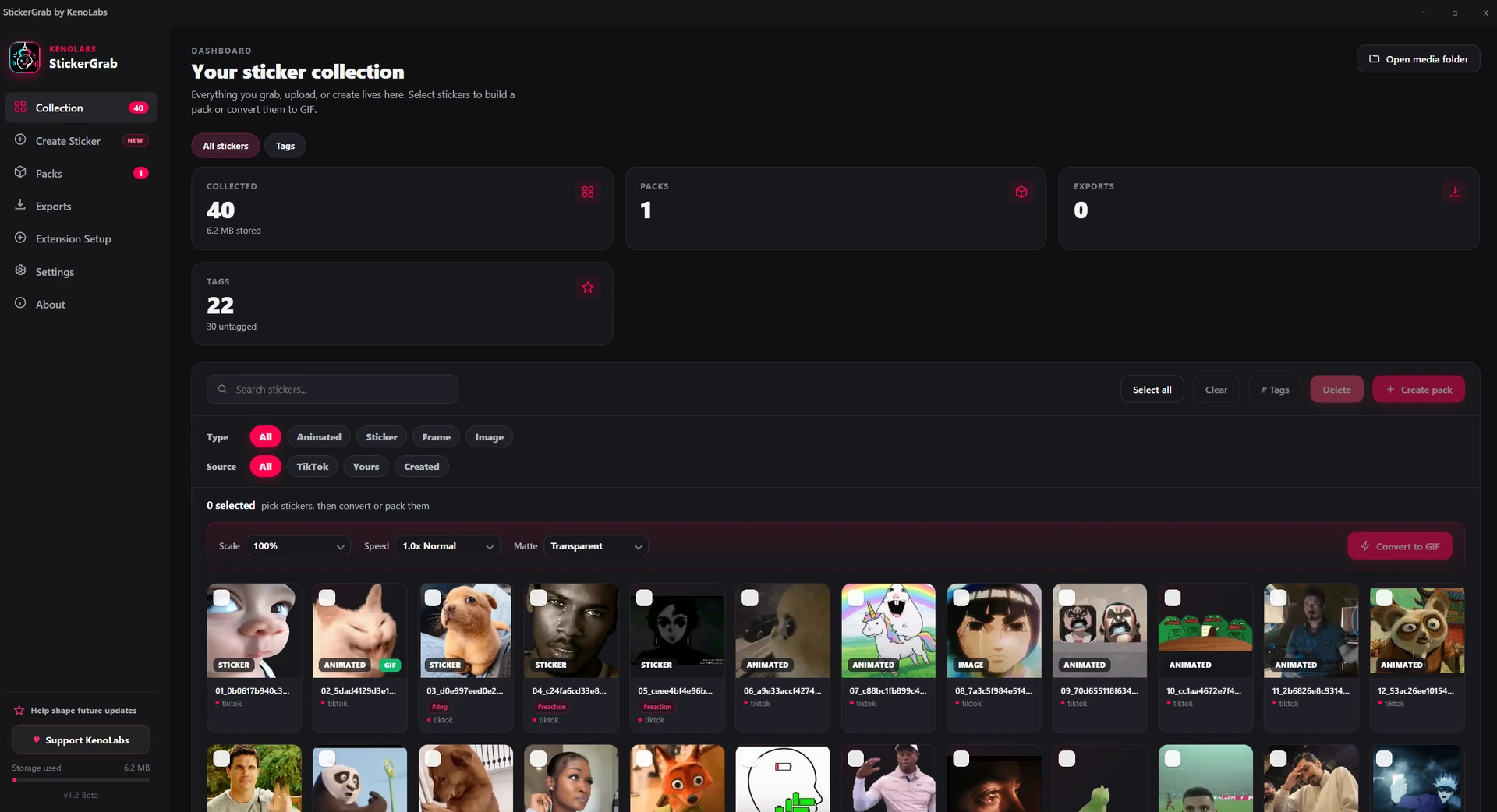
Organize
Find the saved media by name or tag, create a pack, and choose what happens next.
Why StickerGrab
Search and filter the local collection
Separate animated, sticker, frame, and image media
Create a named pack from selected favorites
Send deliberately to Telegram or Discord, or export a ZIP
Privacy and control
StickerGrab does not require an account or intermediary server. The extension communicates directly with the desktop app on the same computer.
StickerGrab has no account, cloud collection, crash reporting, or background usage telemetry; its beta survey sends only answers explicitly submitted.
The local collection is not sent to KenoLabs.
Telegram or Discord is contacted only for connection and send actions you request.
FAQ
Yes. Open the export picker, select the loaded stickers and GIFs you want, and confirm the selection as one export.
No. The extension hands the selected media to the StickerGrab companion on your own machine through localhost.
StickerGrab · Export stickers from TikTok DMs
Download StickerGrab for Windows or macOS from the official GitHub release.

