
StickerGrab
v1.2.0-beta.1
 StickerGrabLocal WebP to GIF · v1.2 Beta · Windows · macOS
Choose one or more saved WebP stickers, set scale and playback speed, then keep transparency or add a destination-friendly background matte.
StickerGrab is useful when the sticker is already in your collection and only the output format needs to change.
WebP to GIF controls in the collection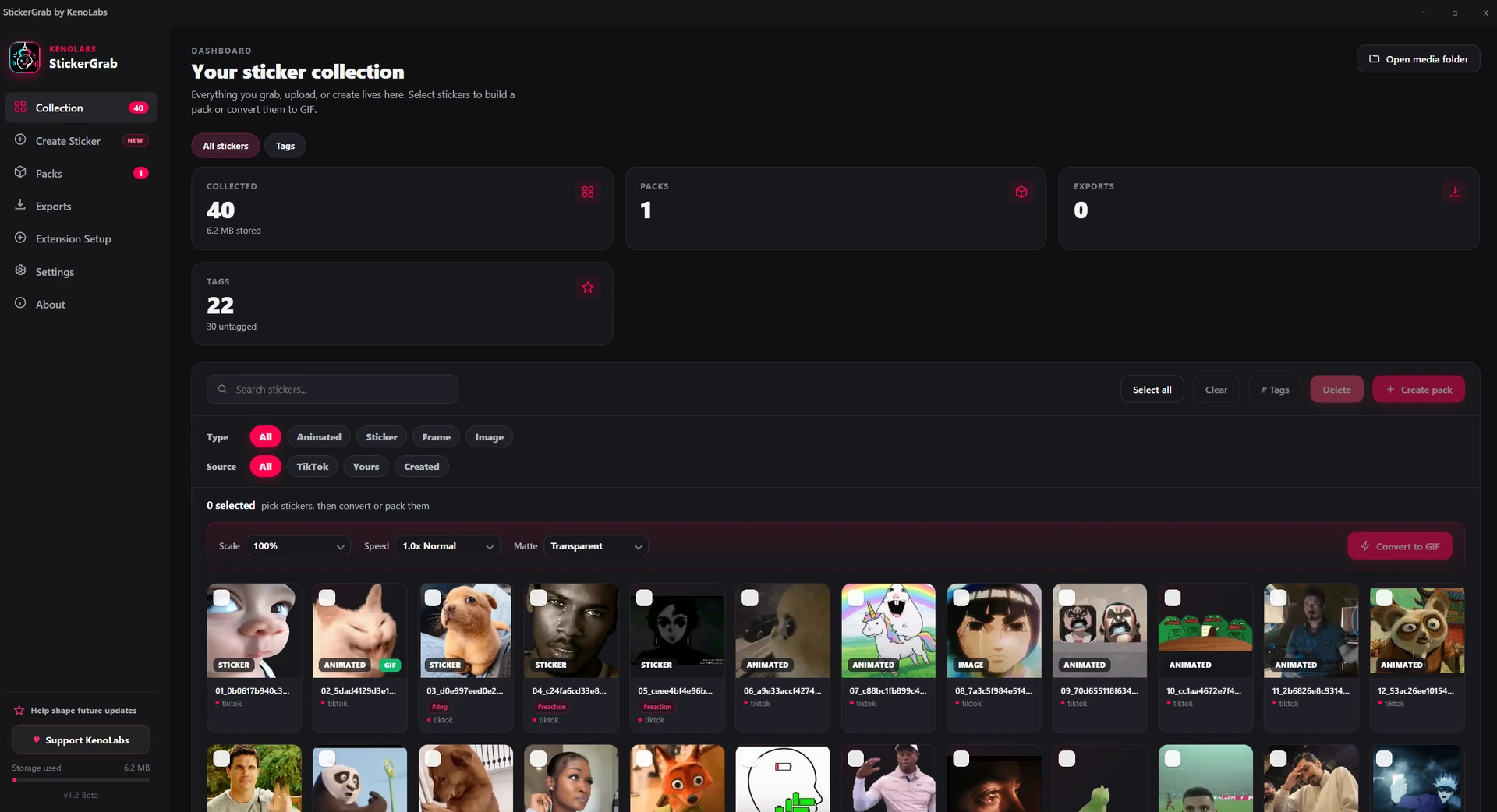
Local conversion
Set scale, playback speed, and background matte without uploading the files.
Local conversion
No hosted conversion queue or upload step.
Sticker controls
Adjust size, timing, and transparency handling.
Why this workflow
WebP is common for web stickers, but another destination may expect GIF. StickerGrab keeps the conversion next to the collection and exposes the controls that matter for sticker output.
Format workflow
Conversion sits inside the same collection used for TikTok captures and packs, so the result can move directly into an export workflow.
How it works
Select the saved WebP items, configure scale, speed, and matte, then run the local conversion.
Select one or more WebP items in the local collection.
Choose the scale and playback speed.
Keep transparency or select a background matte.
Run the conversion and use the local output in a pack or export.
Inside the real app
Use the collection conversion controls or the visual motion editor, depending on the source workflow.
Collection
Choose scale, playback speed, and the transparency matte in the local collection.
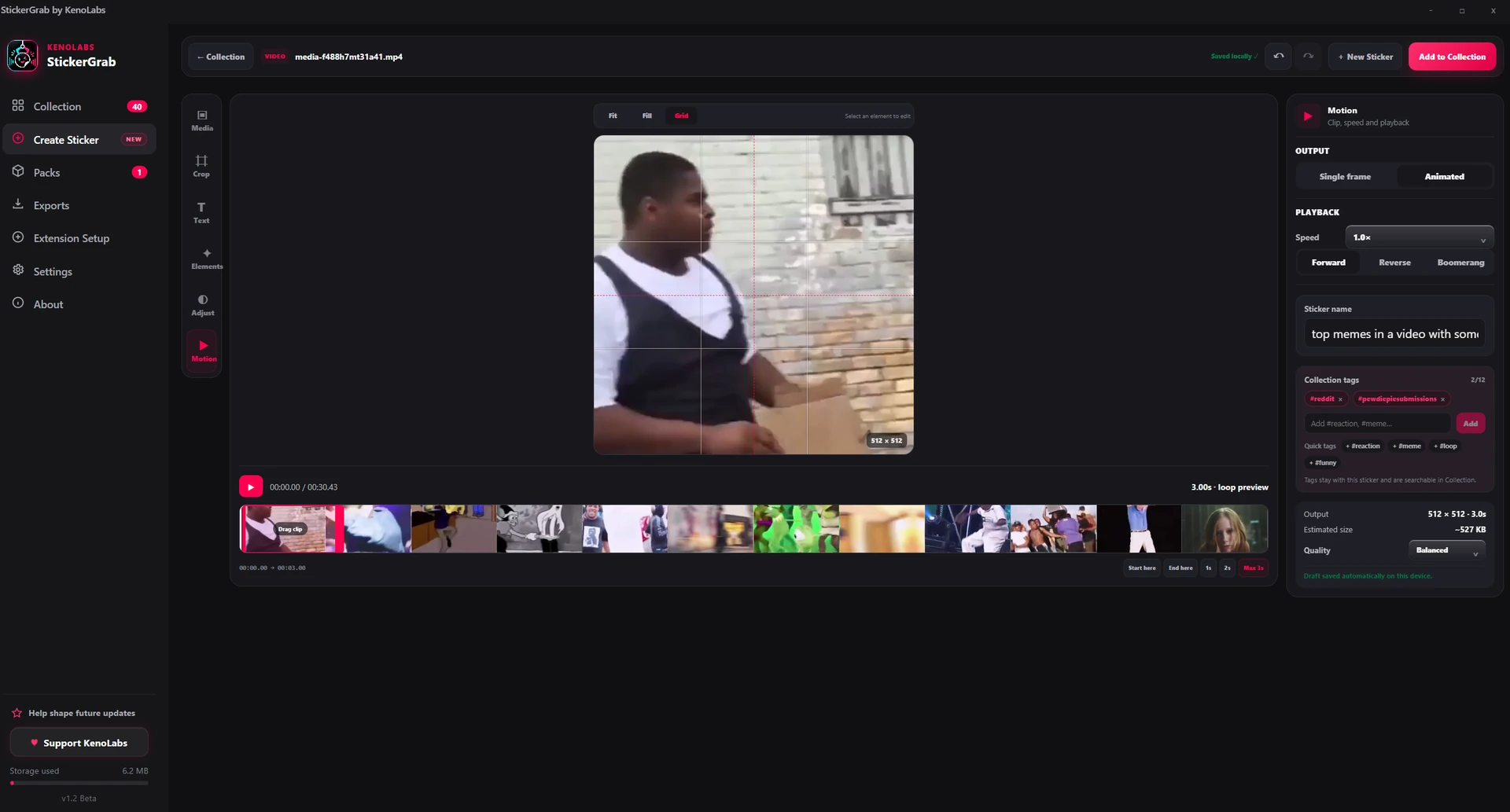
Motion editor
Set the clip and playback behavior in the real Create Sticker workspace.
Why StickerGrab
Batch selection from the collection
Scale and playback-speed controls
Transparent and background-matte output
Unlimited local conversion with no watermark
Privacy and control
The WebP source and GIF output stay on your machine. StickerGrab does not send conversion jobs to a hosted service.
WebP-to-GIF processing runs on the computer.
Converted output is stored locally.
The converter is unlimited and does not add a watermark.
FAQ
No. Conversion is local, unlimited, and has no watermark.
Yes. StickerGrab provides scale and playback-speed controls before conversion.
StickerGrab · WebP to GIF converter
Download StickerGrab for Windows or macOS from the official GitHub release.

