
StickerGrab
v1.2.0-beta.1
 Orenvo PDFLocal-first document work · v1.0.2 · Windows · macOS · Android
Create one PDF from separate files while keeping the source documents inside your local workflow.
Use Orenvo PDF when the friction is not the PDF task itself, but the website you would normally have to trust.
 Combine PDFs on your machine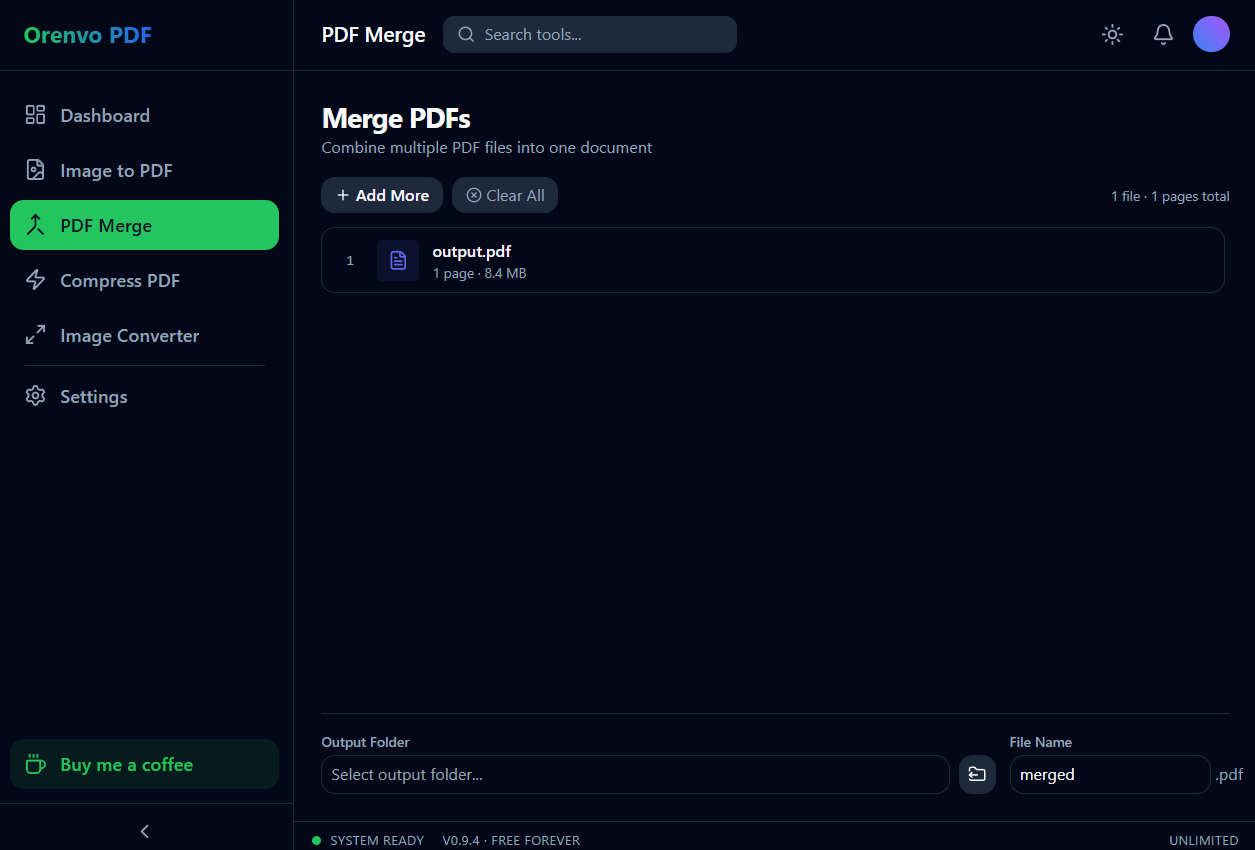
Merge
Keep document handoffs local from start to finish.
Avoid browser queues
Skip the upload/download loop that slows down urgent document tasks.
Keep control
Work from local folders and save the result where it belongs.
Why this workflow
Local combining matters when the files are not generic: signed pages, HR forms, legal packets, or client documents. Browser merge tools add a transfer step and often turn a simple job into an ad-filled page. Orenvo PDF keeps the combine process on the desktop.
Problem fit
For private paperwork, unreliable internet, or ad-heavy browser tools, Orenvo PDF gives the everyday PDF workflow a desktop path first.
How it works
Open the relevant tool, add the files from your machine, set the output, and save the finished file.
Add the separate PDFs that should become one document.
Drag them into the exact handoff order.
Click Merge from the desktop app.
Save the combined PDF to your selected output folder.
Inside the real app
The real desktop screen shows the file order and local output controls used for the merge workflow.
Merge
Add files, change their order, choose a local destination, and save one PDF.
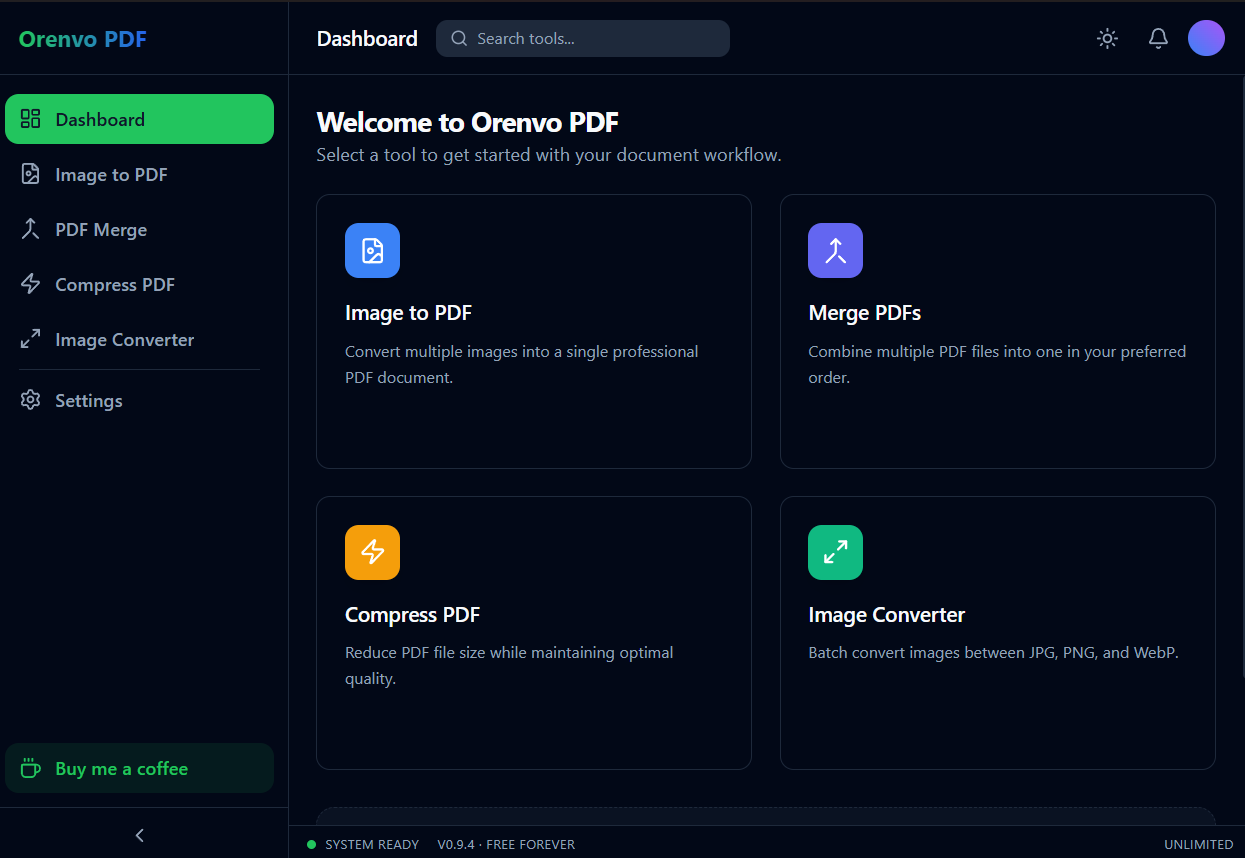
Dashboard
Merge lives beside Compress, Image to PDF, and Image Converter.
Local workflow comparison
A factual comparison of the handoff required for this job.
Online handoff
Installed workflow
Source files
Upload the PDF or image set first.
Open files directly from device storage.
Processing
The web service handles the remote job.
Supported PDF and image work runs locally.
Access
Limits and retention depend on the service.
No KenoLabs account, daily cap, paid tier, or watermark.
Output
Download the finished file again.
Save directly to the location you choose.
Online PDF services differ in limits and retention policy. This compares the common browser handoff with Orenvo PDF's verified installed workflow.
Why Orenvo PDF
Combine signed pages and attachments into one file
Drag files into the exact handoff order
Save the combined PDF locally
Merge as many PDFs as you need — free and unlimited
Privacy and control
Combining locally is the safer default when one packet contains multiple private documents. Orenvo PDF keeps the source files and final PDF within the folders you choose.
Supported merge, compression, and conversion jobs run inside the installed app.
No account is required on Windows, macOS, or Android.
There are no per-tool limits, and exports have no watermarks.
FAQ
Yes. The difference is where the work happens: Orenvo PDF reads from your folders and saves the result back locally, instead of depending on a website session.
The app follows the order you set before export. Review the list and drag files into place before clicking Merge.
Orenvo PDF · Combine PDF Files Locally
Download Free to use the full workflow on Windows or macOS — no limits, no watermarks, no account.