StickerGrab
v1.2.0-beta.1
 Orenvo PDFNo-upload PDF workflow · v1.0.2 · Windows · macOS · Android
Use Orenvo PDF when the document is sensitive enough that a website upload should not be part of the workflow.
Use Orenvo PDF when the friction is not the PDF task itself, but the website you would normally have to trust.
 PDF work without uploading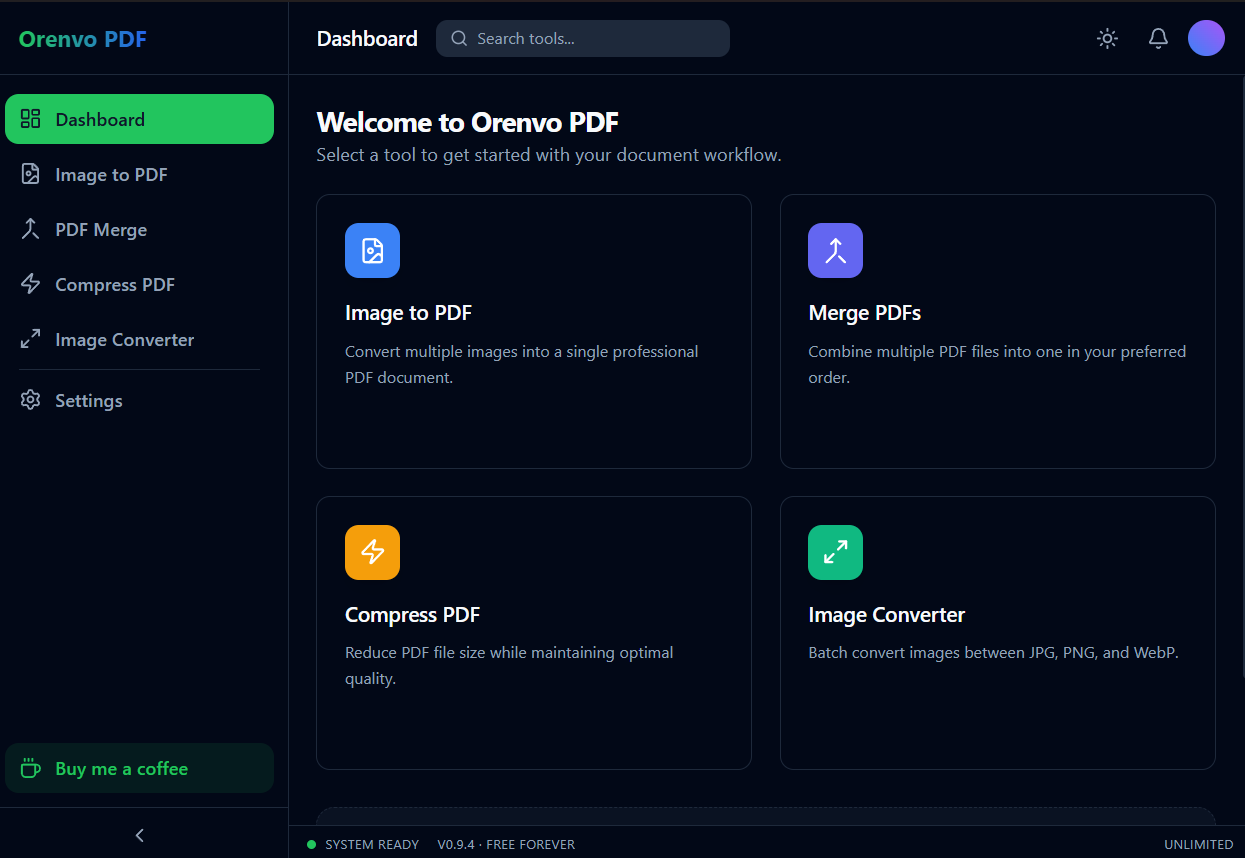
Local workflow
Run the tools on your machine, not a website.
Avoid browser queues
Skip the upload/download loop that slows down urgent document tasks.
Keep control
Work from local folders and save the result where it belongs.
Why this workflow
Many quick PDF utilities ask for the file first and explain the privacy model later, if at all. That is a poor fit for contracts, IDs, bank documents, and internal scans. Orenvo PDF makes the local workflow the default.
Problem fit
For private paperwork, unreliable internet, or ad-heavy browser tools, Orenvo PDF gives the everyday PDF workflow a desktop path first.
How it works
Open the relevant tool, add the files from your machine, set the output, and save the finished file.
Open the tool that matches the job: Merge, Compress, Image to PDF, or Image Converter.
Add files from your machine, not from a website upload queue.
Set the output format, compression, or order.
Save the result to your chosen folder.
Inside the real app
Use the dashboard for discovery and open the focused converter when the job is about image formats.
Dashboard
Open Merge, Compress, Image to PDF, or Image Converter from one dashboard.
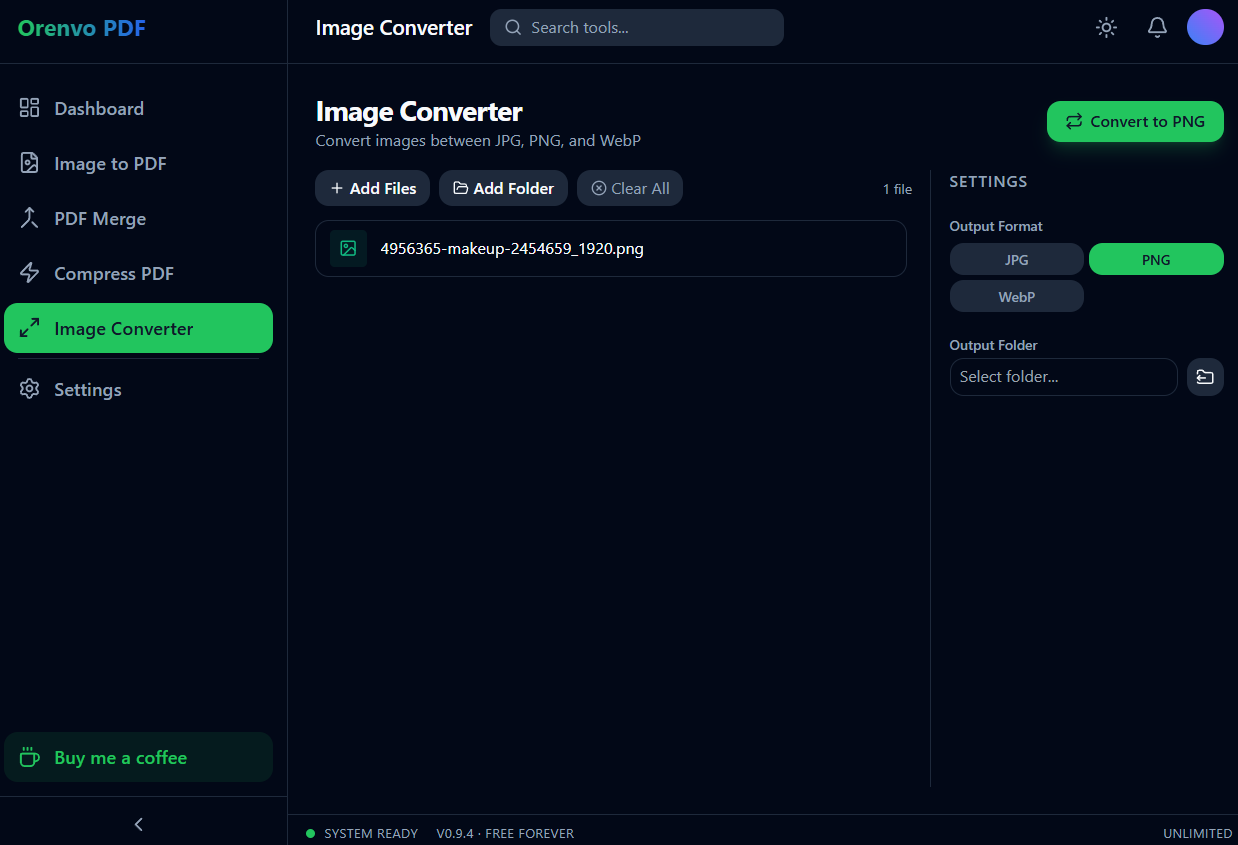
Image Converter
Add files or a folder and use the focused JPG, PNG, and WebP conversion workflow.
Local workflow comparison
A factual comparison of the handoff required for this job.
Online handoff
Installed workflow
Source files
Upload the PDF or image set first.
Open files directly from device storage.
Processing
The web service handles the remote job.
Supported PDF and image work runs locally.
Access
Limits and retention depend on the service.
No KenoLabs account, daily cap, paid tier, or watermark.
Output
Download the finished file again.
Save directly to the location you choose.
Online PDF services differ in limits and retention policy. This compares the common browser handoff with Orenvo PDF's verified installed workflow.
Why Orenvo PDF
Useful for contracts, forms, IDs, and internal scans
Avoids browser upload forms for supported jobs
No daily limits, watermarks, or account
Free and unlimited — no watermarks, no caps
Privacy and control
The point of this workflow is control: keep source files in local folders, run the job from the installed app, and save outputs where they belong.
Supported merge, compression, and conversion jobs run inside the installed app.
No account is required on Windows, macOS, or Android.
There are no per-tool limits, and exports have no watermarks.
FAQ
For supported Merge, Compress, Image to PDF, and Image Converter jobs, Orenvo PDF works through the installed desktop app instead of a web upload form.
Avoiding upload reduces exposure to third-party retention policies, network failures, and ad-heavy tool pages that ask for the file before earning trust.
Orenvo PDF · Convert PDF Without Upload
Download Free for a desktop workflow built for sensitive PDFs and images — local, free, and with nothing to unlock.