
StickerGrab
v1.2.0-beta.1
 Orenvo PDFFree PDF toolkit · v1.0.2 · Windows · macOS · Android
Download a free Windows and macOS app for the PDF jobs people reach for most: merge, compress, image to PDF, and image conversion.
Use Orenvo PDF when document cleanup is recurring work and you want the controls in one installed app.
 All four tools in one app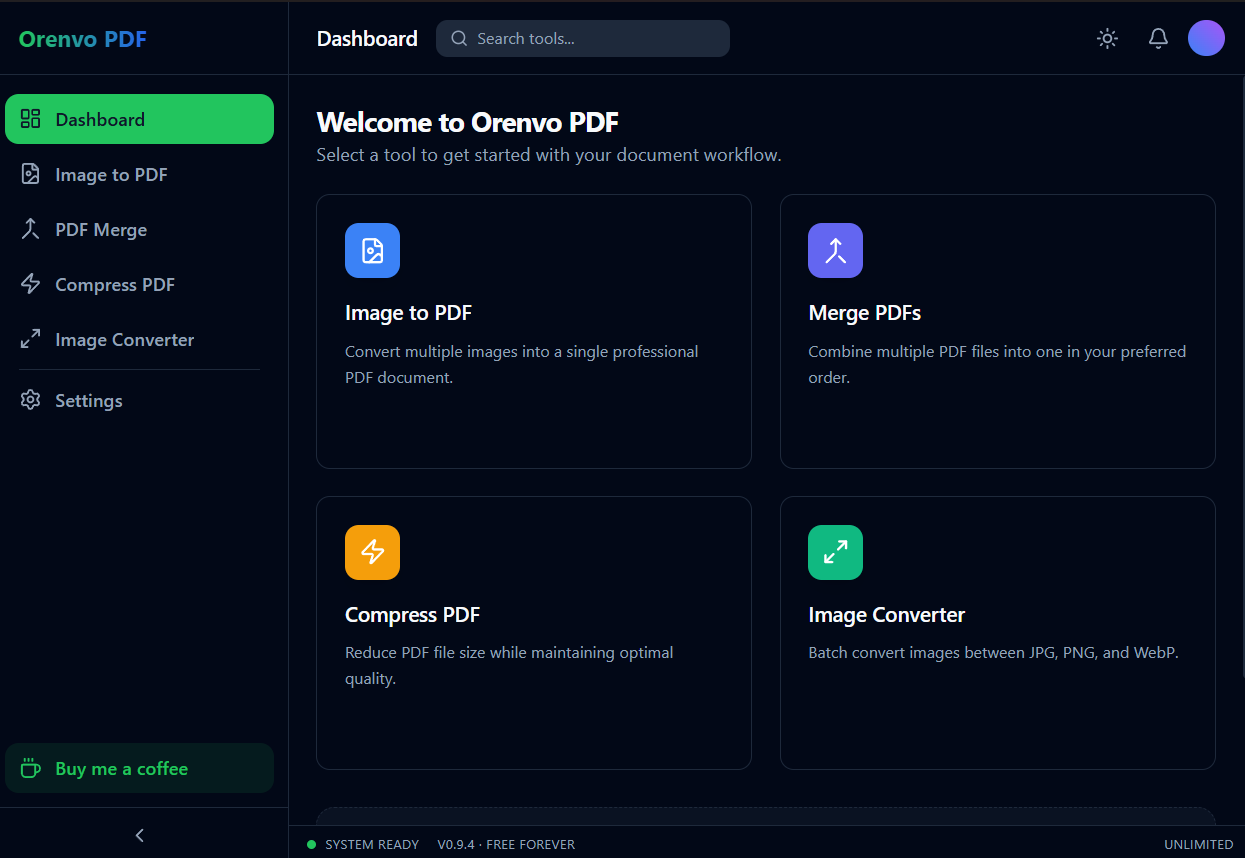
Free toolkit
Merge, compress, image-to-PDF, and convert — one window.
One place
Handle the common PDF cleanup jobs without hopping between web utilities.
No limits
Every tool is free and unlimited, with no watermarks and no Pro tier.
Why this workflow
Free web tools often trade convenience for ads, sign-up prompts, file uploads, or unclear limits. Orenvo PDF is straightforward: all four tools are free and unlimited, with no watermarks and no account.
Workflow fit
Orenvo PDF is positioned around the practical jobs that interrupt normal work: combine files, shrink large PDFs, make image sets shareable, and convert supported image formats.
How it works
Choose the tool, add your files, adjust the output, and save the finished file locally.
Download Orenvo PDF from the official project page.
Open Merge, Compress, Image to PDF, or Image Converter.
Add files and choose the output settings.
Export locally with no daily limits or watermarks.
Inside the real app
Use the dashboard for discovery and open the focused converter when the job is about image formats.
Dashboard
Open Merge, Compress, Image to PDF, or Image Converter from one dashboard.
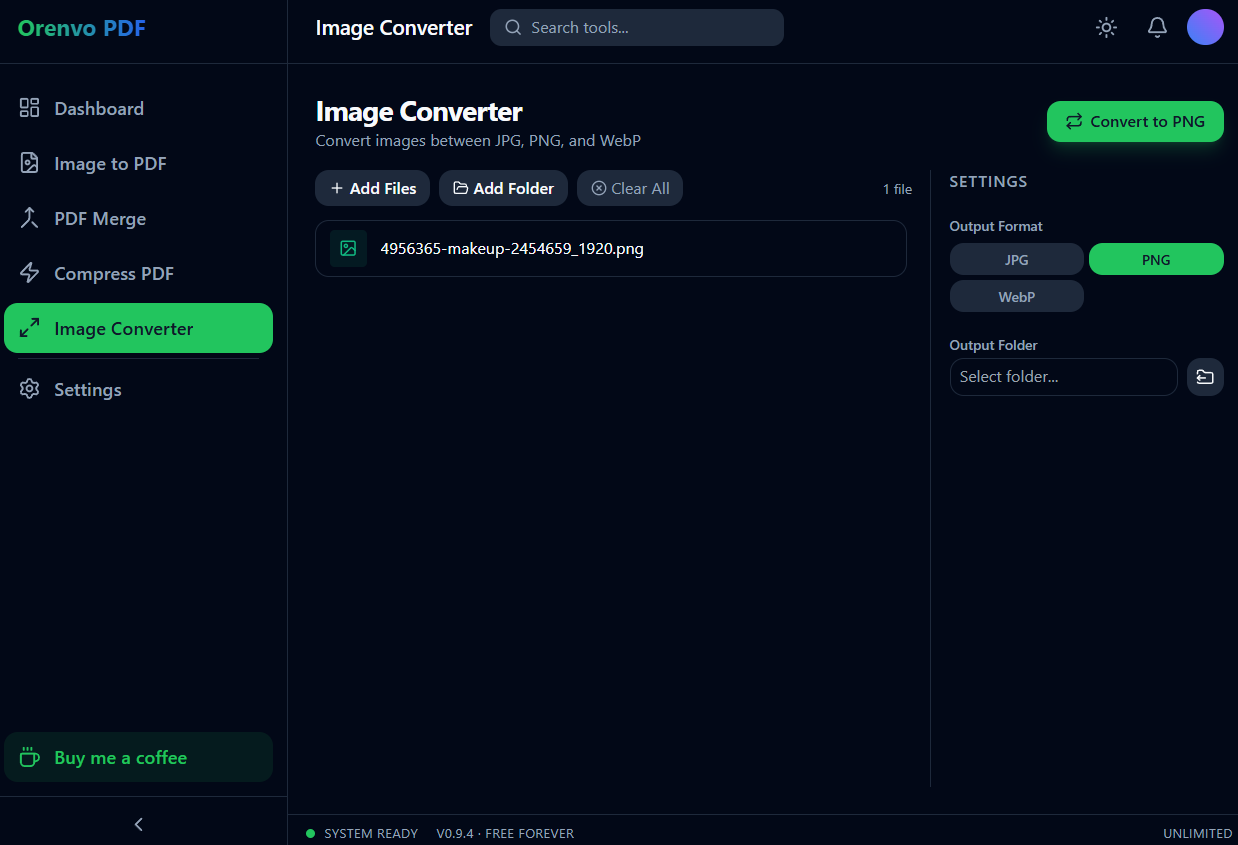
Image Converter
Add files or a folder and use the focused JPG, PNG, and WebP conversion workflow.
Why Orenvo PDF
All four tools are completely free
No daily limits and no watermarks
No account needed for first use
Nothing to unlock — every tool is free
Privacy and control
The free workflow still runs from the installed app, so the pricing model does not force documents into an upload queue.
Orenvo PDF includes all four tools, free and unlimited, with no checkout gate.
Exports have no watermarks, even with repeated use.
There is no Pro tier and no checkout — every tool is free.
FAQ
Yes. Orenvo PDF is free to download from the official project page and works without an account or payment. There are no watermarks or daily limits.
Every tool is unlimited — there are no daily limits on merges, compressions, image-to-PDF exports, or image conversions.
Orenvo PDF · Free PDF Tools for Windows
Download Free to use all four tools — no daily limits, no watermarks, no account.
