
StickerGrab
v1.2.1 Beta
Media ScraperWindows64-bit installer macOSUniversal DMG
Windows 10/11 & macOS 12+Standalone tool · Telegram & Discord export
 StickerGrabLocal sticker workflow · v1.2.1 Beta · Windows · macOS
Open media from a link, file, drag and drop, or clipboard, then trim, crop, zoom, layer, animate, preview, and save the finished sticker to a local collection.
StickerGrab keeps capture and organization together, so a sticker can move from a DM to a deliberate pack without a screenshot detour.
Edit a static or animated sticker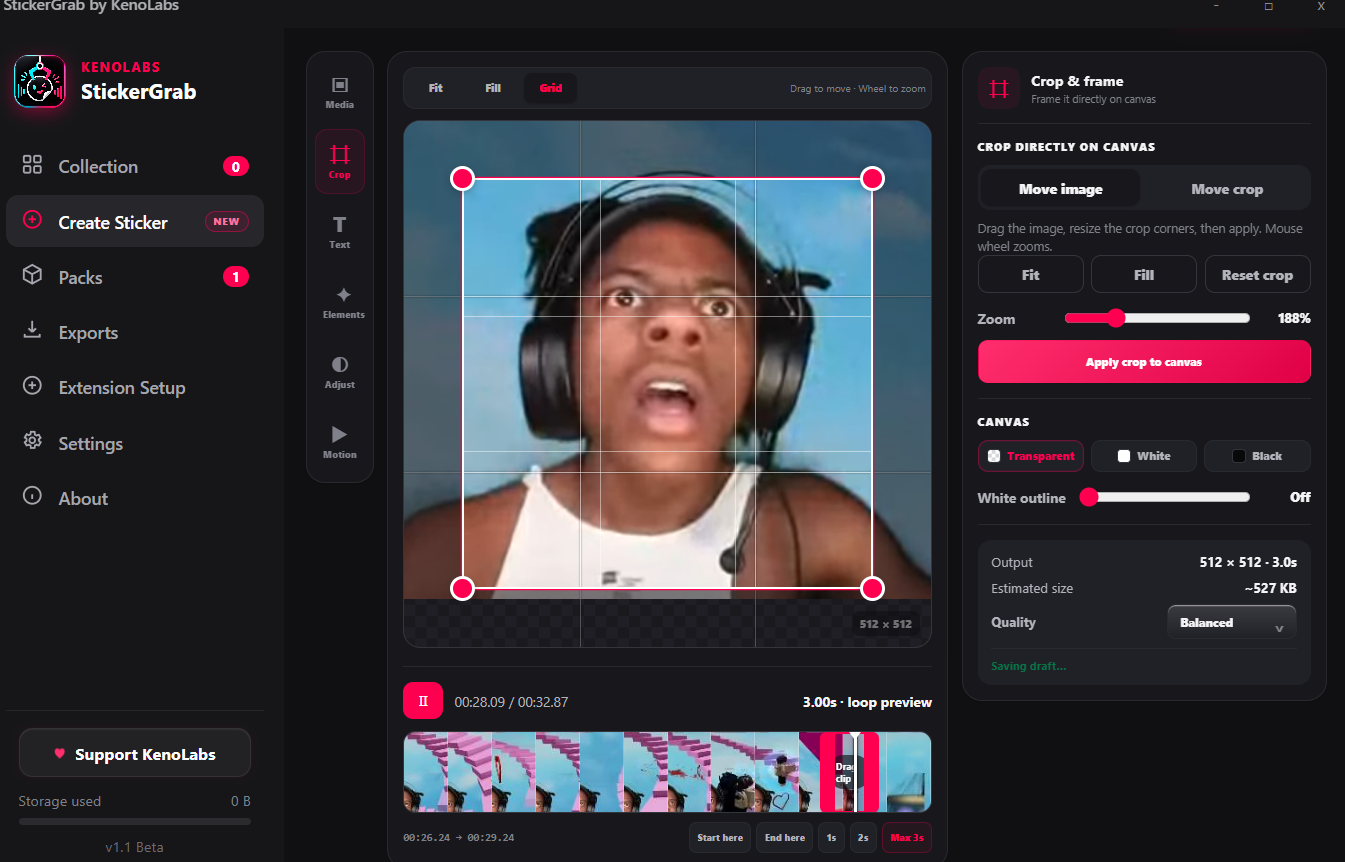
Create Sticker
Crop, trim, layer, animate, and preview the output in the desktop editor.
Capture properly
Work with the sticker media already loaded in the DM.
Organize locally
Search, filter, and prepare packs before anything is sent.
Why this workflow
Create Sticker puts the canvas, visual video timeline, direct mouse crop, layers, motion controls, and output summary in one workspace so the result can be judged before it enters a pack.
Workflow fit
The browser extension handles the open TikTok thread; the desktop companion handles the collection, conversion, packs, and exports.
How it works
Install the app and extension, select media in the DM, review it locally, then pack or export it.
Paste a supported public media link, upload or drop a local file, or paste a clipboard image.
Choose Single frame or Animated and select the exact video range from the filmstrip timeline.
Move, crop, and zoom on the canvas; add an outline, text, emoji, icon, or image layers.
Choose speed, direction, background, image adjustments, and output quality, then add the 512×512 result to Collection.
Inside the real app
Crop the source, adjust the canvas, work with the timeline, and preview the output before adding it to Collection.
Edit
Move, zoom, frame, and preview the 512 × 512 output in the real editor.
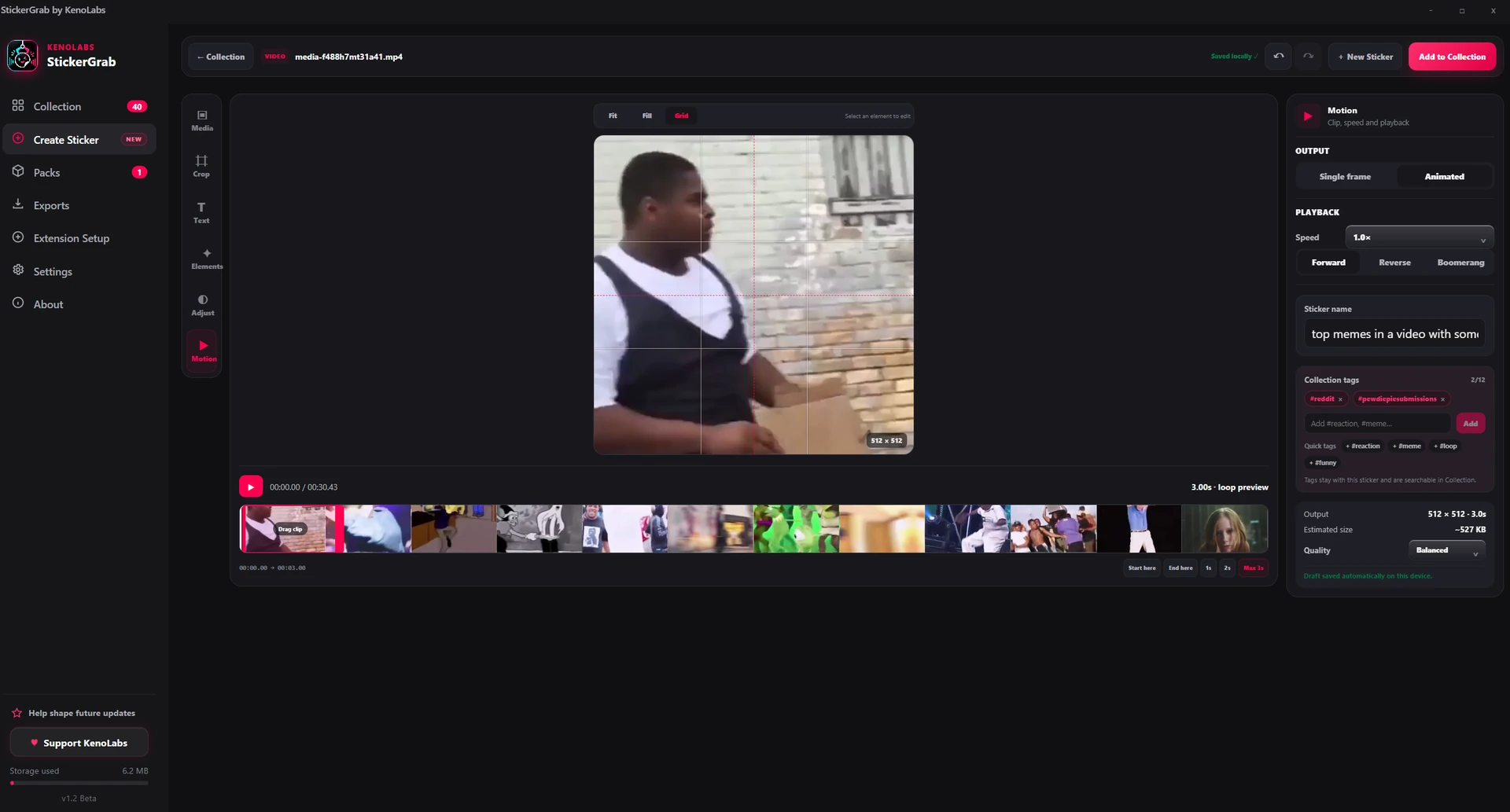
Animate
Trim a short clip and inspect the playback behavior before saving.
Why StickerGrab
Single-frame capture or animation up to three seconds
Mouse crop, wheel zoom, repositioning, grid, fit, and fill
Forward, reverse, boomerang, speed, and smooth loop preview
Up to 12 movable text, emoji, icon, or image layers
Editable names and up to 12 searchable Collection tags
Best-effort title and tag suggestions from supported public TikTok and Reddit pages
Automatic local draft, undo and redo, estimated size, and output quality
Privacy and control
Uploaded files, clipboard images, drafts, layers, renders, and collection output stay on the computer. A public URL is requested only when you explicitly import that URL.
StickerGrab has no account, cloud collection, crash reporting, or background usage telemetry; its beta survey sends only answers explicitly submitted.
The local collection is not sent to KenoLabs.
Telegram or Discord is contacted only for connection and send actions you request.
FAQ
Yes. Choose a clip up to three seconds, preview it as a loop, and use forward, reverse, or boomerang playback before rendering.
Yes. Copy an image or screenshot, open Create Sticker, and press Ctrl+V. Video clipboard data is not supported.
No. Background removal remains a separate Orenvo feature. StickerGrab can open Orenvo, then you can import the exported transparent image back into Create Sticker.
StickerGrab · Sticker maker from video or image
Download StickerGrab for Windows or macOS from the official GitHub release.


