
StickerGrab
v1.2.1 Beta
Media ScraperWindows64-bit installer macOSUniversal DMG
Windows 10/11 & macOS 12+Standalone tool · Telegram & Discord export
 OrderlyWindows file organizer · v1.0.0-beta.1 · Windows
Orderly turns a busy folder into a reviewable plan. See where files will go before you choose Run, then undo supported actions from History.
Orderly Free Beta is available as a 64-bit installer for Windows 10 and 11.
 Review a profile before organizing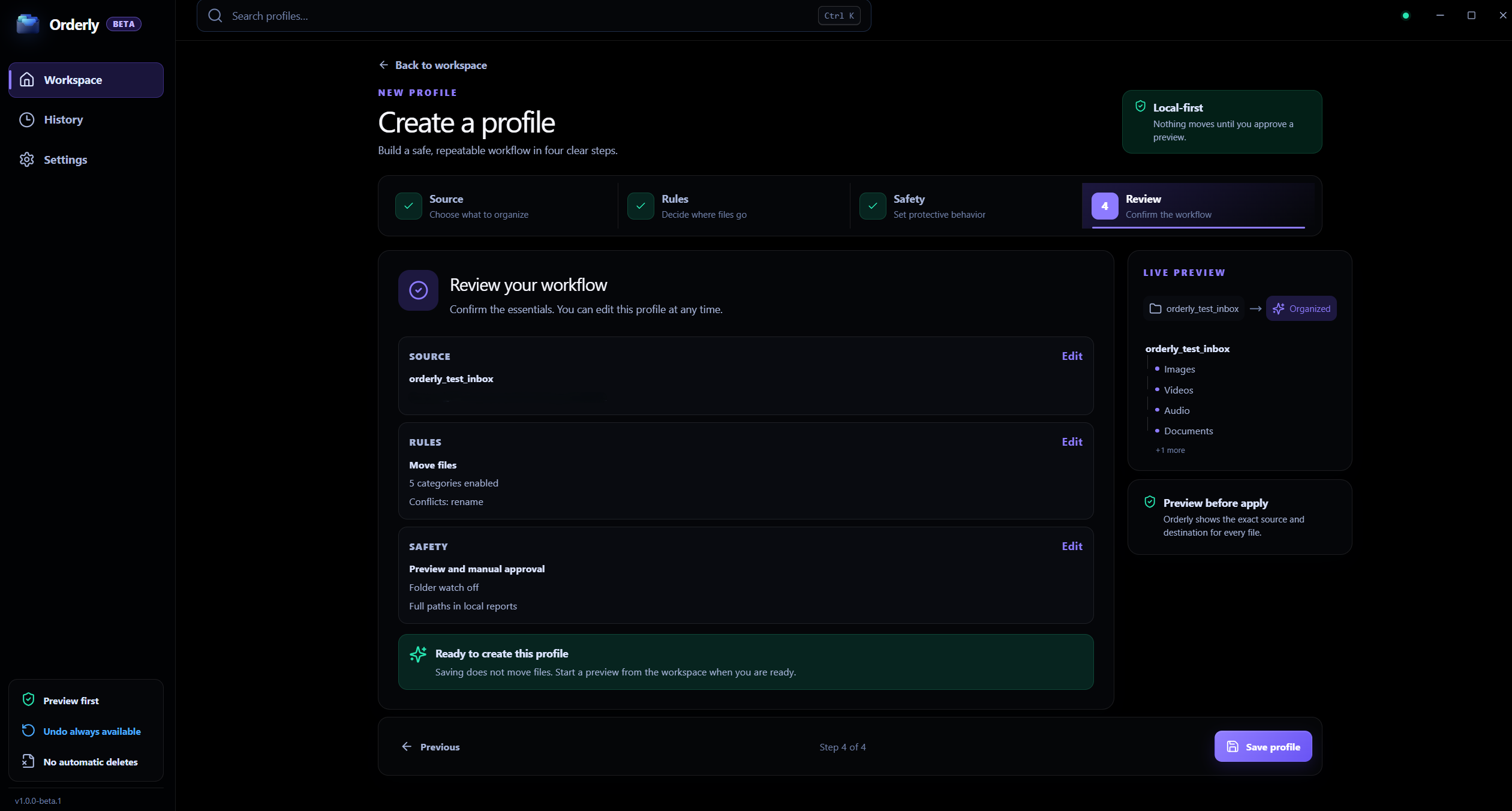
Windows file organizer
Real app interface. Profile names and folder values shown are sample data.
A plan you can inspect
Review proposed file actions and destinations first.
Profiles for repeat work
Save folder, category, filter, and collision choices.
A clear, reviewable workflow
Start with one folder, decide what should match, then inspect the proposed file actions before applying them.
At a glance
Interactive illustration with sample files. Real Orderly screens appear in the proof section below.
The story uses sample names. Choose the real folder yourself.
Start with Downloads, Desktop, a project folder, or another location you select.
Choose categories, filters, Move or Copy, and how name conflicts should be handled.
Inspect the proposed actions and destinations before applying the plan.
Inside the real app
See the profile rules and the proposed plan in authentic Orderly screens. Values visible in the captures are illustrative.
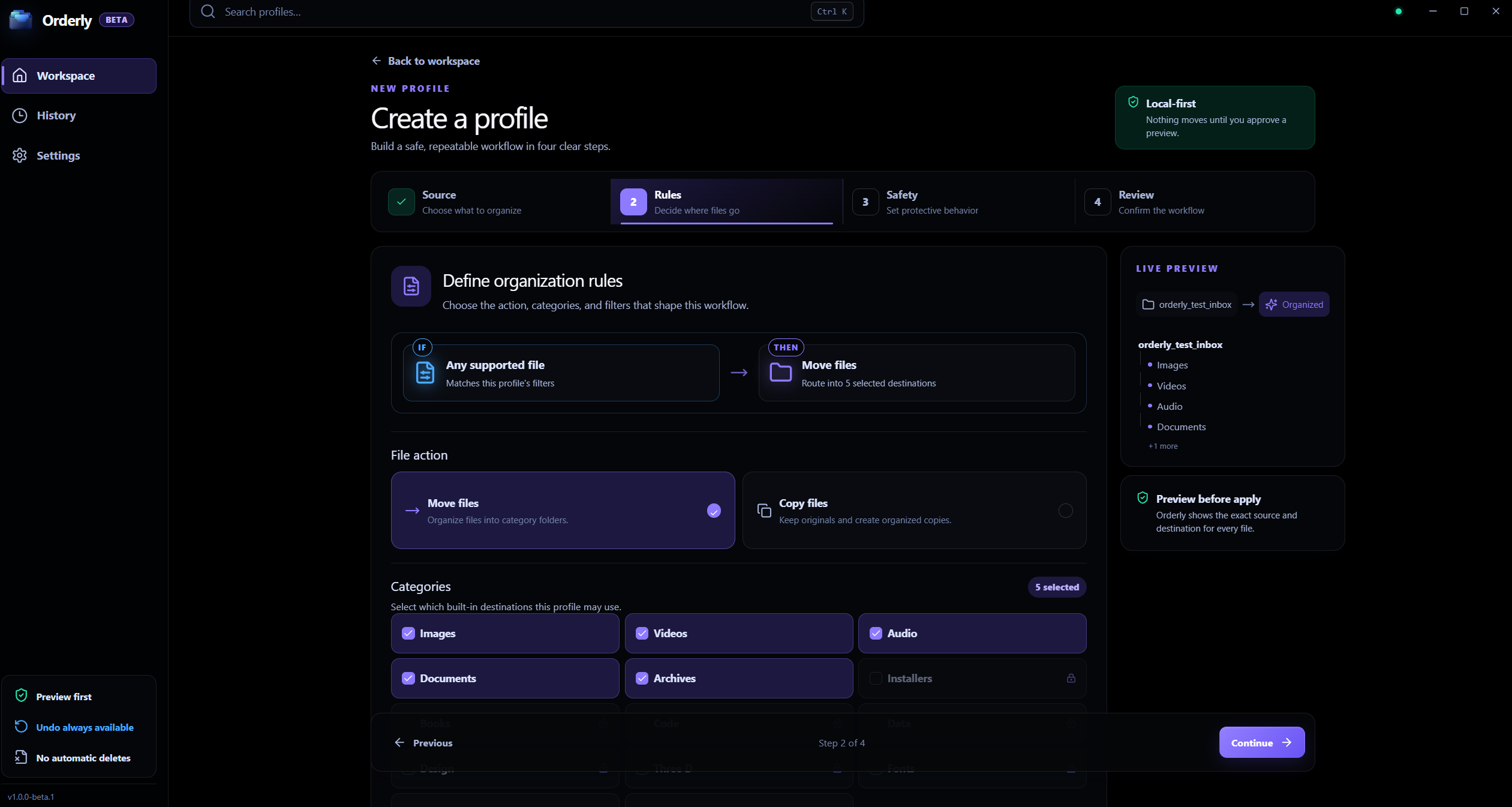
Profile rules
Configure built-in categories, filters, and the action for a profile you select.
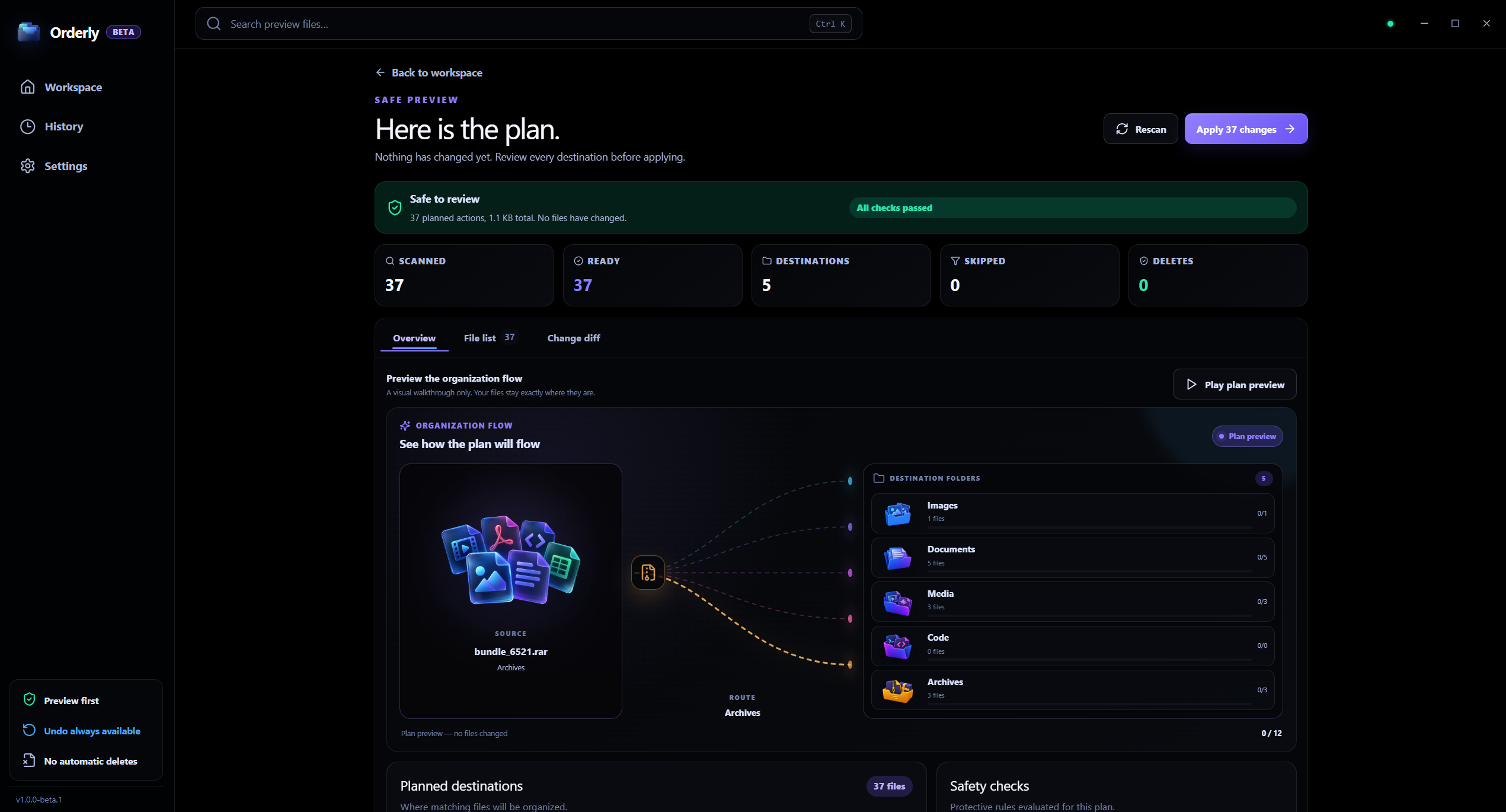
Preview
Preview prepares a plan and leaves files in place until you choose Run.
Folder organization
A mixed folder can hold documents, photos, archives, and project files together. Orderly uses a saved profile to prepare a plan, so you can inspect the proposed actions before changing the folder.
Profiles keep folder and organization choices together.
Five built-in categories cover images, video, audio, documents, and archives.
Filters can narrow files by extension, name, folder, size, date, or subfolders.
Preview leaves files in place until you choose Run.
Local processing, clearly scoped
Orderly does not upload the contents of folders you organize to KenoLabs. Profiles and run records stay local. Update checks and optional feedback may use the network; see the product privacy policy for details.
FAQ
No. A profile can use Downloads, Desktop, a project folder, or another folder you choose.
No. Preview creates a proposed plan. A normal manual run starts only after you choose Run.
You can download the Windows 64-bit installer directly from this page or check the GitHub release. It runs on Windows 10 and 11 without requiring an account.
Orderly · File organizer for Windows
Download Orderly Free Beta and see your plan before you make changes. Native on-device execution for Windows 10 & 11.

