
StickerGrab
v1.2.1 Beta
Media ScraperWindows64-bit installer macOSUniversal DMG
Windows 10/11 & macOS 12+Standalone tool · Telegram & Discord export
 OrderlyInspect before changing a folder · v1.0.0-beta.1 · Windows
A preview gives you time to understand the plan. Check the files, destinations, and summary first. Nothing moves automatically unless you explicitly enable Auto-apply for a profile you trust. Otherwise, review the plan before you choose Run.
Keep independent backups of important files; Undo cannot recover overwritten destination contents.
 Inspect the proposed file actions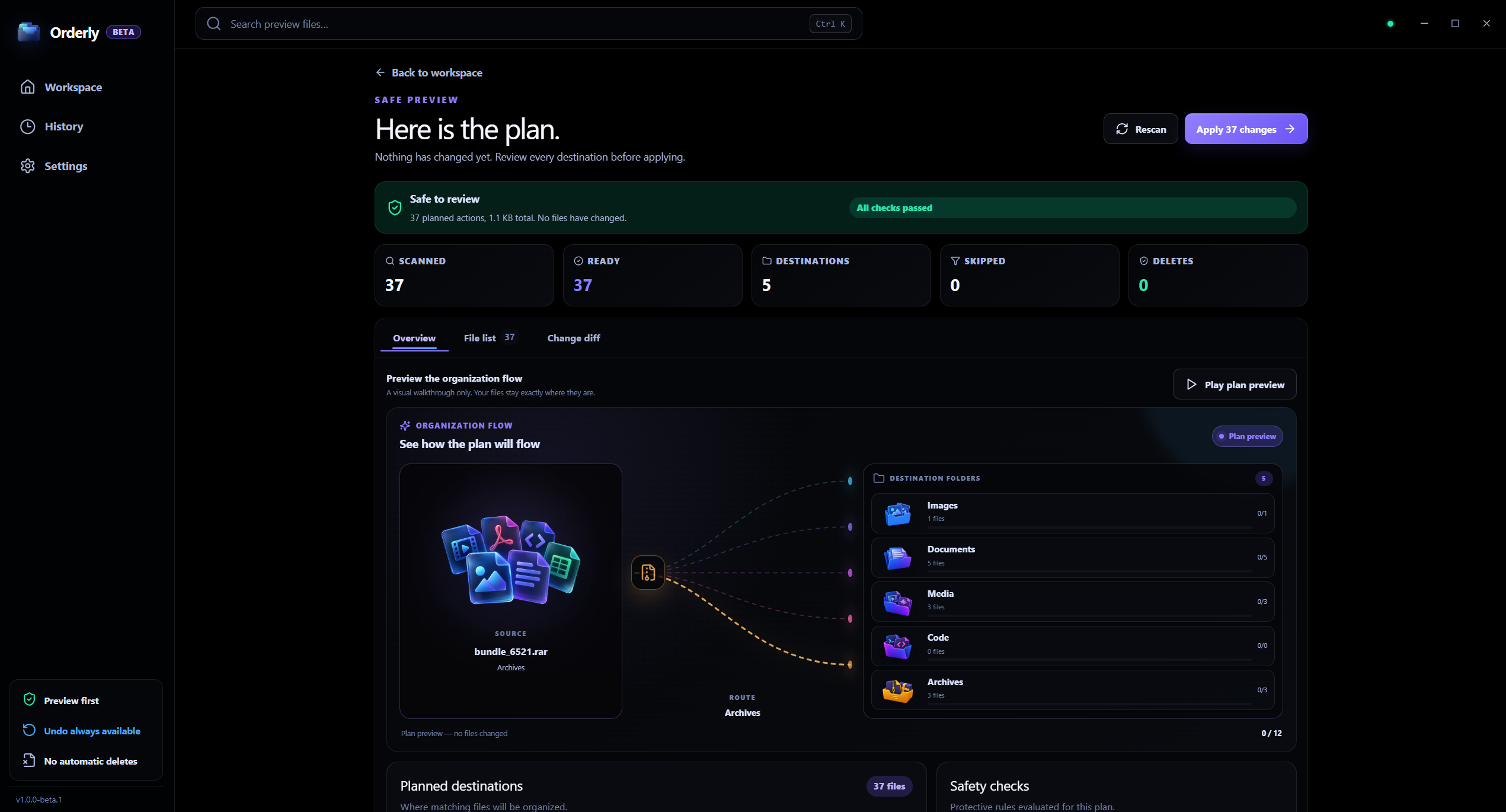
Review before Run
The app screen is real; the visible file names and planned paths are sample data. Preview does not move files.
Preview is read-only
The proposed plan is separate from the Run action.
History is local
Completed runs and undo records stay on the device.
A clear, reviewable workflow
Use Preview to check the plan, then understand what History and Undo can—and cannot—reverse.
Review before Run
Interactive illustration with sample files. Real Orderly screens appear in the proof section below.
Preview leaves files in place. The real app screen is shown below.
Choose a saved profile and ask Orderly to prepare its proposed plan.
Check the summary and proposed source-to-destination paths while files stay in place.
Adjust the profile and preview again, or choose Run when you approve the plan.
Inside the real app
Inspect the proposed plan, return to profile rules if something needs changing, and run only after you approve it.
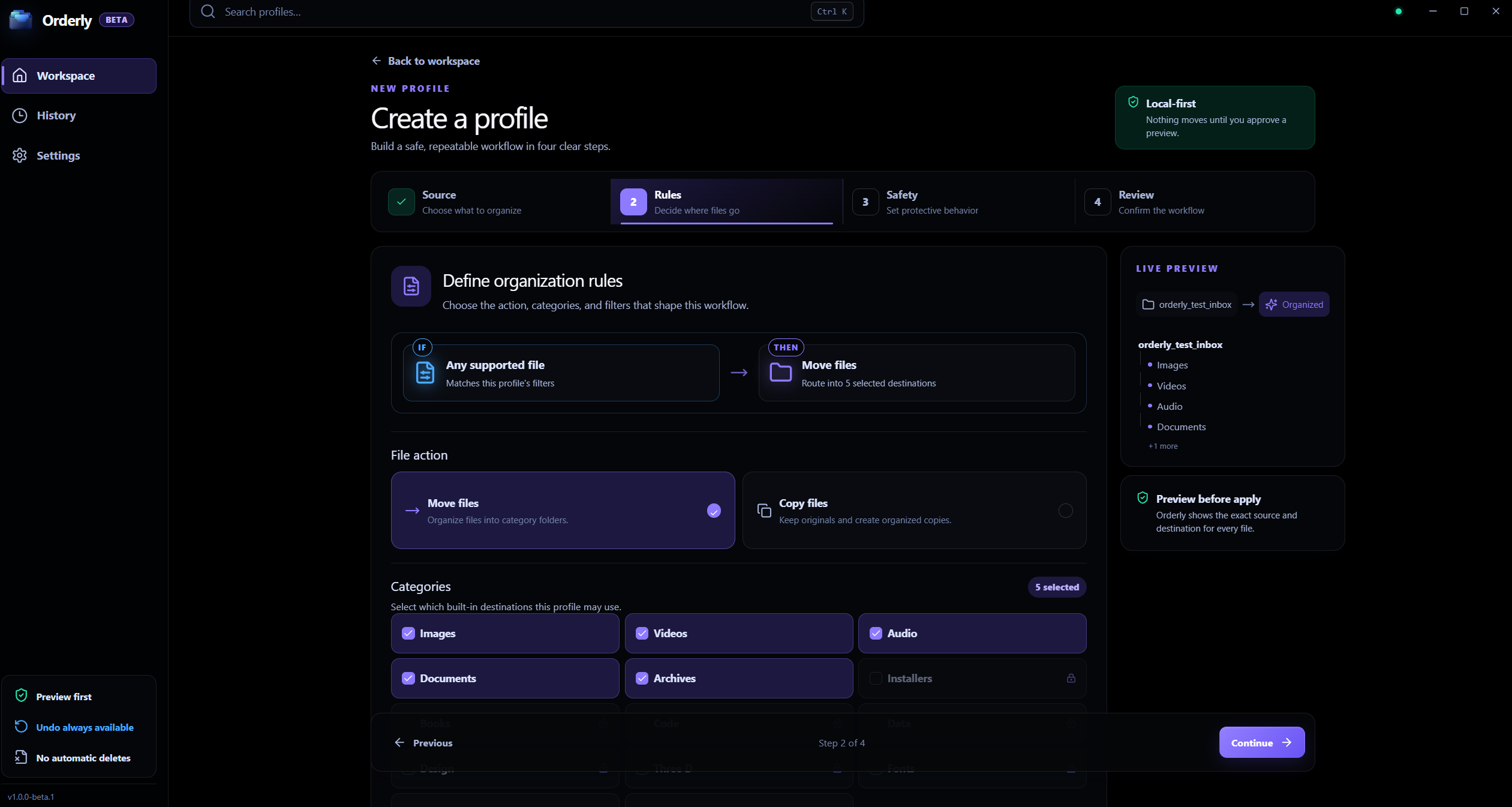
Profile rules
Change categories or filters in the profile, then prepare a fresh Preview.
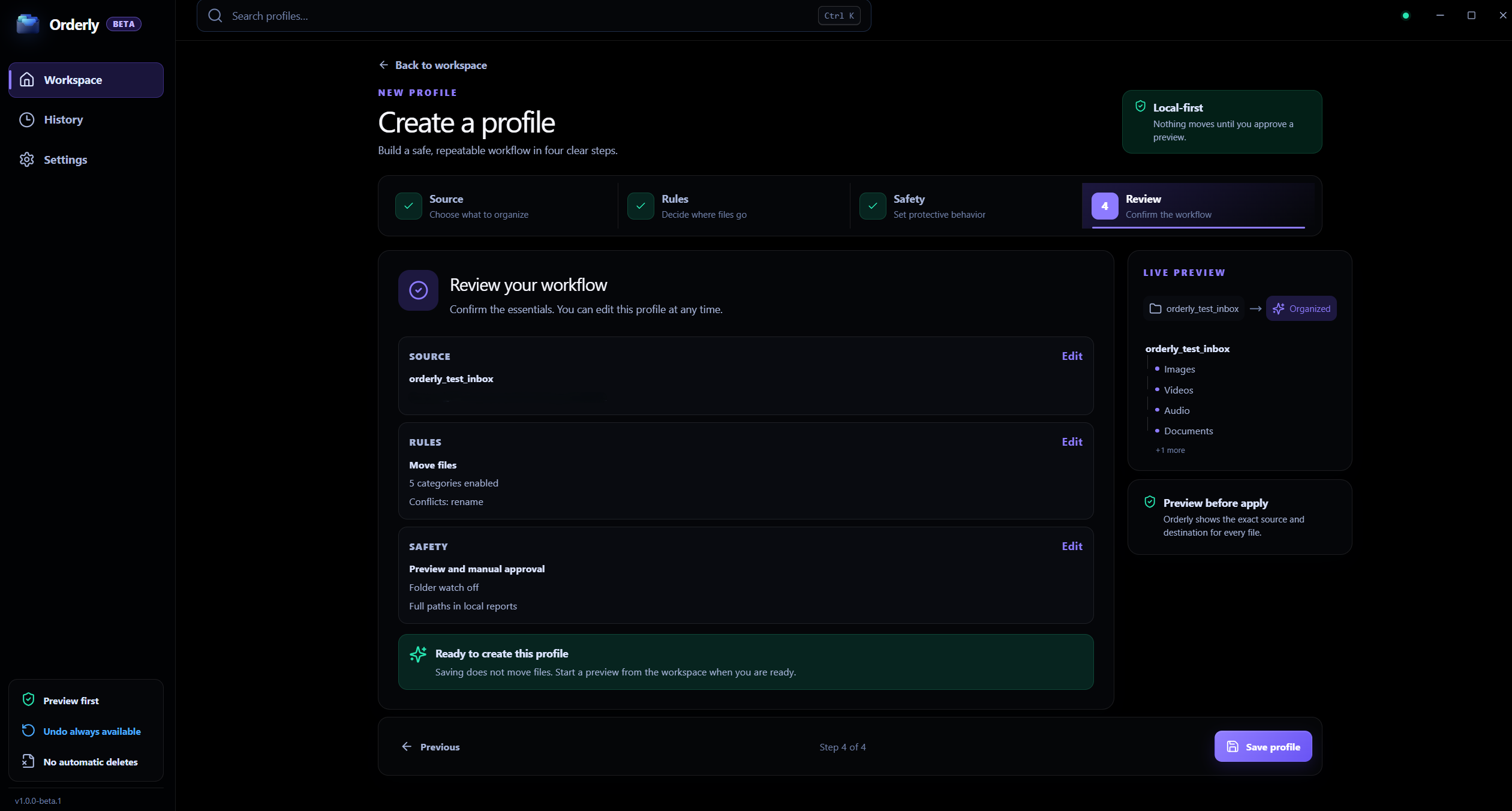
Profile review
Review the selected folders and profile settings before creating a plan.
Preview first
Orderly scans the folder selected in a profile and prepares proposed actions. Preview itself does not move or copy files; applying the plan is a separate Run action.
Review the proposed destination for each planned file action.
Choose Move or Copy in the profile before previewing.
Check how name collisions will be handled.
Use the safety summary to spot skipped or unavailable items.
Local processing, clearly scoped
Folder contents and preview details are stored locally. Optional feedback is a separate action and does not attach profiles, file names, paths, History, or reports.
FAQ
No. Preview prepares a proposed plan and leaves files in place. Run is the separate action that applies an approved plan.
Yes. Return to the profile, adjust its folders, categories, or filters, then create a new preview.
No. Undo depends on the current files and recorded paths. It cannot restore a destination replaced by Overwrite and is not a backup.
Orderly · Preview before moving files
Download Orderly Free Beta and see your plan before you make changes. Native on-device execution for Windows 10 & 11.

