
StickerGrab
v1.2.1 Beta
Media ScraperWindows64-bit installer macOSUniversal DMG
Windows 10/11 & macOS 12+Standalone tool · Telegram & Discord export
 OrderlyFive built-in file categories · v1.0.0-beta.1 · Windows
Orderly routes supported files into five built-in categories: Images, Videos, Audio, Documents, and Archives. Review the destination plan before anything moves, and undo supported actions from local History.
Orderly Free Beta is available as a 64-bit installer for Windows 10 and 11.
 Choose the categories for a profile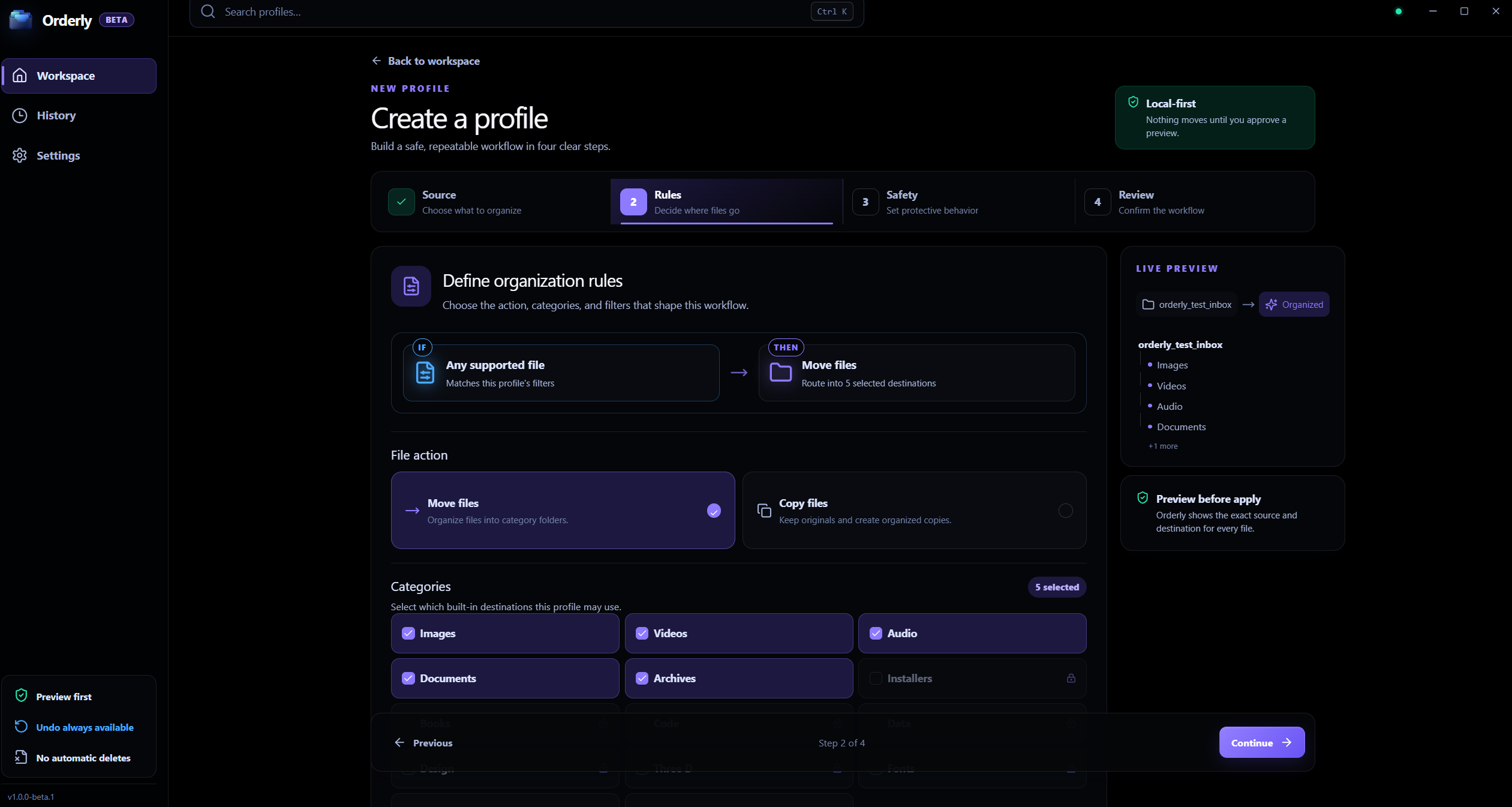
File categories
The screenshot is a real app capture; its profile values are examples. Current built-in categories are listed below.
A plan you can inspect
Review proposed file actions and destinations first.
Profiles for repeat work
Save folder, category, filter, and collision choices.
A clear, reviewable workflow
Start with one folder, decide what should match, then inspect the proposed file actions before applying them.
Built-in destinations
Interactive illustration with sample files. Real Orderly screens appear in the proof section below.
These are the current built-in categories, not an unlimited custom-category system.
Choose from Images, Videos, Audio, Documents, and Archives in the Free Beta.
Use optional filters for extensions, names, folders, size, date, or subfolders.
Preview proposed destinations and choose Run only when they look right.
Inside the real app
Orderly Free Beta includes Images, Videos, Audio, Documents, and Archives. The screenshots show authentic screens with illustrative values.
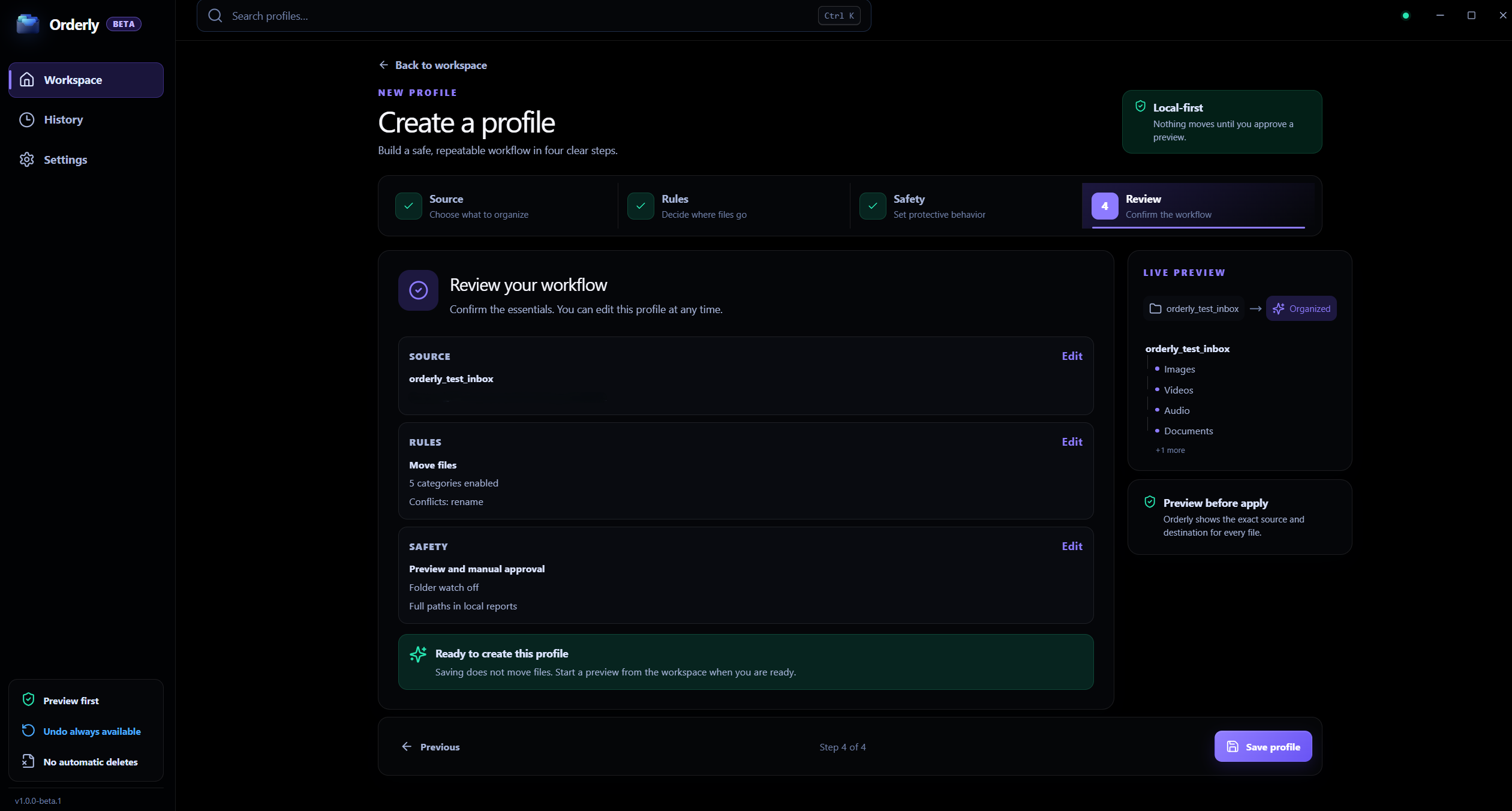
Profile
Check the folders, action, categories, and filters gathered into a profile.
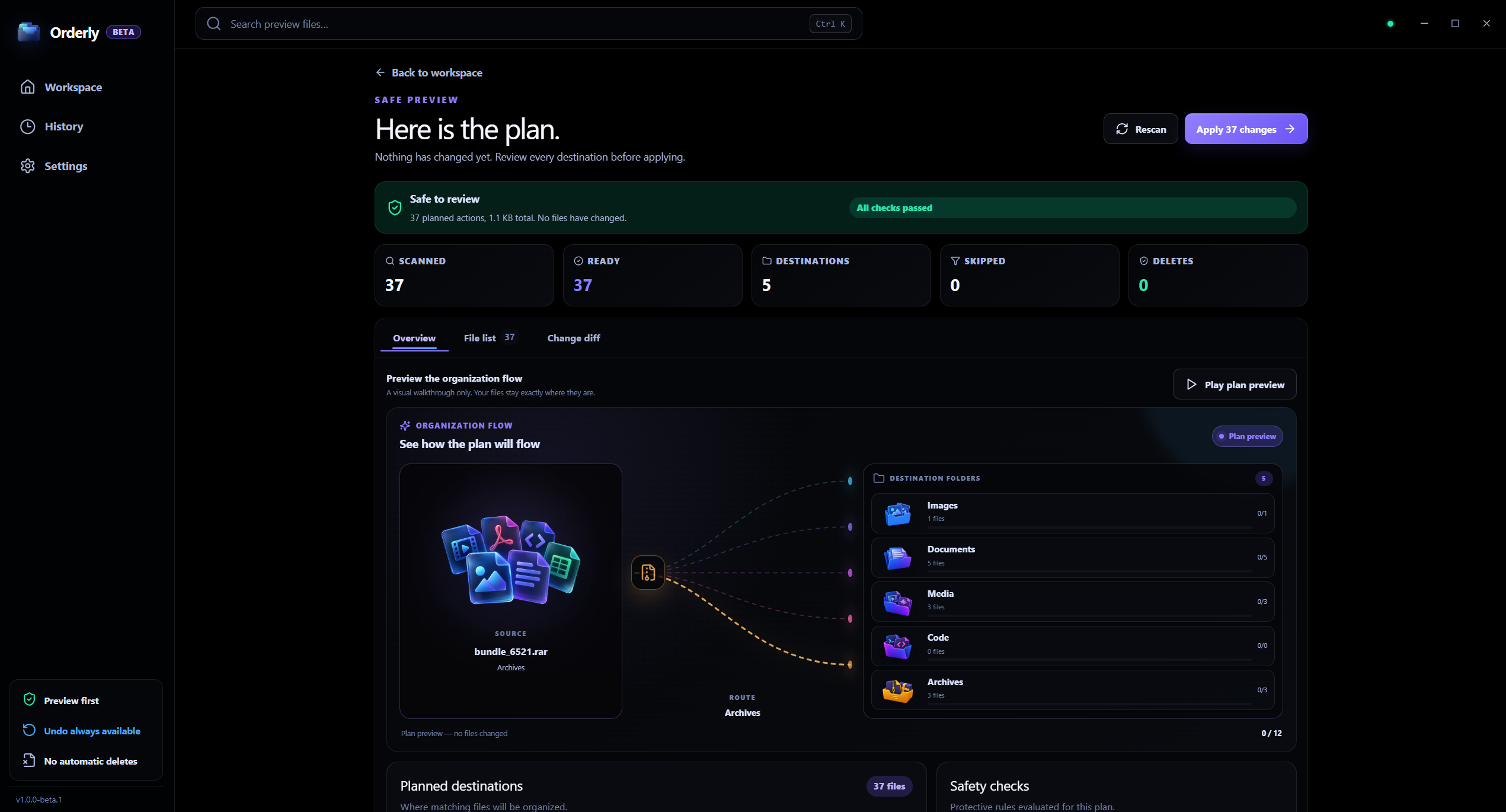
Preview
Preview lets you inspect the plan before choosing Run.
Sort by category
A folder full of mixed formats can be hard to scan. Orderly’s built-in categories provide a simple first pass; profile filters help decide which matching files are included.
Images for photos, screenshots, and graphic assets.
Videos and Audio for recordings, clips, and tracks.
Documents and Archives for work files, PDFs, spreadsheets, and archives.
Clear rules and preview matching before any file is moved.
Local processing, clearly scoped
The selected folder contents are processed on your computer. Orderly does not send those file contents to KenoLabs for sorting.
FAQ
Free Beta includes five core categories: Images, Videos, Audio, Documents, and Archives, covering dozens of common everyday formats.
Yes. A profile can include or exclude extensions and can also filter by names, folders, size, date, and subfolders.
No. Save the profile, create a Preview, review the proposed actions, and choose Run when you approve the plan.
Orderly · Organize files by type
Download Orderly Free Beta and see your plan before you make changes. Native on-device execution for Windows 10 & 11.

