
StickerGrab
v1.2.1 Beta
Media ScraperWindows64-bit installer macOSUniversal DMG
Windows 10/11 & macOS 12+Standalone tool · Telegram & Discord export
 OrderlyDownloads folder cleanup · v1.0.0-beta.1 · Windows
Create one profile for Downloads, preview the plan, and organize the files you are ready to keep without losing control of the folder.
Orderly Free Beta is available as a 64-bit installer for Windows 10 and 11.
 Set up a repeatable folder profile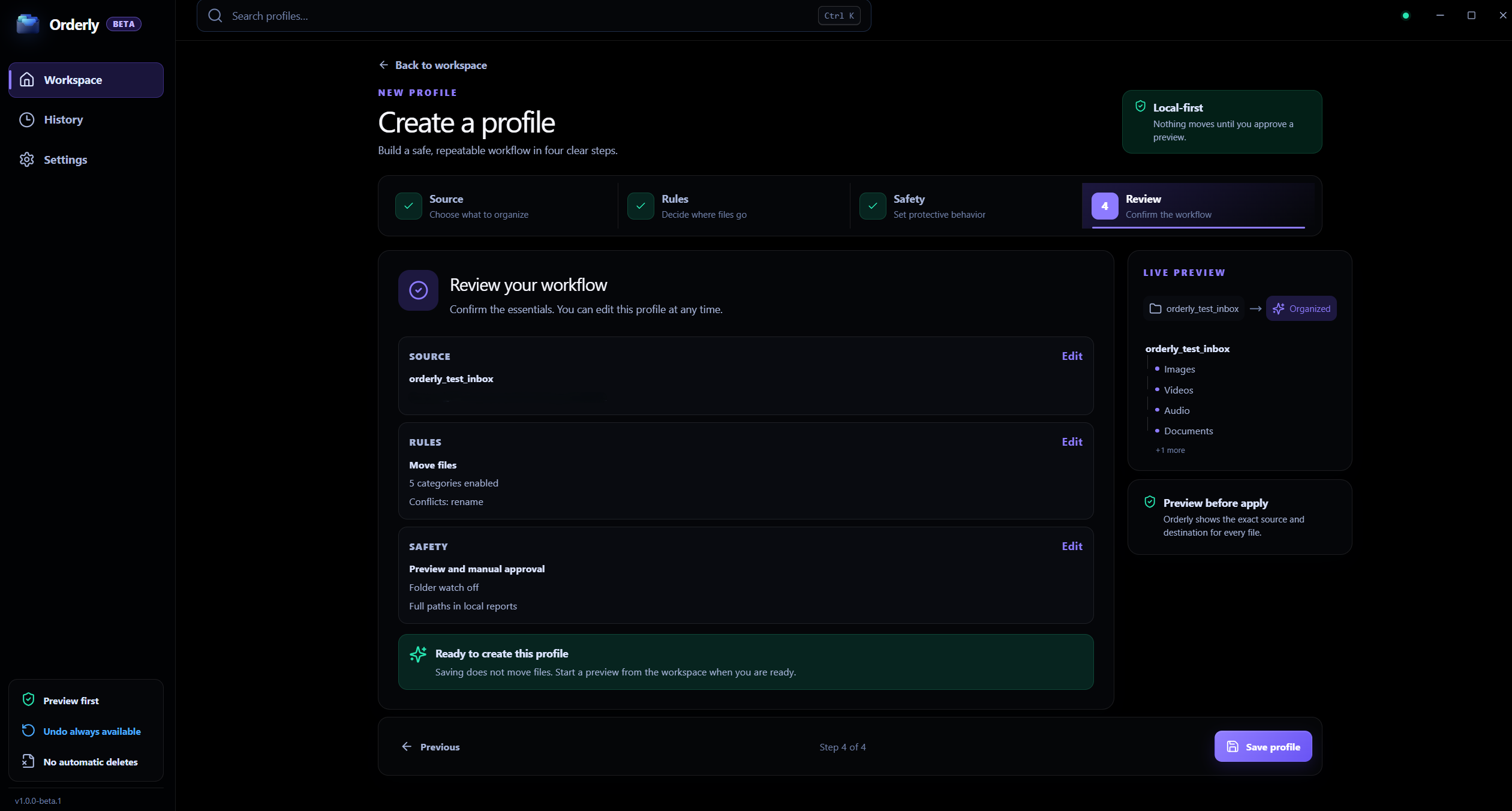
Downloads folder workflow
Choose Downloads or another folder yourself; the path shown in the screenshot is sample data.
A plan you can inspect
Review proposed file actions and destinations first.
Profiles for repeat work
Save folder, category, filter, and collision choices.
A clear, reviewable workflow
Start with one folder, decide what should match, then inspect the proposed file actions before applying them.
Downloads routine
Interactive illustration with sample files. Real Orderly screens appear in the proof section below.
Active Guardrail Rules
*.tmp, *.crdownloadDownloads subfoldersIncomplete downloads and browser temp files stay untouched. Only finished files are categorized.
A filter you set can leave files in place. Inspect the real Preview before Run.
Create a profile for Downloads—or choose another folder you want to tidy.
Filter out files or folders you want to leave alone and choose how conflicts are handled.
Check Preview first. The normal workflow does not move files until you choose Run.
Inside the real app
Use the real profile and Preview screens to set exclusions and check destinations before a run.
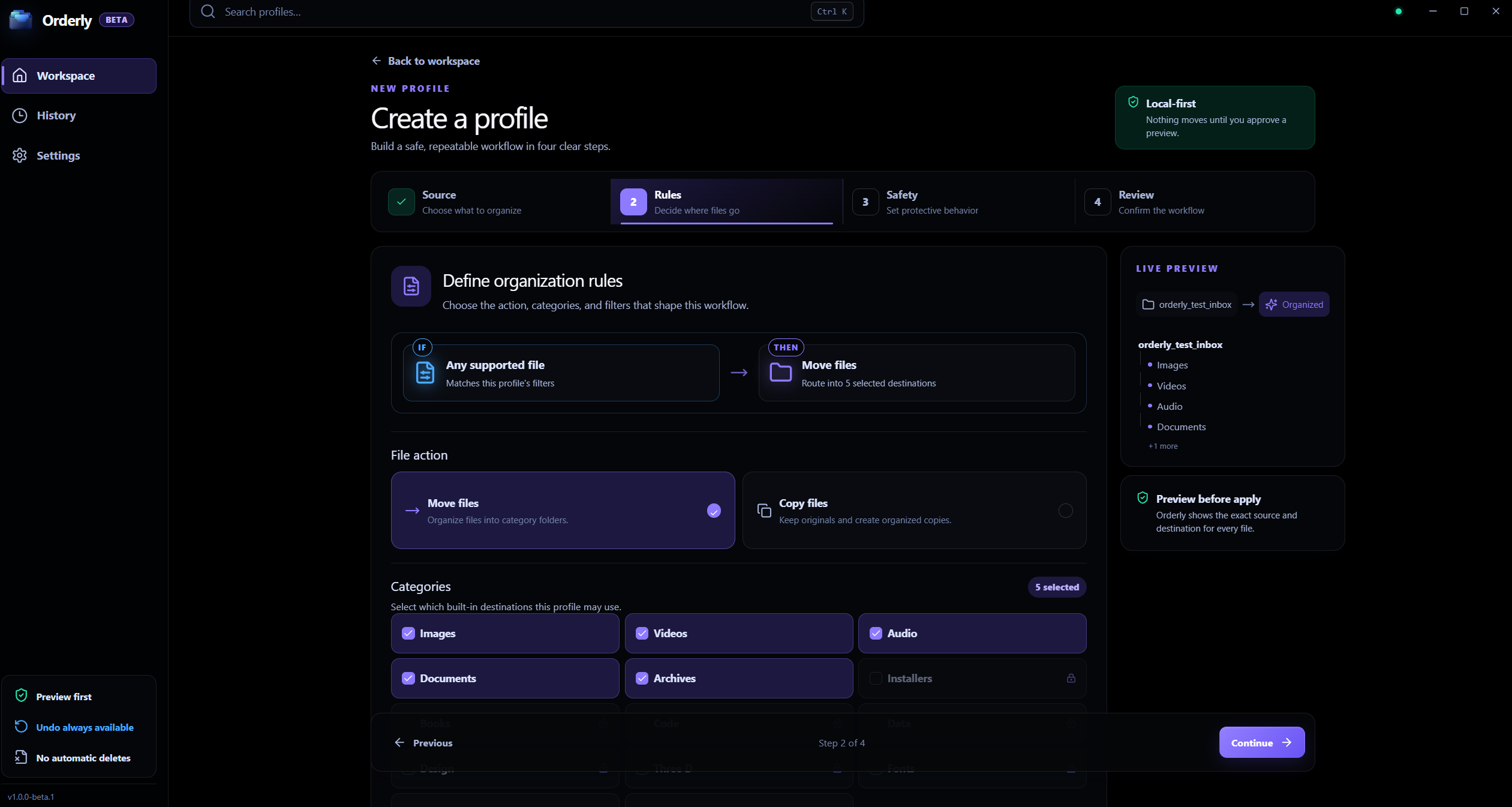
Rules
Set categories and filters for the folder you choose; the displayed profile values are examples.
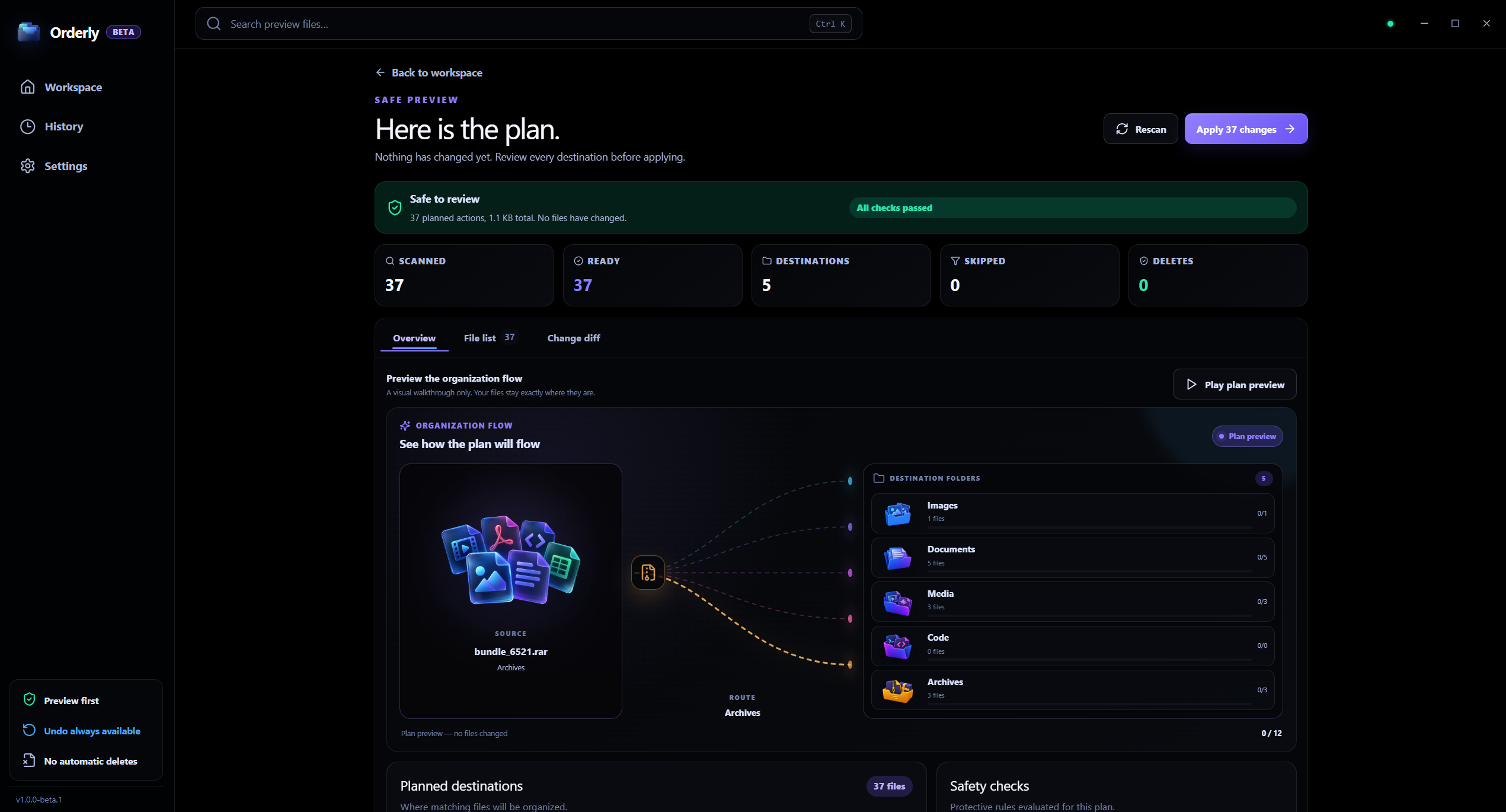
Review
Inspect proposed file actions and destinations before applying them.
Downloads workflow
A Downloads cleanup does not have to be an all-at-once automatic sweep. A profile lets you choose categories and filters, then see the proposed actions before you decide whether to run it.
Exclude extensions such as temporary or incomplete files.
Ignore folders such as project or dependency directories.
Choose whether same-name files are renamed, skipped, or overwritten.
Keep a local record of completed runs for later review.
Local processing, clearly scoped
Orderly processes the selected folder locally and does not upload its contents to KenoLabs. Update checks and feedback are separate, described network actions.
FAQ
The normal workflow is Preview → Run. Watch only detects folder changes. Optional Auto-apply can organize new files for one profile in Free Beta and must be enabled explicitly.
Yes. In Free Beta, executable installers (.exe, .msi) are locked in separate categories and skipped by default. You can also use profile filters to exclude specific extensions, names, or subfolders.
Yes. Choose Copy in the profile. The source remains in place; Undo later removes the destination file currently at its recorded path, so keep backups of important files.
Orderly · Downloads folder organizer
Download Orderly Free Beta and see your plan before you make changes. Native on-device execution for Windows 10 & 11.

