
StickerGrab
v1.2.1 Beta
Media ScraperWindows64-bit installer macOSUniversal DMG
Windows 10/11 & macOS 12+Standalone tool · Telegram & Discord export
 OrderlyLocal History and Undo · v1.0.0-beta.1 · Windows
Orderly saves completed organization runs in History. Undo returns moved files to their original paths and deletes the recorded destination files from Copy runs. It acts on files currently at those paths, so later edits or replacements may be moved or deleted. Undo cannot recover a destination replaced by Overwrite. Keep a normal backup of important files.
Keep independent backups of important files; Undo cannot recover overwritten destination contents.
 Review a completed run in History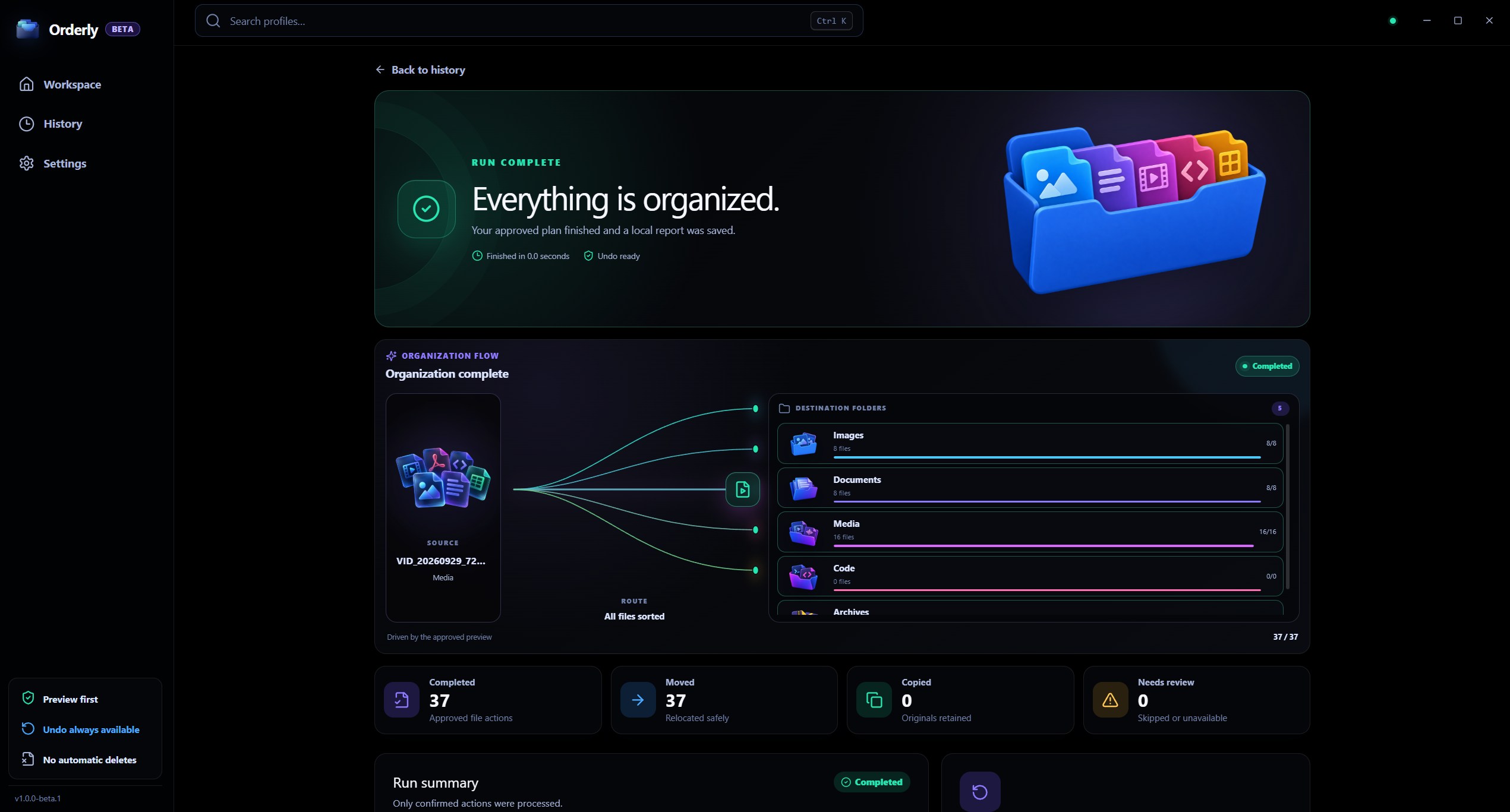
History and Undo
Real app screen with sample run data. Undo uses current files at recorded paths; it is not a backup.
Preview is read-only
The proposed plan is separate from the Run action.
History is local
Completed runs and undo records stay on the device.
A clear, reviewable workflow
Use Preview to check the plan, then understand what History and Undo can—and cannot—reverse.
Local History
Interactive illustration with sample files. Real Orderly screens appear in the proof section below.
A sample Move run with recorded source and destination paths
History records are stored strictly on your device.
Undo follows current files and recorded paths. Keep independent backups of important work.
Select the completed run whose recorded actions you want to review.
Undo depends on the files and original locations still being in a supported state.
Undo is not a snapshot restore and cannot recover content replaced by Overwrite.
Inside the real app
Orderly records completed runs locally. Undo depends on the current files and paths and cannot restore content replaced by Overwrite.
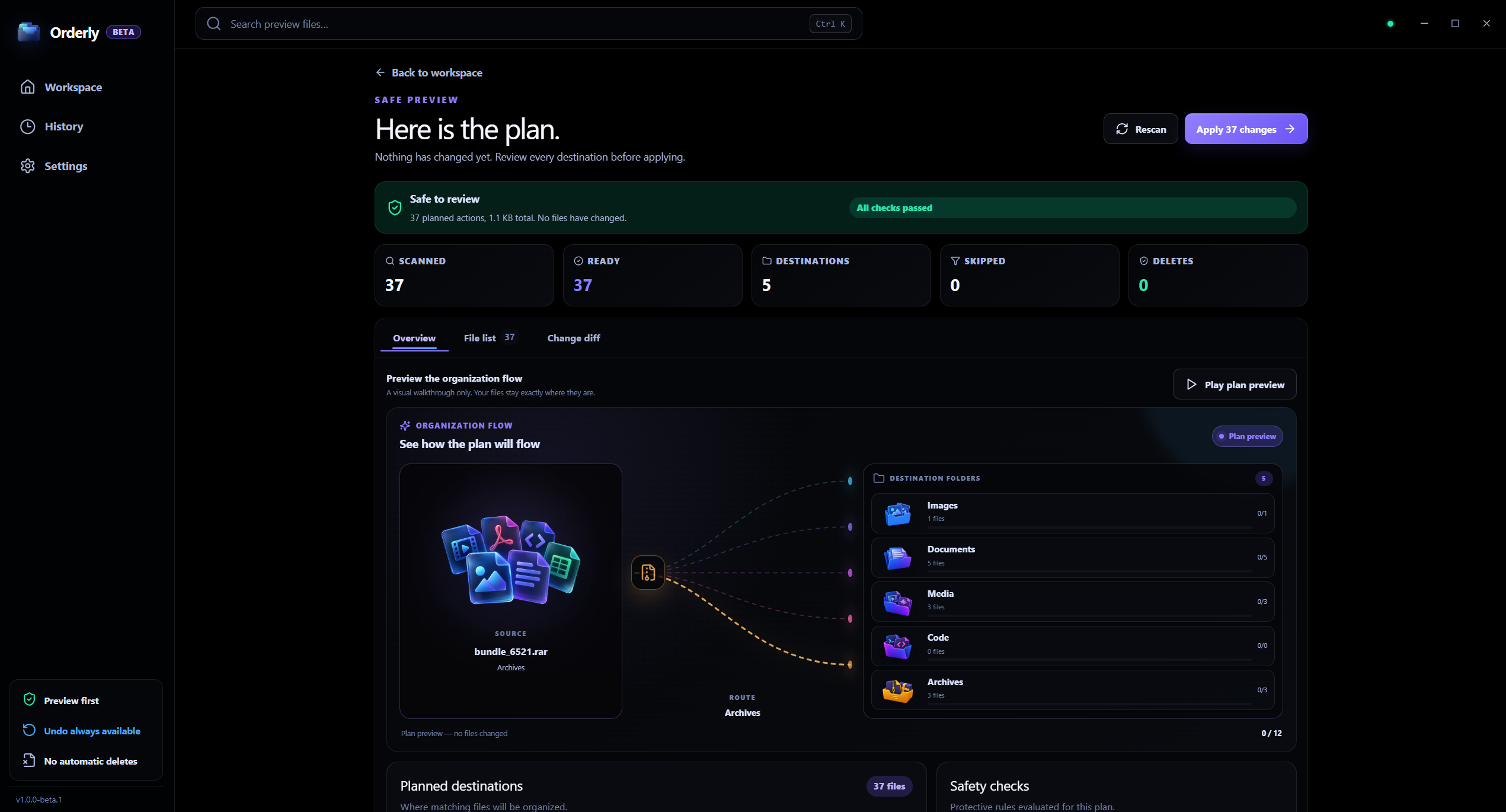
Before a run
A careful Preview is separate from Run and does not change files.
After a run
Move and Copy Undo behave differently; keep independent backups of important files.
Recovery behavior
History stores the organization plan and run records locally. Undo checks the files at the recorded paths and may not be possible if those files or their original locations have changed since the run.
Later edits or replacements may also be moved or deleted by Undo.
An Overwrite collision cannot be recovered by Undo.
Undo can be limited if paths or local run records change.
Keep independent backups for important files.
Local processing, clearly scoped
Orderly stores profiles, History, and Undo records locally. Clearing those records removes the recovery information but does not itself delete the organized files.
FAQ
No. Undo does not restore a destination file that was replaced by the Overwrite collision option.
It deletes the file currently at each recorded destination and leaves the original source in place. A later edit or replacement there may also be deleted.
Yes. Undo is a useful safety net for supported recorded actions, not a replacement for an independent backup.
Orderly · Undo file organization
Download Orderly Free Beta and see your plan before you make changes. Native on-device execution for Windows 10 & 11.

